Clear Away! Tap Escape
Updated
Current Version
1.3.6
Offered By

With your passion for Clear Away! Tap Escape, you shouldn’t have to limit yourself to the small screen of a phone. Play like a pro and take full control of the game using a keyboard and mouse. MEmu gives you everything you’re looking for. Download and play Clear Away! Tap Escape on PC. Play as long as you want — no more worries about battery life, mobile data, or unexpected calls. The all-new MEmu 9 is the best way to play Clear Away! Tap Escape on PC. With our expertly designed keymapping system, Clear Away! Tap Escape feels just like a real PC game. The MEmu multi-instance manager lets you run two or more accounts on the same device at the same time. Most importantly, our exclusive emulation engine unlocks your PC’s full potential, delivering smooth and seamless performance.
Show more
Download Clear Away! Tap Escape on PC with MEmu Android Emulator. Enjoy playing on big screen. Clear Away में आपका स्वागत है — एक सीधा-सादा पहेली (puzzle) गेम जहां आपको भूलभुलैया (maze) से तीरों को बाहर निकालना होता है। इसे आपके दिमाग, प्लानिंग और तेज़ नज़रों को परखने के लिए बनाया गया है — ताकि आप मज़े के साथ-साथ आराम भी कर सकें।.
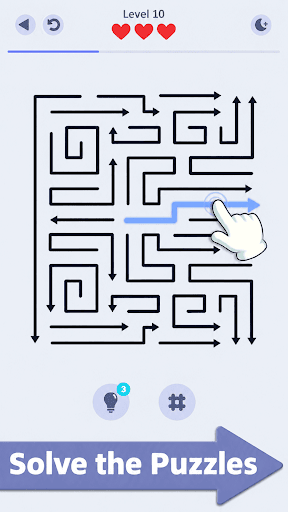
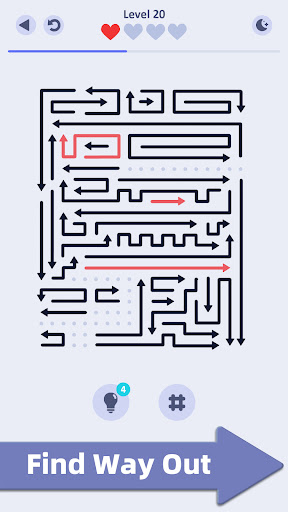
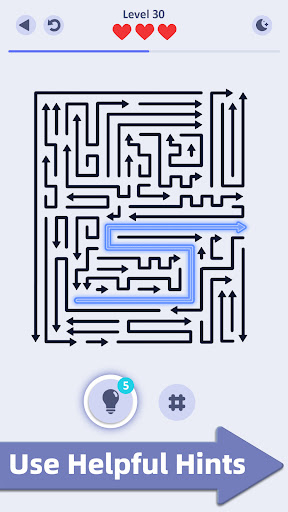
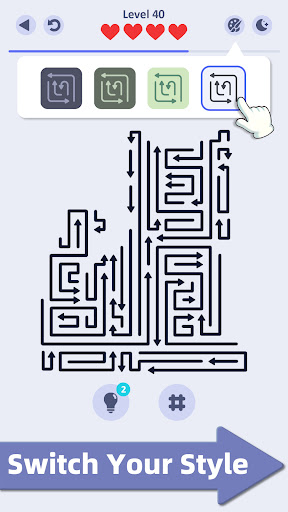
Clear Away में आपका स्वागत है — एक सीधा-सादा पहेली (puzzle) गेम जहां आपको भूलभुलैया (maze) से तीरों को बाहर निकालना होता है। इसे आपके दिमाग, प्लानिंग और तेज़ नज़रों को परखने के लिए बनाया गया है — ताकि आप मज़े के साथ-साथ आराम भी कर सकें।
Clear Away कैसे खेलें: सीखने में आसान, लेकिन मास्टर करने में मज़ेदार!
भूलभुलैया से तीर को बाहर निकालने के लिए उस पर टैप करें।
एक सीधा सा नियम: बाहर निकलते समय तीर आपस में टकराने नहीं चाहिए।
रुकावटों और कटते रास्तों से बचने के लिए ध्यान से प्लानिंग करें।
लेवल पार करने के लिए हर एक तीर को हटा दें!
गेम की खास बातें: इसकी बढ़िया स्ट्रेटेजी और शांत माहौल आपको गेम का दीवाना बना देगा।
हज़ारों मज़ेदार लेवल्स — हर एक लेवल एक नया चैलेंज है!
आसान से लेकर दिमाग घुमा देने वाले लेवल्स, जो आपकी प्लानिंग का टेस्ट लेंगे।
कोई टाइम लिमिट नहीं, कोई प्रेशर नहीं — आराम से अपनी मर्ज़ी से खेलें।
साफ़-सुथरा डिज़ाइन, जो बिना ध्यान भटकाए आपको गेम पर फोकस करने में मदद करता है।
अटक गए? हिंट (hint) का इस्तेमाल करें — यह मज़ा खराब किए बिना आगे बढ़ने में मदद करेगा।
Clear Awayक्यों चुनें? यह सिर्फ एक गेम नहीं है — यह दिमाग की एक बढ़िया कसरत और सुकून देने वाला अनुभव है। हर लेवल दिमाग का एक नया टेस्ट है, और हर जीत आपको एक सही प्लानिंग की खुशी देती है। चाहे आपके पास ब्रेक के दौरान 5 मिनट हों या एक घंटा, दिमाग को तेज़ और शांत रखने के लिए Clear Away आपका सबसे अच्छा साथी है।
क्या आप चैलेंज के लिए तैयार हैं? अभी Clear Away डाउनलोड करें और तीरों को निकालने का अपना सफर शुरू करें! सही रास्ता बनाने के लिए अपने दिमाग का इस्तेमाल करें, हज़ारों लेवल्स को पार करें, और बिना किसी टक्कर के हर पहेली को सुलझाएं!
Show more

1. Download MEmu installer and finish the setup

2. Start MEmu then open Google Play on the desktop

3. Search Clear Away! Tap Escape in Google Play
Install
4. Download and Install Clear Away! Tap Escape
5. On install completion click the icon to start

6. Enjoy playing Clear Away! Tap Escape on PC with MEmu
MEmu Play is the best Android emulator and 100 million people already enjoy its superb Android gaming experience. The MEmu virtualization technology empowers you to play thousands of Android games smoothly on your PC, even the most graphic-intensive ones.
Bigger screen with better graphics; Long duration, without limitation of battery or mobile data.
Full Keymapping support for precise control of keyboard and mouse or gamepad.
Multiple game accounts or tasks on single PC at one time with Multi-Instance manager.
Play Clear Away! Tap Escape on PC by following steps: