Climbing Up: Only Hard Parkour
Updated
Current Version
1.0.4
Offered By

With your passion for Climbing Up: Only Hard Parkour, you shouldn’t have to limit yourself to the small screen of a phone. Play like a pro and take full control of the game using a keyboard and mouse. MEmu gives you everything you’re looking for. Download and play Climbing Up: Only Hard Parkour on PC. Play as long as you want — no more worries about battery life, mobile data, or unexpected calls. The all-new MEmu 9 is the best way to play Climbing Up: Only Hard Parkour on PC. With our expertly designed keymapping system, Climbing Up: Only Hard Parkour feels just like a real PC game. The MEmu multi-instance manager lets you run two or more accounts on the same device at the same time. Most importantly, our exclusive emulation engine unlocks your PC’s full potential, delivering smooth and seamless performance.
Show more
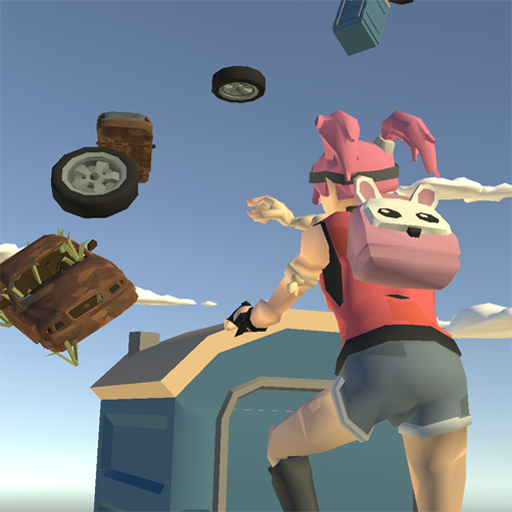
Download Climbing Up: Only Hard Parkour on PC with MEmu Android Emulator. Enjoy playing on big screen. Climbing Up: Only Hard Parkour is a thrilling vertical parkour challenge set in a mysterious post-apocalyptic city.
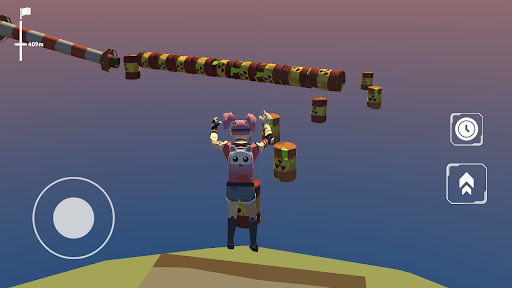
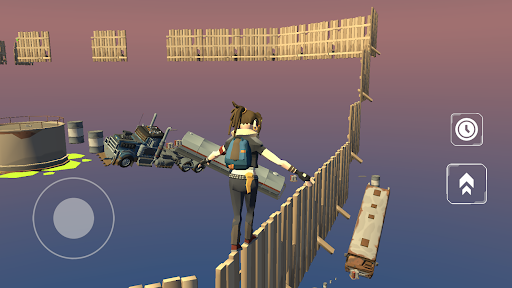
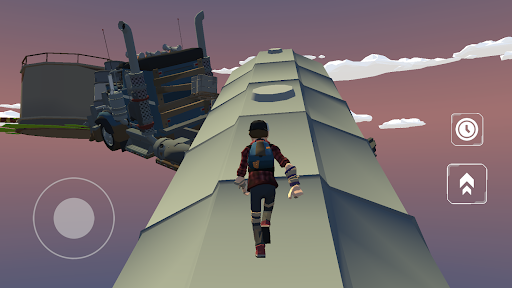
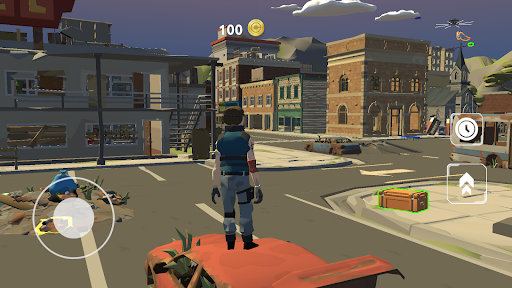
Climbing Up: Only Hard Parkour is a thrilling vertical parkour challenge set in a mysterious post-apocalyptic city. Test your skills, reflexes, and patience as you climb up the ultimate goal — the 1,000-meter summit. It may sound short, but the journey is brutally difficult! Just only run, jump and climb up.
Hardcore Parkour Climbing Up
Navigate complex obstacle courses filled with moving platforms, bouncy trampolines, and non-lethal traps that only knock you down but won’t end your game. Every mistake costs you only progress, not lives.
Explore an Apocalyptic World
The city is more than just a parkour course — it’s full of secrets. Discover hidden chests with coins to unlock new skins, and find challenge zones where completing obstacle trials rewards you with special wings.
Choose Your Difficulty
Easy Mode: Checkpoints help you save progress
Standard Mode: No checkpoints – pure parkour test
Lava Mode: Rising lava forces you to climb fast or fall!
Customize Your Style
Earn or buy unique skins to stand out. Some are unlocked through in-game achievements, rewarding skill and exploration.
Climb up to the Top
Reach the final height of 1,000 meters. Only few players will make it. Can you?
Key Features:
Non-lethal traps that push you back
Physics-based parkour & precise jumping
Dynamic objects, trampolines, and obstacles
Hidden rewards, skins, and wings
No ads mid-game – pure challenge experience
3 difficulty modes including rising lava
Rage-inducing but rewarding gameplay
Perfect for fans of:
Hard parkour games
Vertical obstacle climbing
Escape games
No-checkpoint skill challenges
Apocalyptic exploration adventures
Try Climbing Up: Only Hard Parkour and prove your skills in vertical parkour game on mobile!
Show more

1. Download MEmu installer and finish the setup

2. Start MEmu then open Google Play on the desktop

3. Search Climbing Up: Only Hard Parkour in Google Play
Install
4. Download and Install Climbing Up: Only Hard Parkour
5. On install completion click the icon to start

6. Enjoy playing Climbing Up: Only Hard Parkour on PC with MEmu
MEmu Play is the best Android emulator and 100 million people already enjoy its superb Android gaming experience. The MEmu virtualization technology empowers you to play thousands of Android games smoothly on your PC, even the most graphic-intensive ones.
Bigger screen with better graphics; Long duration, without limitation of battery or mobile data.
Full Keymapping support for precise control of keyboard and mouse or gamepad.
Multiple game accounts or tasks on single PC at one time with Multi-Instance manager.
Play Climbing Up: Only Hard Parkour on PC by following steps: