ColorBANG
Updated
Current Version
1.1.30
Offered By

With your passion for ColorBANG, you shouldn’t have to limit yourself to the small screen of a phone. Play like a pro and take full control of the game using a keyboard and mouse. MEmu gives you everything you’re looking for. Download and play ColorBANG on PC. Play as long as you want — no more worries about battery life, mobile data, or unexpected calls. The all-new MEmu 9 is the best way to play ColorBANG on PC. With our expertly designed keymapping system, ColorBANG feels just like a real PC game. The MEmu multi-instance manager lets you run two or more accounts on the same device at the same time. Most importantly, our exclusive emulation engine unlocks your PC’s full potential, delivering smooth and seamless performance.
Show more
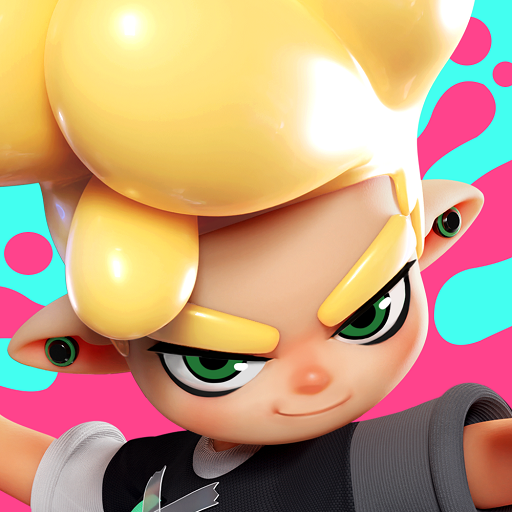
Download ColorBANG on PC with MEmu Android Emulator. Enjoy playing on big screen. "Welcome to ColorBANG, a fast-paced, casual competitive game where coloring is key.
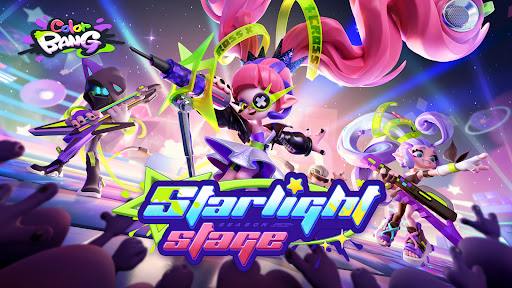
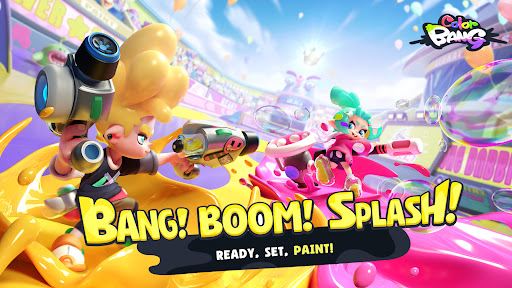
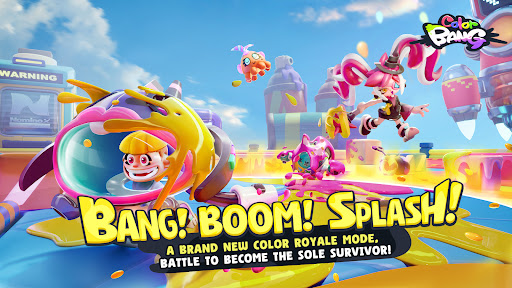

"Welcome to ColorBANG, a fast-paced, casual competitive game where coloring is key. Dive into a vibrant world, engage in thrilling coloring battles, outsmart your opponents, and claim victory. With a top-down fixed perspective and intuitive dual joystick controls, ColorBANG offers an easy learning curve, letting you jump into the action and enjoy the excitement of competition quickly.
Coloring and Territory Capture Strategy: Unleash your coloring talents and become a superstar of the coloring world! Engage in team-based battles and gain an edge by strategically coloring different areas!
3v3 Team Competition: Assemble a formidable three-person team and dominate the arena. Only the strongest team will reign supreme!
Brand-new Survival Mode: Engage in an exhilarating 8-player elimination Battle Royale to claim the title of coloring champion!
Fast-paced Coloring Battles: Experience lightning-fast battles and demonstrate your skills in the exhilarating 150- second rush. Showcase your skills and strategies, and feel the tension and excitement with every passing second.
Diverse Map Environments: Immerse yourself in unique map designs and prop coloring that ignite tactical variations, providing a variety of engaging modes to enjoy.
Hero Shooting Experience: Immerse yourself in a simple and accessible 2.5D shooting gameplay, where you can become a shooting master and revel in the thrill of combat.
Distinctive Color-Changing Skins: Customize your hero with a wide range of options, unlock unique skins, and enjoy color-changing experiences that make you stand out on the battlefield
Join the world of ColorBANG, unleash your coloring talents, and conquer the color-filled arena! Win with speed and skill while experiencing boundless creativity and endless fun.
Come join ""ColorBANG"" and experience the fun-filled world of spraying competition!
Discord:https://discord.gg/5gNFE2saeA
Facebook:https://www.facebook.com/groups/1094384555339182/?ref=share"
Show more

1. Download MEmu installer and finish the setup

2. Start MEmu then open Google Play on the desktop

3. Search ColorBANG in Google Play
Install
4. Download and Install ColorBANG
5. On install completion click the icon to start

6. Enjoy playing ColorBANG on PC with MEmu
MEmu Play is the best Android emulator and 100 million people already enjoy its superb Android gaming experience. The MEmu virtualization technology empowers you to play thousands of Android games smoothly on your PC, even the most graphic-intensive ones.
Bigger screen with better graphics; Long duration, without limitation of battery or mobile data.
Full Keymapping support for precise control of keyboard and mouse or gamepad.
Multiple game accounts or tasks on single PC at one time with Multi-Instance manager.
Play ColorBANG on PC by following steps: