Celestial Age : Origin - All NEW Adventure!
Updated
Current Version
1.0.13
Offered By

With your passion for Celestial Age : Origin - All NEW Adventure!, you shouldn’t have to limit yourself to the small screen of a phone. Play like a pro and take full control of the game using a keyboard and mouse. MEmu gives you everything you’re looking for. Download and play Celestial Age : Origin - All NEW Adventure! on PC. Play as long as you want — no more worries about battery life, mobile data, or unexpected calls. The all-new MEmu 9 is the best way to play Celestial Age : Origin - All NEW Adventure! on PC. With our expertly designed keymapping system, Celestial Age : Origin - All NEW Adventure! feels just like a real PC game. The MEmu multi-instance manager lets you run two or more accounts on the same device at the same time. Most importantly, our exclusive emulation engine unlocks your PC’s full potential, delivering smooth and seamless performance.
Show more
Download Celestial Age : Origin - All NEW Adventure! on PC with MEmu Android Emulator. Enjoy playing on big screen. Celestial Age: Origin Available NOW!



Celestial Age: Origin Available NOW! All NEW Adventure!
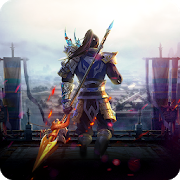
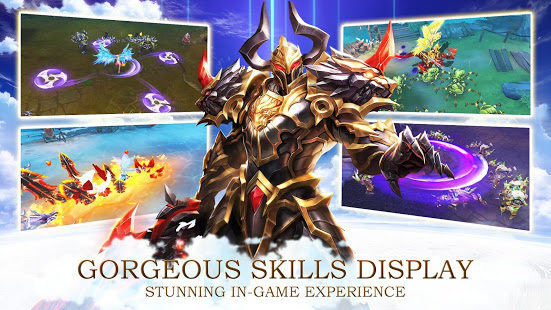
Celestial Age: Origin is a stunning real-time 3D MMORPG featured with strong fantasy elements. It establishes a grand universe where braves can embark on an epic fantasy journey and provides a lot of gameplays as well as distinctive gear system for braves to explore freely. Also, its detailed 3D graphics, realistic visuals, and stunning skill effects with smooth control and splendid blow feedback integrated to produce an ultimate gaming experience.
Key Features:
▶【Transformation System】◀
Transformation is the most characteristic of this game. When you braves reach the certain level and complete the required quest, you can transform into unrivaled Elysians and mow down row after row of evil enemies to protect the land.
▶【Free Legendary Gears】◀
This land is paved with powerful gears and you braves are able to obtain these equipments by challenging mighty bosses or participating in cross-server battles. As we all know, powerful gears are the main way of improving your BP, so don’t miss any boss event!
▶【Exclusive Eudemon Companions】◀
Eudemons are your most reliable protectors, and you can boost their power with rare gears and upgrading. They can not only assist you in battles, but also provide different buff to solidify your victory.
▶【Fancy Gorgeous Outfits】◀
Don’t worry about the “outfit clashes”, because you braves can obtain special-edition outfit and even customize your characters by unlocking achievements, killing bosses and participating different events.
This world is waiting for you! Dare you to start an unknown adventure!
Facebook: http://bit.ly/2W3O7vz
Show more

1. Download MEmu installer and finish the setup

2. Start MEmu then open Google Play on the desktop

3. Search Celestial Age : Origin - All NEW Adventure! in Google Play
Install
4. Download and Install Celestial Age : Origin - All NEW Adventure!
5. On install completion click the icon to start

6. Enjoy playing Celestial Age : Origin - All NEW Adventure! on PC with MEmu
MEmu Play is the best Android emulator and 100 million people already enjoy its superb Android gaming experience. The MEmu virtualization technology empowers you to play thousands of Android games smoothly on your PC, even the most graphic-intensive ones.
Bigger screen with better graphics; Long duration, without limitation of battery or mobile data.
Full Keymapping support for precise control of keyboard and mouse or gamepad.
Multiple game accounts or tasks on single PC at one time with Multi-Instance manager.
Play Celestial Age : Origin - All NEW Adventure! on PC by following steps: