왔더벅: 미니 삼국
Updated
Current Version
1.0.8
Offered By

With your passion for 왔더벅: 미니 삼국, you shouldn’t have to limit yourself to the small screen of a phone. Play like a pro and take full control of the game using a keyboard and mouse. MEmu gives you everything you’re looking for. Download and play 왔더벅: 미니 삼국 on PC. Play as long as you want — no more worries about battery life, mobile data, or unexpected calls. The all-new MEmu 9 is the best way to play 왔더벅: 미니 삼국 on PC. With our expertly designed keymapping system, 왔더벅: 미니 삼국 feels just like a real PC game. The MEmu multi-instance manager lets you run two or more accounts on the same device at the same time. Most importantly, our exclusive emulation engine unlocks your PC’s full potential, delivering smooth and seamless performance.
Show more
Download 왔더벅: 미니 삼국 on PC with MEmu Android Emulator. Enjoy playing on big screen. The collaboration between Atdaebug and Lava has begun!


The collaboration between Atdaebug and Lava has begun!
Go on an adventure with Red and Yellow!
Log in now and get super luxurious rewards!
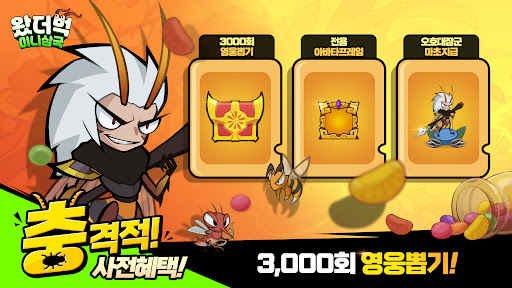
Immediate payment of the Great General of the Three Kingdoms, 'Macho' + 3,000 draws + Korea-only profile frame!
After the chaos of the Three Kingdoms, the heroes thought they would enjoy peace. But the moment they opened their eyes—they had become insects.
The strategist who had been plotting a scheme had become a moth, and the bold general had... a butterfly?!
Is this a bug or a prank by God?
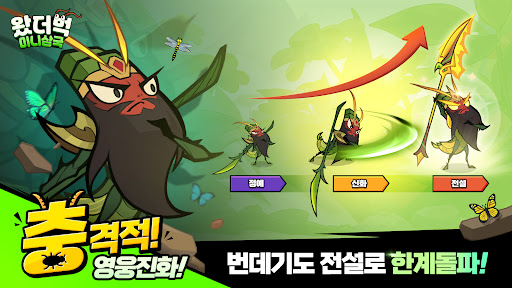
▶ Escape from the pupa in one day! Burden-free storm growth
Level up quickly just by leaving it alone! 24-hour fully automatic storm growth system!
Burden-free training! Freely raise numerous Three Kingdoms bug heroes
And change your strategy as much as you want with unlimited resets!
▶ Win with strategy like Zhuge Liang
There are no useless generals in the Three Kingdoms! All heroes can grow to the highest rank!
Complete your own strategy style with exclusive artifact combinations!
Freely combine attributes with various systems such as wing patterns and pets
and create the strongest bug hero camp!
▶ Healing time, let's capture rare insects!
Take a break from the tension of battle and capture rare insects
and fill up your own museum!
Explore the grass map and complete the encyclopedia, and your heroes will receive special attribute bonuses!
Full of comfortable and fun collection elements~
▶ Challenge to become the strongest with the alliance!
Form an alliance with your friends and challenge the strongest alliance boss, 'Dong-tak'!
A variety of content such as 'Nut Battlefield' and 'Gun-tung Hal-geo' are prepared!
Fight with alliance members to obtain alliance-only rewards and climb to the top of the Insect Three Kingdoms!
----------------------
▶ Official Community
Official Naver Lounge: https://game.naver.com/lounge/what_the_bug
Show more

1. Download MEmu installer and finish the setup

2. Start MEmu then open Google Play on the desktop

3. Search 왔더벅: 미니 삼국 in Google Play
Install
4. Download and Install 왔더벅: 미니 삼국
5. On install completion click the icon to start

6. Enjoy playing 왔더벅: 미니 삼국 on PC with MEmu
MEmu Play is the best Android emulator and 100 million people already enjoy its superb Android gaming experience. The MEmu virtualization technology empowers you to play thousands of Android games smoothly on your PC, even the most graphic-intensive ones.
Bigger screen with better graphics; Long duration, without limitation of battery or mobile data.
Full Keymapping support for precise control of keyboard and mouse or gamepad.
Multiple game accounts or tasks on single PC at one time with Multi-Instance manager.
Play 왔더벅: 미니 삼국 on PC by following steps: