ARES: THE IRON VANGUARD
Updated
Current Version
Offered By

With your passion for ARES: THE IRON VANGUARD, you shouldn’t have to limit yourself to the small screen of a phone. Play like a pro and take full control of the game using a keyboard and mouse. MEmu gives you everything you’re looking for. Download and play ARES: THE IRON VANGUARD on PC. Play as long as you want — no more worries about battery life, mobile data, or unexpected calls. The all-new MEmu 9 is the best way to play ARES: THE IRON VANGUARD on PC. With our expertly designed keymapping system, ARES: THE IRON VANGUARD feels just like a real PC game. The MEmu multi-instance manager lets you run two or more accounts on the same device at the same time. Most importantly, our exclusive emulation engine unlocks your PC’s full potential, delivering smooth and seamless performance.
Show more
Download ARES: THE IRON VANGUARD on PC with MEmu Android Emulator. Enjoy playing on big screen. Two combat styles to seamlessly switch between in freeflowing combat.
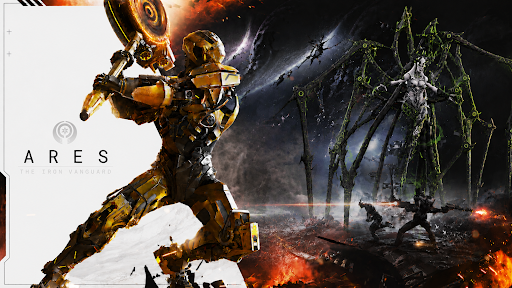
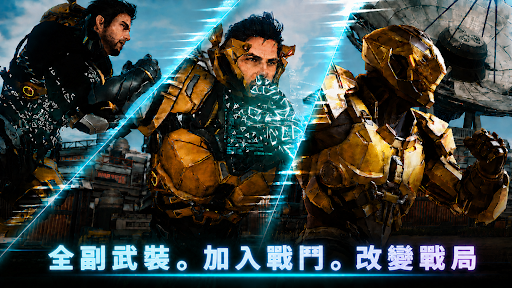
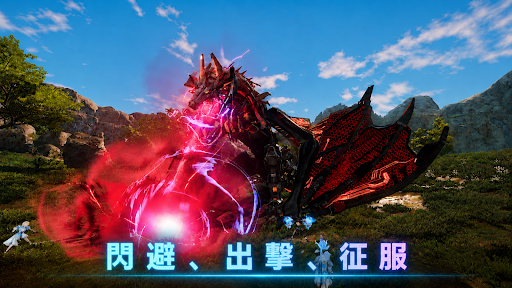
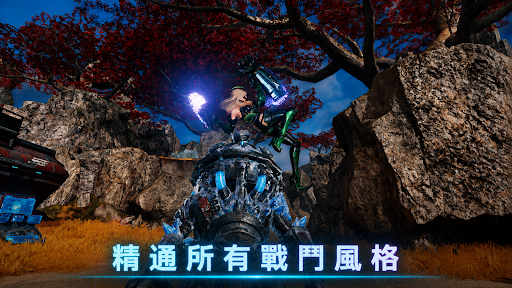
Two combat styles to seamlessly switch between in freeflowing combat.
A next-level stylish action RPG.
Open Beta Test
Join up as a Guardian and be one of the first to experience ARES: THE IRON VANGUARD.
Play firsthand with suit-switching, co-op and action combat.
Your feedback will help us shape the game for launch.
▣ Game Introduction ▣
■ Suit-Switching: Change the Flow of Battle ■
Switch between two suits in real time. Combine weapons and skills to create your own combat style.
Single-handedly turn the tide of war, and dominate hordes of enemies in style.
■ Wield Multiple Classes in Combat ■
The Engineer: fight with heavy gauntlets and deploy drone assaults.
The Warlock: unleash AoE magic powered by cosmic energy.
The Warlord: brave the front lines with a massive rocket-hammer and shield.
The Hunter: cut through the enemy with swift dual blades.
Multi-class: Mix and match different suits for endless possibilities.
■ Unmatched Firepower & Mobility ■
Glide over the open battlefield on a hover board.
Call down and pilot your Mech: the Goliath.
Reclaim the airspace with the Valkyrie!
■ Multiplayer Co-op ■
Experience the thrill of teamwork-driven combat through raids, strike missions, and more.
Fight end-game bosses with friends.
■ Stylish Action On the Go■
An action RPG where timing and skill decide everything!
Experience console-quality gameplay that combines parries, perfect-dodges, and combos.
■ You’re the Solar System’s Last Hope ■
A grand journey unfolds across vast battlefields.
Become a Guardian fighting against the threat of Nemesis and launch into the center of a new war to protect the solar system.
This will be conducted as a Google Play Open Beta Test.
Test Period: 2026.05.19 00:00 ~ 2026.05.27 00:00 (UST)
※ The test schedule and operational details may change depending on service conditions.
※ In-app purchases are not supported during the test, and test items may be provided.
※ This game is free to play.
■ Device Information
Minimum Requirements: Android 10 or higher
RAM: 4GB or higher
■ [Required Permissions]
Photos/Media/File Storage: Required for saving game files and images, and uploading photos and videos.
■ [How to Revoke Permissions]
Revoke Individual Permissions:
Settings > Applications > More (Settings & Control) > App Settings > Permissions > Select Permission > Allow or Deny
Revoke Permissions by App:
Settings > Applications > Select App > Permissions > Allow or Deny
Terms of Service: https://terms.withhive.com/terms/policy/view/M425/T1#T5
Show more

1. Download MEmu installer and finish the setup

2. Start MEmu then open Google Play on the desktop

3. Search ARES: THE IRON VANGUARD in Google Play
Install
4. Download and Install ARES: THE IRON VANGUARD
5. On install completion click the icon to start

6. Enjoy playing ARES: THE IRON VANGUARD on PC with MEmu
MEmu Play is the best Android emulator and 100 million people already enjoy its superb Android gaming experience. The MEmu virtualization technology empowers you to play thousands of Android games smoothly on your PC, even the most graphic-intensive ones.
Bigger screen with better graphics; Long duration, without limitation of battery or mobile data.
Full Keymapping support for precise control of keyboard and mouse or gamepad.
Multiple game accounts or tasks on single PC at one time with Multi-Instance manager.
Play ARES: THE IRON VANGUARD on PC by following steps: