Дурак Новый
Updated
Current Version
6.895
Offered By

With your passion for Дурак Новый, you shouldn’t have to limit yourself to the small screen of a phone. Play like a pro and take full control of the game using a keyboard and mouse. MEmu gives you everything you’re looking for. Download and play Дурак Новый on PC. Play as long as you want — no more worries about battery life, mobile data, or unexpected calls. The all-new MEmu 9 is the best way to play Дурак Новый on PC. With our expertly designed keymapping system, Дурак Новый feels just like a real PC game. The MEmu multi-instance manager lets you run two or more accounts on the same device at the same time. Most importantly, our exclusive emulation engine unlocks your PC’s full potential, delivering smooth and seamless performance.
Show more
Download Дурак Новый on PC with MEmu Android Emulator. Enjoy playing on big screen. Дурак Новый-новый вариант любимой карточной игры.
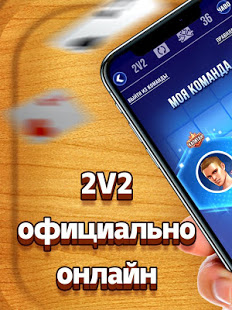
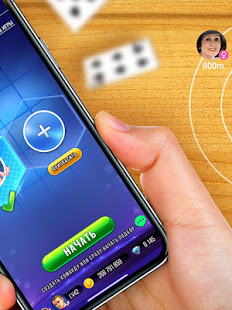
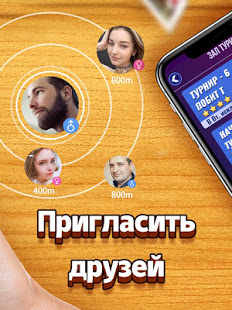
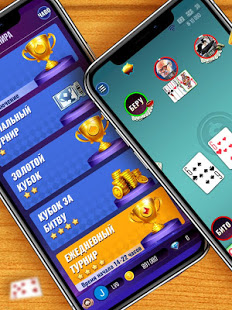
Дурак Новый-новый вариант любимой карточной игры.
Наша цель – придать больше радости нашим пользователям. Скачайте игру и играйте с тысячью реальными игроками прямо сейчас!
У вас есть выбор от 2 до 6 человек, переводной и подкидной, подкидывают соседи и все, с колодой в 24, 36, 52 карт, с друзьями или случайными соперниками, и также различные захватывающие турниры (турнир чемпиона, начальный турнир, золотой кубок, кубок за битву, ежедневный турнир, недельный турнир и 2VS2). Удовлетворите все ваши игровые потребности. Кроме того, вы также можете общаться с игроками и добавить игрока в друзья во время игры. Игрокам не требуется платить за игру. Войдите в игру и получите множество бесплатных монеты и наград.
Главные преимущества:
• Только реальные противники; никаких ботов!
• Тысячи игроков онлайн.
• Классические игровые комбинации.
• Разнообразные захватывающие турниры.
• Друзья, чаты, подарки, награды, таблица лидеров...
• Создать приватную комнату или сразу начать подбор.
• Добавить игрока в друзья.
• Играть в качестве гостя или через свои учетные записи в Vkontakte, Facebook или Google.
• Не нужно пополнять счет, множется бесплатных монет.
Этот продукт предназначен для взрослой аудитории.
Этот продукт не предлагает азартные игры на реальные деньги или возможность выиграть реальные деньги или призы.
Практика или успех в играх не означает будущего успеха в азартных играх на реальные деньги.
Show more

1. Download MEmu installer and finish the setup

2. Start MEmu then open Google Play on the desktop

3. Search Дурак Новый in Google Play
Install
4. Download and Install Дурак Новый
5. On install completion click the icon to start

6. Enjoy playing Дурак Новый on PC with MEmu
MEmu Play is the best Android emulator and 100 million people already enjoy its superb Android gaming experience. The MEmu virtualization technology empowers you to play thousands of Android games smoothly on your PC, even the most graphic-intensive ones.
Bigger screen with better graphics; Long duration, without limitation of battery or mobile data.
Full Keymapping support for precise control of keyboard and mouse or gamepad.
Multiple game accounts or tasks on single PC at one time with Multi-Instance manager.
Play Дурак Новый on PC by following steps: