咻咻三國
Updated
Current Version
5.0.0
Offered By

With your passion for 咻咻三國, you shouldn’t have to limit yourself to the small screen of a phone. Play like a pro and take full control of the game using a keyboard and mouse. MEmu gives you everything you’re looking for. Download and play 咻咻三國 on PC. Play as long as you want — no more worries about battery life, mobile data, or unexpected calls. The all-new MEmu 9 is the best way to play 咻咻三國 on PC. With our expertly designed keymapping system, 咻咻三國 feels just like a real PC game. The MEmu multi-instance manager lets you run two or more accounts on the same device at the same time. Most importantly, our exclusive emulation engine unlocks your PC’s full potential, delivering smooth and seamless performance.
Show more
Download 咻咻三國 on PC with MEmu Android Emulator. Enjoy playing on big screen. 即刻登錄送專屬限定豪華神裝,銀幣x9999,元寶x999,更有粉絲團超多實物獎品和遊戲道具等著你!
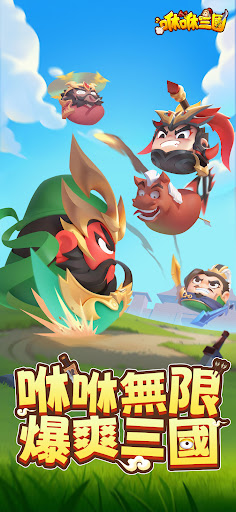
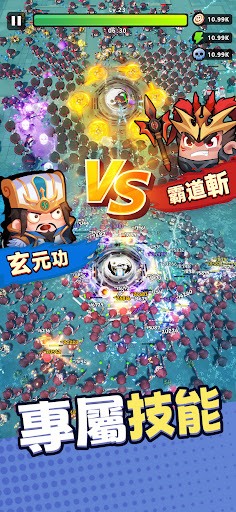
即刻登錄送專屬限定豪華神裝,銀幣x9999,元寶x999,更有粉絲團超多實物獎品和遊戲道具等著你!
超刺激的三國割草無限肉鴿生存遊戲來囉。
三國亂世,主公領命。集結各路群雄好漢,通過瀟灑的走位在極限拉扯中體驗超休閒戰鬥的快感。三國名將專屬技能由你來搭配,給你更自由更刺激的遊戲樂趣。就是現在,操作輪盤,一起咻咻。
遊戲特色:
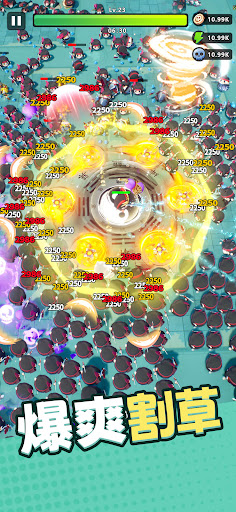
- 爆爽割草:超沉浸體驗三國經典戰役,極限走位拉扯超有趣。多種技能讓你一次擊退全屏怪,一個技能刮倒一片,超解壓。
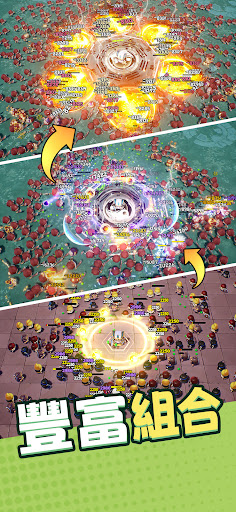
- 技能搭配:頂級裝備由你搭配。專屬英雄特技給你無限驚喜,超高自由度的主被動搭配,給你不一樣的創意割草享受。超級護肝休閒闖蕩,摸魚就能穩拿超多珍稀道具。
- 無限肉鴿:經典肉鴿玩法給你無限技能疊加,只為超爽的激鬥。超自由的搭配,超多的驚喜組合技,每一局都是全新的體驗。
- 超多好康:每日登陸福利、粉絲團專屬豪禮讓你拿到手軟。珍稀道具裝備、限定豪華神裝直接送你。不怕你拿不到,更怕你用不完。
- 輕鬆養成:超速養成三國名將,納入麾下指揮群雄作戰。專屬技能體驗不同英雄的超強絕技。更有超多坐騎搭配三國將領給你頂級割草力。
==聯繫我們==
Facebook粉絲團:https://www.facebook.com/twxxsg/
- 本遊戲內容涉及暴力(但無血腥畫面),依遊戲軟體分級管理辦法分類為保護6級,六歲以上之人始得使用。
- 本遊戲為免費遊戲,但遊戲內另提供購買虛擬遊戲幣、物品等付費服務,請依個人興趣及能力進行適度消費。
- 請注意遊戲時間,避免沉迷,長時間進行遊戲,容易影響作息,宜適度休息及運動。
- 本遊戲由積木互動娛樂股份有限公司代理,如有疑問,請以本遊戲客服管道聯繫
Show more

1. Download MEmu installer and finish the setup

2. Start MEmu then open Google Play on the desktop

3. Search 咻咻三國 in Google Play
Install
4. Download and Install 咻咻三國
5. On install completion click the icon to start

6. Enjoy playing 咻咻三國 on PC with MEmu
MEmu Play is the best Android emulator and 100 million people already enjoy its superb Android gaming experience. The MEmu virtualization technology empowers you to play thousands of Android games smoothly on your PC, even the most graphic-intensive ones.
Bigger screen with better graphics; Long duration, without limitation of battery or mobile data.
Full Keymapping support for precise control of keyboard and mouse or gamepad.
Multiple game accounts or tasks on single PC at one time with Multi-Instance manager.
Play 咻咻三國 on PC by following steps: