碧藍航線
Updated
Current Version
7.1.7
Offered By

With your passion for 碧藍航線, you shouldn’t have to limit yourself to the small screen of a phone. Play like a pro and take full control of the game using a keyboard and mouse. MEmu gives you everything you’re looking for. Download and play 碧藍航線 on PC. Play as long as you want — no more worries about battery life, mobile data, or unexpected calls. The all-new MEmu 9 is the best way to play 碧藍航線 on PC. With our expertly designed keymapping system, 碧藍航線 feels just like a real PC game. The MEmu multi-instance manager lets you run two or more accounts on the same device at the same time. Most importantly, our exclusive emulation engine unlocks your PC’s full potential, delivering smooth and seamless performance.
Show more
Download 碧藍航線 on PC with MEmu Android Emulator. Enjoy playing on big screen. 【世界觀】.
【世界觀】
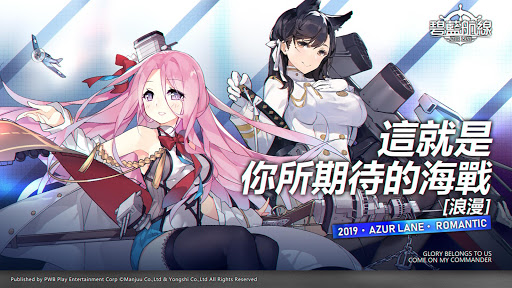
這是一個表面被71%的海水覆蓋著的藍色星球,人類在這片碧藍色之中出生、成長、孕育和發展屬於自己的文明。然而,伴隨著它們的,還有不斷膨脹的野心和欲望。表面風平浪靜的世界格局之下,歷史的暗流湧動。終於,未知的敵人在海洋中出現,面對敵方壓倒性的戰力,各個陣營卻仍然各自為戰,最終換來的結果亦是慘痛的:人類失去了90%以上的海域控制權,科技和生活水平急速倒退。人類對於海洋以及未知的敵人產生了深深的陰影,並且將那些將他們拖入深海黑暗之中的怪物們稱之為“塞壬”。數十年之後,各大陣營為了奪回曾經的輝煌,終於摒棄前嫌,聯合創建了第三方軍事組織“碧藍航線”,“碧藍航線”的宗旨在於:集結並共享來自世界各大陣營的科技與資源,建造出能夠與“塞壬”抗衡的新銳艦隊,奪回海域的控制權……
【遊戲特色】
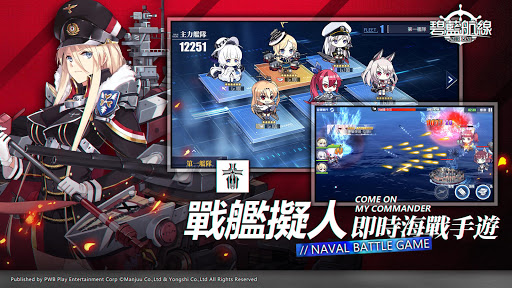
-操作簡單、又充滿爽快感的即時海戰模擬遊戲!
組成最大6人的出擊艦隊,跨越猛烈的炮火,將敵人悉數殲滅吧!
被敵人的炮火擊中也無須慌張!即使不擅長動作遊戲,也可以通過自動戰鬥享受遊戲的樂趣!
-組成只屬於你的特別艦隊吧!
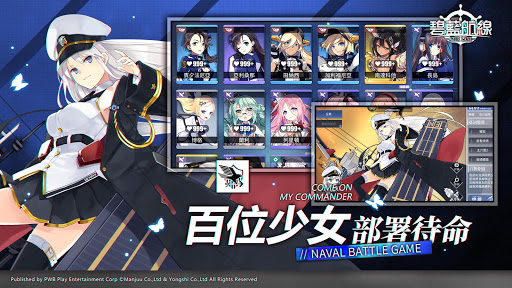
來自各大陣營的特色艦船悉數登場!超過百名性格各異、各具特色的少女們等待著你的指揮!好感度系統同步實裝,選擇喜歡的角色自由養成,培養專屬於你的艦船少女吧!
-豐富的養成與收集玩法,等待你的發掘!
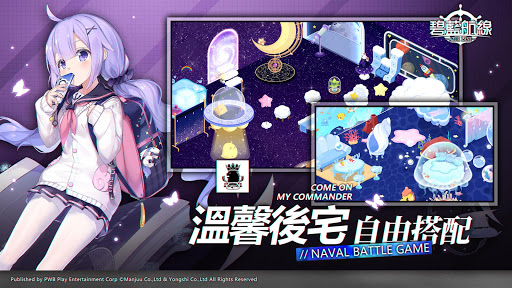
豐富有趣的後宅互動,數百種家具隨意DIY,打造屬於你與少女們的專屬樂園!特有的圖鑑收藏系統,滿足你的收集慾!
-豪華聲優陣容,享受頂級聽覺盛宴!
雨宫天、茅野爱衣、佐仓绫音、上坂堇、石川由依、田中敦子、福原绫香、堀江由衣等眾多人氣聲優傾情獻聲,為你帶來最棒的聲音演出!
【分級資訊】
本軟體因涉及性、暴力情節,不當言語,依遊戲軟體分級管理辦法分類為輔15級。
本遊戲為免費使用,遊戲內另提供購買虛擬貨幣、物品等付費服務。
請注意遊戲時間,避免沉迷。
Show more

1. Download MEmu installer and finish the setup

2. Start MEmu then open Google Play on the desktop

3. Search 碧藍航線 in Google Play
Install
4. Download and Install 碧藍航線
5. On install completion click the icon to start

6. Enjoy playing 碧藍航線 on PC with MEmu
MEmu Play is the best Android emulator and 100 million people already enjoy its superb Android gaming experience. The MEmu virtualization technology empowers you to play thousands of Android games smoothly on your PC, even the most graphic-intensive ones.
Bigger screen with better graphics; Long duration, without limitation of battery or mobile data.
Full Keymapping support for precise control of keyboard and mouse or gamepad.
Multiple game accounts or tasks on single PC at one time with Multi-Instance manager.
Play 碧藍航線 on PC by following steps: