AFK アリーナ
Updated
Current Version
1.58.01
Offered By

With your passion for AFK アリーナ, you shouldn’t have to limit yourself to the small screen of a phone. Play like a pro and take full control of the game using a keyboard and mouse. MEmu gives you everything you’re looking for. Download and play AFK アリーナ on PC. Play as long as you want — no more worries about battery life, mobile data, or unexpected calls. The all-new MEmu 9 is the best way to play AFK アリーナ on PC. With our expertly designed keymapping system, AFK アリーナ feels just like a real PC game. The MEmu multi-instance manager lets you run two or more accounts on the same device at the same time. Most importantly, our exclusive emulation engine unlocks your PC’s full potential, delivering smooth and seamless performance.
Show more
Download AFK アリーナ on PC with MEmu Android Emulator. Enjoy playing on big screen. 7つの種族と、新世界へ旅立とう!

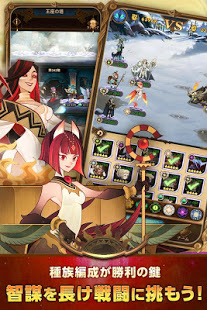
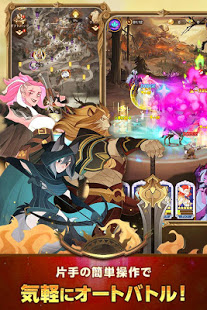
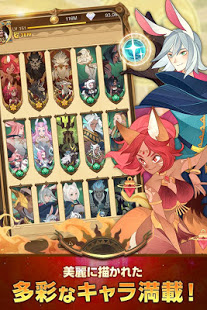
7つの種族と、新世界へ旅立とう!
全世界の人々と、まだ見ぬ夢を見よう!
◆壮大な世界観、七つの種族の物語
多彩なキャラクターが繰り広げる美しい物語!
未だかつてない世界が今ここに登場!
混沌の地で新しい冒険を始めよう!
◆全世界が絶叫する放置RPG
気軽に楽しめる!
頭脳と組み合わせで可能性は無限大!
◆シンプルで奥深いリアルタイムバトル
タイミングよく必殺技を使いこなせよう!
それぞれにユニークなスキルをもつキャラクターを組み合わせ、自分だけのお気に入りのパーティをつくろう!
スキルを鍛え、必殺技が炸裂!
◆世界が絶叫する独特なグラフィック!
幻を目に焼き付けるハイクオリティなアニメーションを多数収録!
世界最高峰の美しさを堪能せよう!
脳に鳴り止まない鼓動!
心に響き渡る感動!
いますぐ行動!
Show more

1. Download MEmu installer and finish the setup

2. Start MEmu then open Google Play on the desktop

3. Search AFK アリーナ in Google Play
Install
4. Download and Install AFK アリーナ
5. On install completion click the icon to start

6. Enjoy playing AFK アリーナ on PC with MEmu
MEmu Play is the best Android emulator and 100 million people already enjoy its superb Android gaming experience. The MEmu virtualization technology empowers you to play thousands of Android games smoothly on your PC, even the most graphic-intensive ones.
Bigger screen with better graphics; Long duration, without limitation of battery or mobile data.
Full Keymapping support for precise control of keyboard and mouse or gamepad.
Multiple game accounts or tasks on single PC at one time with Multi-Instance manager.
Play AFK アリーナ on PC by following steps: