
Tales of the Mirror
Updated
Current Version
500+
Offered By

With your passion for Tales of the Mirror, you shouldn’t have to limit yourself to the small screen of a phone. Play like a pro and take full control of the game using a keyboard and mouse. MEmu gives you everything you’re looking for. Download and play Tales of the Mirror on PC. Play as long as you want — no more worries about battery life, mobile data, or unexpected calls. The all-new MEmu 9 is the best way to play Tales of the Mirror on PC. With our expertly designed keymapping system, Tales of the Mirror feels just like a real PC game. The MEmu multi-instance manager lets you run two or more accounts on the same device at the same time. Most importantly, our exclusive emulation engine unlocks your PC’s full potential, delivering smooth and seamless performance.
Show more
Download Tales of the Mirror on PC with MEmu Android Emulator. Enjoy playing on big screen. Solver Murder Mysteries.



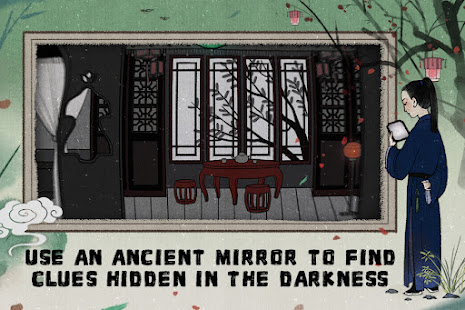
Solver Murder Mysteries
Travel Back to the Ancient Orient
Please note that the purchasable clothes cannot be displayed and in-game purchases are temporarily unavailable.
Tales of the Mirror is a landscape-mode visual novel game created by Cotton Games. As a player, you solve a series of mysteries in the mid and late Ming Dynasty, in the south of Yangtze River. One day, while enjoying the view of a lake, you meet Ren Sanniang (a female NPC). After she tearfully tells you her bitter story, you decide to help her redress the injustices her family had suffered.
You need to crack the case within a specified number of days, and you need to use an ancient mirror to reveal the lies and secrets hidden behind the words in your quest for the truth. Behind the twists and turns of the bizarre story lies the human condition and life-and-death decisions. Let us travel back in time to the Ming dynasty and relive this legendary story that happened in the misty Yangtze Delta.
Game Features:
1. The exquisite ancient Chinese backdrops let you immerse yourself in the beautiful scenery of Yangtze Delta.
2. You will be profoundly intrigued by the unexpected development of the plot and cannot help but delve further into the mystery.
3. Truth is not always apparent. The ancient mirror in your possession allows you to uncover deeply hidden secrets.
4. Clues lie between the lines. In the course of tracking down the culprit, you need to find important clues from the dialog, record them, and solve layers upon layers of puzzles to get to the bottom of everything.
5. As a player, every choice you make will affect the direction of the plot and lead to different endings.
Support:
Official Site: https://talesofthemirror.lilithgames.com/en/
Facebook: https://www.facebook.com/TalesoftheMirrorEN
Show more

1. Download MEmu installer and finish the setup

2. Start MEmu then open Google Play on the desktop

3. Search Tales of the Mirror in Google Play
Install
4. Download and Install Tales of the Mirror
5. On install completion click the icon to start

6. Enjoy playing Tales of the Mirror on PC with MEmu
MEmu Play is the best Android emulator and 100 million people already enjoy its superb Android gaming experience. The MEmu virtualization technology empowers you to play thousands of Android games smoothly on your PC, even the most graphic-intensive ones.
Bigger screen with better graphics; Long duration, without limitation of battery or mobile data.
Full Keymapping support for precise control of keyboard and mouse or gamepad.
Multiple game accounts or tasks on single PC at one time with Multi-Instance manager.
Play Tales of the Mirror on PC by following steps: