
Marvel's Blade
Updated
Current Version
Offered By

With your passion for Marvel's Blade, you shouldn’t have to limit yourself to the small screen of a phone. Play like a pro and take full control of the game using a keyboard and mouse. MEmu gives you everything you’re looking for. Download and play Marvel's Blade on PC. Play as long as you want — no more worries about battery life, mobile data, or unexpected calls. The all-new MEmu 9 is the best way to play Marvel's Blade on PC. With our expertly designed keymapping system, Marvel's Blade feels just like a real PC game. The MEmu multi-instance manager lets you run two or more accounts on the same device at the same time. Most importantly, our exclusive emulation engine unlocks your PC’s full potential, delivering smooth and seamless performance.
Show more
Download Marvel's Blade on PC with MEmu Android Emulator. Enjoy playing on big screen. Marvel's Blade emerges as an ambitious new project that brings the iconic vampire hunter to life in an unprecedented gaming experience.
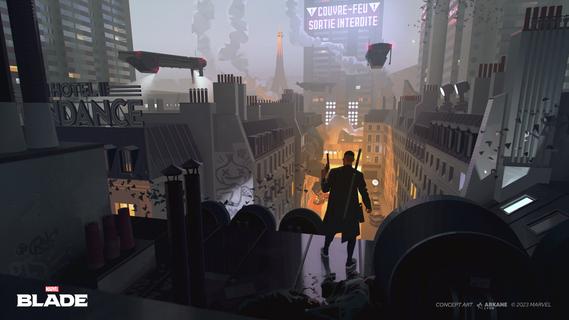
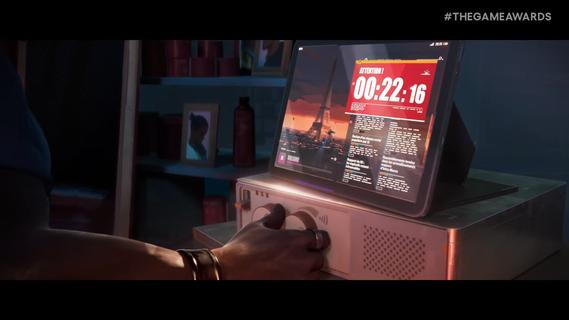

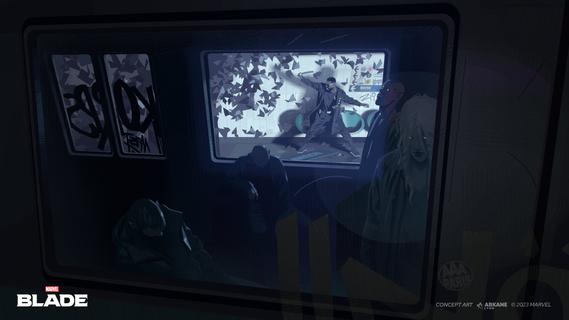
Marvel's Blade emerges as an ambitious new project that brings the iconic vampire hunter to life in an unprecedented gaming experience. Set in a quarantined section of Paris, this mature single-player adventure follows Eric Brooks, the legendary Daywalker, as he confronts a supernatural emergency that has forced Parisians to shelter inside their homes after nightfall. Setting and AtmosphereThe game takes place in a fictionalized version of Paris, where vampires have emerged to terrorize the city of lights. This urban environment represents a departure from Arkane's previous settings, offering a more grounded approach compared to their past works like the subarctic islands of Blackreef or the industrial streets of Dunwall. Gameplay InnovationFor the first time in Arkane's history, the studio is developing a third-person perspective game, marking a significant shift from their traditional first-person immersive sim approach1. This design choice appears particularly suited for Blade's acrobatic and agile nature, promising to showcase the character's martial arts skills and superhuman abilities in combat. Creative VisionThe development is being led by Arkane Lyon, the studio behind acclaimed titles like Deathloop and Dishonored. Game Director Dinga Bakaba has expressed a personal connection to the project, noting how Blade's dual heritage resonates with his own mixed origins. The studio aims to push their artistic boundaries, with Co-Creative and Art Director Sebastien Mitton emphasizing their commitment to developing a bold, modern visual style that captures Blade's iconic aesthetic, from his trademark sunglasses to his distinctive trench coat. Story and CharacterThe narrative focuses on Blade's internal struggle as a dhampir, torn between human society and vampire bloodlust. As the Daywalker, he must protect Paris while grappling with his unique position as a bridge between two worlds. The game promises to deliver an original story that draws from both comic book mythology and various media appearances, offering a fresh take on the character's rich legacy. Development PhilosophyArkane Lyon's approach to Marvel's Blade represents a celebration of the character's 50th anniversary. The studio's reputation for uncompromising artistry and innovative game design suggests a promising direction for this new interpretation of the vampire hunter's saga. With their signature immersive gameplay systems and strong narrative focus, Arkane aims to create an experience that honors both their own creative legacy and the beloved Marvel character.
Show more

1. Download MEmu installer and finish the setup

2. Start MEmu then open Google Play on the desktop

3. Search Marvel's Blade in Google Play
Install
4. Download and Install Marvel's Blade
5. On install completion click the icon to start

6. Enjoy playing Marvel's Blade on PC with MEmu
MEmu Play is the best Android emulator and 100 million people already enjoy its superb Android gaming experience. The MEmu virtualization technology empowers you to play thousands of Android games smoothly on your PC, even the most graphic-intensive ones.
Bigger screen with better graphics; Long duration, without limitation of battery or mobile data.
Full Keymapping support for precise control of keyboard and mouse or gamepad.
Multiple game accounts or tasks on single PC at one time with Multi-Instance manager.
Play Marvel's Blade on PC by following steps:


















































