Аэропорт. Диспетчер. ПРО
Updated
Current Version
100+
Offered By

With your passion for Аэропорт. Диспетчер. ПРО, you shouldn’t have to limit yourself to the small screen of a phone. Play like a pro and take full control of the game using a keyboard and mouse. MEmu gives you everything you’re looking for. Download and play Аэропорт. Диспетчер. ПРО on PC. Play as long as you want — no more worries about battery life, mobile data, or unexpected calls. The all-new MEmu 9 is the best way to play Аэропорт. Диспетчер. ПРО on PC. With our expertly designed keymapping system, Аэропорт. Диспетчер. ПРО feels just like a real PC game. The MEmu multi-instance manager lets you run two or more accounts on the same device at the same time. Most importantly, our exclusive emulation engine unlocks your PC’s full potential, delivering smooth and seamless performance.
Show more
Download Аэропорт. Диспетчер. ПРО on PC with MEmu Android Emulator. Enjoy playing on big screen. За 20 игровых минут посадите как можно больше самолётов и заработайте максимум монет.
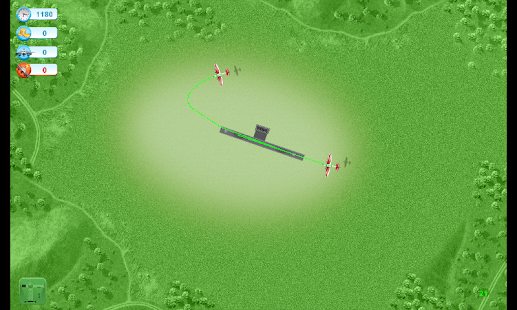
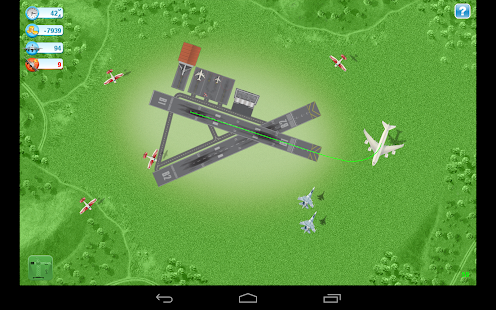
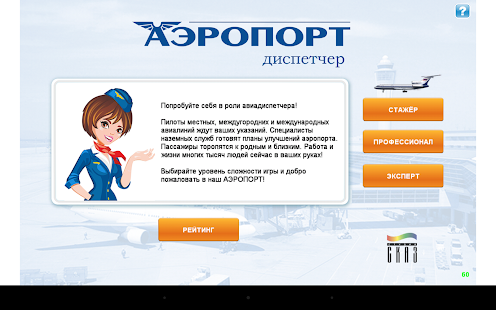
За 20 игровых минут посадите как можно больше самолётов и заработайте максимум монет. Чтобы посадить самолёт, задайте траекторию движения, проведя пальцем от его корпуса примерно до середины взлётно-посадочной полосы (ВПП) с любого конца. Старайтесь, чтобы траектория проходила точнее по осевой линии ВПП. Зелёная траектория – самолёт попал на глиссаду, попадает в зону приземления и правильно приземлится .Жёлтая траектория – самолёт не попал на глиссаду и пройдёт мимо ВПП. Красная траектория – эта ВПП не подходит для такого большого самолёта. Срочно выведите его на «родную» ВПП!
Все самолёты летят на одной высоте, поэтому всегда есть опасность столкновения. Если самолёт уже начал снижение, столкновения ему не грозят.
В левой верхней части экрана отражается ваше текущее положение: остаток времени в секундах, сумма монет за успешно выполненные посадки самолётов, количество успешных посадок и количество аварий. Штраф за аварию, равный 5-кратной премии за посадку, списывается со счёта.
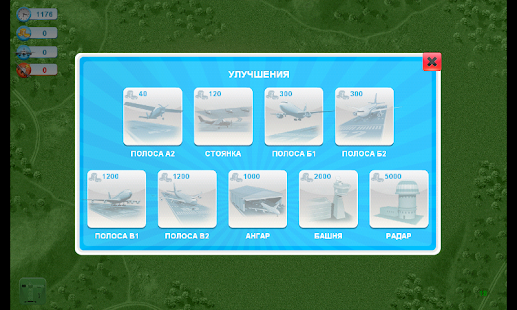
Чтобы увеличить число удачных посадок, улучшайте свой аэродром. Кнопка в правом нижнем углу активируется, как только улучшение становится возможным.
Уровень сложности игры определяется максимальным одновременным количеством самолётов на экране.
Show more

1. Download MEmu installer and finish the setup

2. Start MEmu then open Google Play on the desktop

3. Search Аэропорт. Диспетчер. ПРО in Google Play
Install
4. Download and Install Аэропорт. Диспетчер. ПРО
5. On install completion click the icon to start

6. Enjoy playing Аэропорт. Диспетчер. ПРО on PC with MEmu
MEmu Play is the best Android emulator and 100 million people already enjoy its superb Android gaming experience. The MEmu virtualization technology empowers you to play thousands of Android games smoothly on your PC, even the most graphic-intensive ones.
Bigger screen with better graphics; Long duration, without limitation of battery or mobile data.
Full Keymapping support for precise control of keyboard and mouse or gamepad.
Multiple game accounts or tasks on single PC at one time with Multi-Instance manager.
Play Аэропорт. Диспетчер. ПРО on PC by following steps:












































