
Bakery Story™
Updated
Current Version
2.2.0.0g
Offered By

With your passion for Bakery Story™, you shouldn’t have to limit yourself to the small screen of a phone. Play like a pro and take full control of the game using a keyboard and mouse. MEmu gives you everything you’re looking for. Download and play Bakery Story™ on PC. Play as long as you want — no more worries about battery life, mobile data, or unexpected calls. The all-new MEmu 9 is the best way to play Bakery Story™ on PC. With our expertly designed keymapping system, Bakery Story™ feels just like a real PC game. The MEmu multi-instance manager lets you run two or more accounts on the same device at the same time. Most importantly, our exclusive emulation engine unlocks your PC’s full potential, delivering smooth and seamless performance.
Show more
Download Bakery Story™ on PC with MEmu Android Emulator. Enjoy playing on big screen. Welcome to Bakery Story™, the sweetest baking simulation game where you can bring your dream bakery to life!
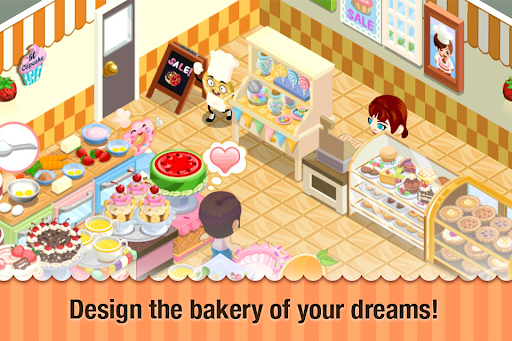
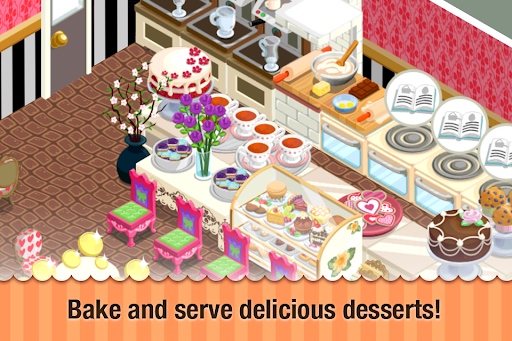
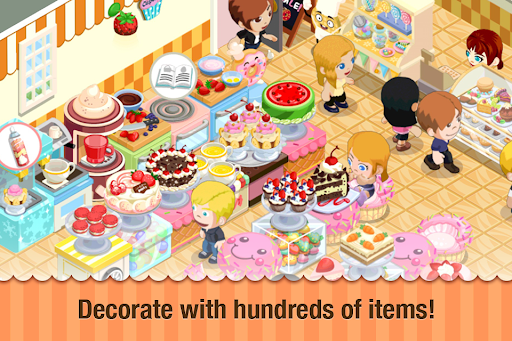

Welcome to Bakery Story™, the sweetest baking simulation game where you can bring your dream bakery to life! Dive into a world where you mix, bake, serve, and earn, creating a bustling haven for pastry lovers everywhere. With Bakery Story™, you're not just a chef; you're an architect of flavor, designing a bakery that reflects your unique style and culinary creativity.
Why Bakery Story™ Stands Out:
• Endless Culinary Possibilities: Choose from over a thousand
delectable recipes. Whether it's artisan bread, exquisite pastries, or
comforting pies, your bakery will cater to all tastes.
• Design Your Bakery: From a cozy corner café to a luxurious patisserie,
unleash your design skills. Your bakery, your rules!
• Weekly New Content: Our ovens are always cooking up something
new! Enjoy fresh content and recipes weekly, keeping your bakery in
the trend.
• Cook Your Way: Bake or cook? Why not both! From baking pizza to
cooking spaghetti, the kitchen is yours to command.
• Community and Competitions: Connect with friends, exchange secret
recipes, and compete in baking challenges. Your culinary skills can
shine in more ways than one!
• Personalized Touches: Showcase your bakery to earn special tips,
customize your menu to suit your taste, and make your culinary space
truly yours.
Bakery Story™ is more than a game; it's a community of baking enthusiasts and culinary creatives. With simple tap controls and user-friendly interface, it's easy to pick up but challenging to master. And with free weekly updates, your baking adventure never ends!
Please Note:
• Bakery Story™ is an online game. To delete this feature, on your
device go to Settings Menu -> General -> Restrictions option. You can
then simply turn off In-App Purchases under "Allowed Content". In
addition, BAKERY STORY™ may link to social media services, such as
Facebook, and Storm8 will have access to your information through
such services.
• Free to play, with in-app purchases available.
• In-app purchases can be disabled through your device's settings.
• Links to social media services are included; Storm8 will have access
to your information through such services.
By downloading Bakery Story™, you agree to the Terms of Service and acknowledge the Privacy Policy of Storm8 Studios.
Privacy & Terms:
• Storm8 Studios Terms of Service: http://www.storm8-studios.com/terms/
• Storm8 Studios Privacy Policy: https://www.storm8.com/privacy/
Stay Updated & Connect:
• Website: www.storm8.com
• https://www.instagram.com/bakerystoryapp/
• https://www.instagram.com/restaurantstoryapp
• https://www.instagram.com/castlestoryapp
Bakery Story™ is not just a game—it's a baking, designing, and socializing experience wrapped up in a sweet package. Are you ready to build the bakery of your dreams? Download now and start baking!
Show more

1. Download MEmu installer and finish the setup

2. Start MEmu then open Google Play on the desktop

3. Search Bakery Story™ in Google Play
Install
4. Download and Install Bakery Story™
5. On install completion click the icon to start

6. Enjoy playing Bakery Story™ on PC with MEmu
MEmu Play is the best Android emulator and 100 million people already enjoy its superb Android gaming experience. The MEmu virtualization technology empowers you to play thousands of Android games smoothly on your PC, even the most graphic-intensive ones.
Bigger screen with better graphics; Long duration, without limitation of battery or mobile data.
Full Keymapping support for precise control of keyboard and mouse or gamepad.
Multiple game accounts or tasks on single PC at one time with Multi-Instance manager.
Play Bakery Story™ on PC by following steps: