
LEGO® Bricktales
Updated
Current Version
2.1
Offered By

With your passion for LEGO® Bricktales, you shouldn’t have to limit yourself to the small screen of a phone. Play like a pro and take full control of the game using a keyboard and mouse. MEmu gives you everything you’re looking for. Download and play LEGO® Bricktales on PC. Play as long as you want — no more worries about battery life, mobile data, or unexpected calls. The all-new MEmu 9 is the best way to play LEGO® Bricktales on PC. With our expertly designed keymapping system, LEGO® Bricktales feels just like a real PC game. The MEmu multi-instance manager lets you run two or more accounts on the same device at the same time. Most importantly, our exclusive emulation engine unlocks your PC’s full potential, delivering smooth and seamless performance.
Show more
Download LEGO® Bricktales on PC with MEmu Android Emulator. Enjoy playing on big screen. In LEGO® Bricktales, discover an innovative brick-by-brick building mechanic to design puzzle solutions from your own imagination.
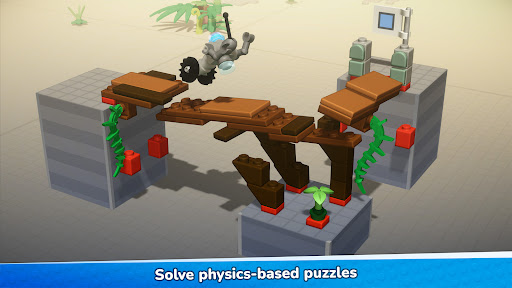
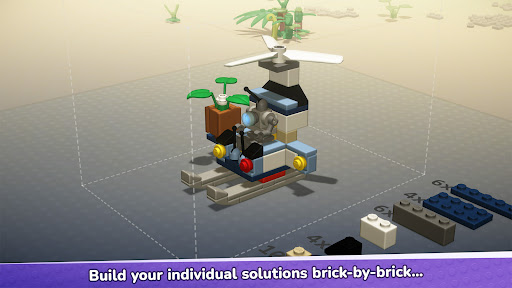
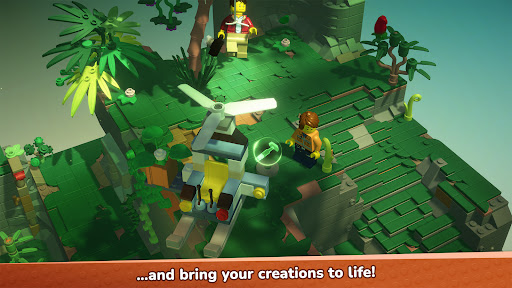
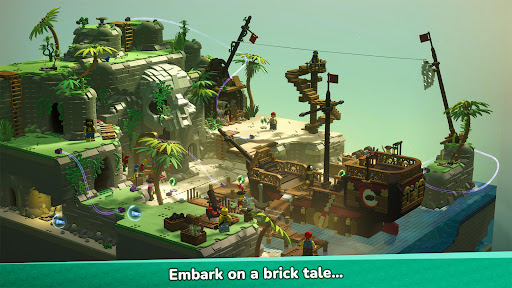
In LEGO® Bricktales, discover an innovative brick-by-brick building mechanic to design puzzle solutions from your own imagination. See your creations brought to life in a beautiful LEGO world where every problem has a constructive resolution.
Embark on an epic adventure across a world of beautiful LEGO diorama biomes crafted brick by brick as you search for inspiration to help your grandfather reinvigorate his rundown amusement park with your little robot buddy in tow. Your journey will take you to the deepest jungle, sun-drenched deserts, a bustling city corner, a towering medieval castle, and tropical Caribbean islands. Help the minifigures of these worlds by solving puzzles and unlock new skills throughout the story to further explore these worlds and uncover the many secrets and mysteries they contain.
From purely aesthetic creations, such as a market stand or music box, up to functional physics-based puzzles like building a crane or gyrocopter - each diorama offers a variety of construction spots with the freedom of intuitive brick-by-brick building. In each spot you are given a set of bricks and it’s up to you to figure out a unique build that will work. On top of specific puzzles and quests, there are additional builds in the amusement park so you can customize the rides to make them your own!
The Story
Your grandfather, a genius inventor, has called you for help! His beloved amusement park is about to close as the mayor is threatening to shut everything down and seize the land if the necessary repairs aren’t made to bring it up to code. With the help of your powerful little robot buddy, you can restore it using a mysterious device based on alien technology. As a source of power, the device needs happiness crystals, which you can harvest by making people happy and solving their problems. With the aid of a portal, travel to different locations all around the world to help people and collect their happiness crystals. Strap in for the ultimate building adventure and save your grandfather’s amusement park!
Features
A globetrotting LEGO adventure: Experience a whimsical and epic adventure around the world, packed with charming dialogue and fun secrets to unravel.
Beautiful diorama worlds: Explore five varied story world biomes and the amusement park hub, all fully built out of LEGO bricks.
Build like never before: Discover the most intuitive brick-by-brick building in a LEGO video game, as you see your creations come to life in a three-dimensional world.
Test your skills with varied puzzles: Different types of puzzles will test your building skills. Use your engineering brain in functional physics-based puzzles to build a bridge for a digger to get across a river, put your designer hat on to build a stunning new throne for the King, or customize the rides in the amusement park.
Master your builds in Sandbox Mode: Unlock the Sandbox Mode upon completing a construction spot, then you go back in and improve your build with a huge selection of additional bricks from different themes.
Heaps of items to collect and unlock: Find collectables in the different dioramas and use them to buy cool new items for your wardrobe or new brick color sets for the sandbox mode.
Build your unique character: Create your own minifigure character from a huge selection of parts and unlock more options inspired by the worlds you visit as you progress through the story.
Show more

1. Download MEmu installer and finish the setup

2. Start MEmu then open Google Play on the desktop

3. Search LEGO® Bricktales in Google Play
Install
4. Download and Install LEGO® Bricktales
5. On install completion click the icon to start

6. Enjoy playing LEGO® Bricktales on PC with MEmu
MEmu Play is the best Android emulator and 100 million people already enjoy its superb Android gaming experience. The MEmu virtualization technology empowers you to play thousands of Android games smoothly on your PC, even the most graphic-intensive ones.
Bigger screen with better graphics; Long duration, without limitation of battery or mobile data.
Full Keymapping support for precise control of keyboard and mouse or gamepad.
Multiple game accounts or tasks on single PC at one time with Multi-Instance manager.
Play LEGO® Bricktales on PC by following steps: