Hungry Shark World
Updated
Current Version
6.7.7
Offered By

With your passion for Hungry Shark World, you shouldn’t have to limit yourself to the small screen of a phone. Play like a pro and take full control of the game using a keyboard and mouse. MEmu gives you everything you’re looking for. Download and play Hungry Shark World on PC. Play as long as you want — no more worries about battery life, mobile data, or unexpected calls. The all-new MEmu 9 is the best way to play Hungry Shark World on PC. With our expertly designed keymapping system, Hungry Shark World feels just like a real PC game. The MEmu multi-instance manager lets you run two or more accounts on the same device at the same time. Most importantly, our exclusive emulation engine unlocks your PC’s full potential, delivering smooth and seamless performance.
Show more
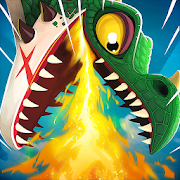
Download Hungry Shark World on PC with MEmu Android Emulator. Enjoy playing on big screen. ***The Sharks are back in the bigger and badder sequel to Hungry Shark Evolution!
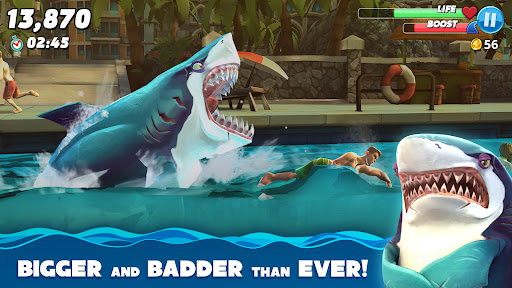
***The Sharks are back in the bigger and badder sequel to Hungry Shark Evolution!***
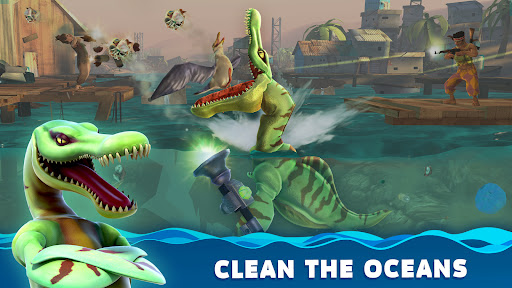
Control a shark in a feeding frenzy and eat your way through many oceans feasting on everything from bite-size fish and birds to tasty whales and unwitting humans!
***This game is only compatible with devices running on Android 5.0 or above***
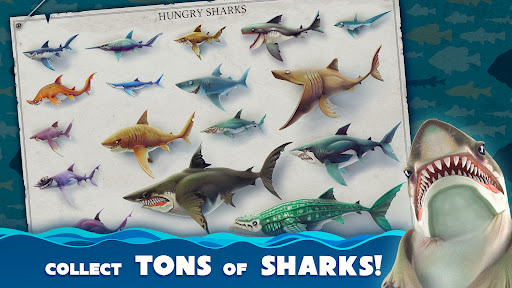
43 SPECIES OF SHARKS
Choose from a range of sharks in 8 different size tiers, including the iconic ocean predator: the Great White!
HUGE OPEN WORLDS
Explore the lush Pacific Islands, frozen Arctic Ocean, exotic Arabian Sea, and now the South China Sea, a vibrant urban destination full of fresh, unwary victims!
FEAST FOR YOUR EYES
Experience the feeding frenzy in stunning console quality 3D graphics that will blow everything else out of the water!
SURVIVAL OF THE HUNGRIEST
It’s eat or be eaten in waters packed with 100s of delicious and dangerous creatures… Whales, submarines and wandering locals BEWARE!
SMASHING SHARK SWAG
Level up your shark and equip jawsome gadgets to bite harder, swim faster and grow even hungrier! No shark is complete without headphones, umbrella and a freakin' jetpack!
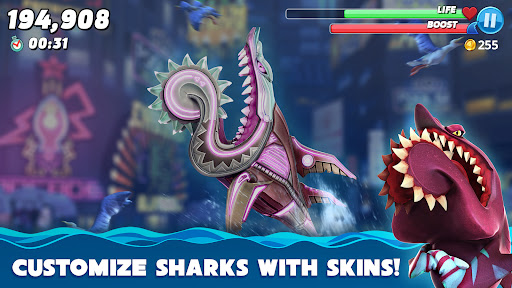
SUPER SKINS
Customize your predators with unique skins! These rockin’ looks not only release your inner shark’s personality but also maximise your stats!
MANIC MISSIONS & BADASS BOSSES
Take on more than 20 different types of mission including high score challenges, prey hunts and epic boss fights!
HELPFUL PREDATORY PETS
Baby sharks, whales, an octopus, and even a bald eagle are happy to help with special abilities to increase health, score and more!
SUPERSIZED MEAL DEAL
Unleash your shark's predator potential: SuperSize mode, rushes, explosion, hypnosis and more!
EXTINCTION MODE
Ascend from the abyss to save the world from imminent destruction. Rise up to the challenge! Activate Apex sharks abilities and rampage through the ocean.
Google Play Leaderboards and Achievements enabled.
Use Facebook to synchronise your progress across your GP devices.
Hungry Shark World is regularly updated with new features, content and challenges to keep you coming back for more!
This app contains In-App Purchases which allow you to buy Gems and Gold currency which can be spent on upgrades and accessories. Gems, Gold and Pearls can also be collected in game without requiring purchases.
This game contains advertising. Advertising is disabled if you make any purchase.
Like the game on Facebook for the latest news: www.facebook.com/HungryShark
Follow us on X @Hungry_Shark
Instagram @hungryshark
Or YouTube: @HungrySharkGames
And join our community!
Facebook http://facebook.com/UbisoftMobileGames
X http://x.com/ubisoftmobile
YouTube http://youtube.com/user/Ubisoft
Any Feedback? Contact: https://ubisoft-mobile.helpshift.com/
Need support? Contact: https://ubisoft-mobile.helpshift.com/
Show more

1. Download MEmu installer and finish the setup

2. Start MEmu then open Google Play on the desktop

3. Search Hungry Shark World in Google Play
Install
4. Download and Install Hungry Shark World
5. On install completion click the icon to start

6. Enjoy playing Hungry Shark World on PC with MEmu
MEmu Play is the best Android emulator and 100 million people already enjoy its superb Android gaming experience. The MEmu virtualization technology empowers you to play thousands of Android games smoothly on your PC, even the most graphic-intensive ones.
Bigger screen with better graphics; Long duration, without limitation of battery or mobile data.
Full Keymapping support for precise control of keyboard and mouse or gamepad.
Multiple game accounts or tasks on single PC at one time with Multi-Instance manager.
Play Hungry Shark World on PC by following steps: