Might & Magic Fates TCG
Updated
Current Version
1.0.839
Offered By

With your passion for Might & Magic Fates TCG, you shouldn’t have to limit yourself to the small screen of a phone. Play like a pro and take full control of the game using a keyboard and mouse. MEmu gives you everything you’re looking for. Download and play Might & Magic Fates TCG on PC. Play as long as you want — no more worries about battery life, mobile data, or unexpected calls. The all-new MEmu 9 is the best way to play Might & Magic Fates TCG on PC. With our expertly designed keymapping system, Might & Magic Fates TCG feels just like a real PC game. The MEmu multi-instance manager lets you run two or more accounts on the same device at the same time. Most importantly, our exclusive emulation engine unlocks your PC’s full potential, delivering smooth and seamless performance.
Show more
Download Might & Magic Fates TCG on PC with MEmu Android Emulator. Enjoy playing on big screen. Might & Magic Fates TCG is an original strategy card game rooted in the legendary Might & Magic universe.
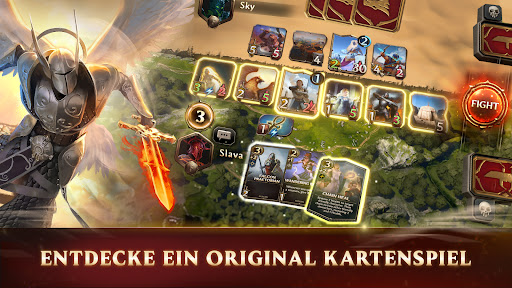
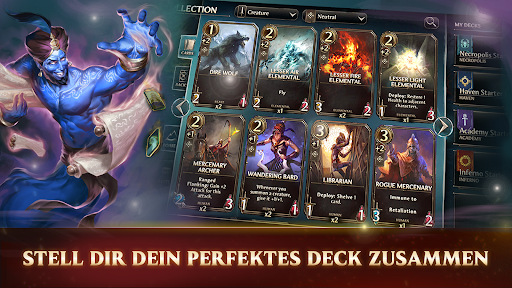
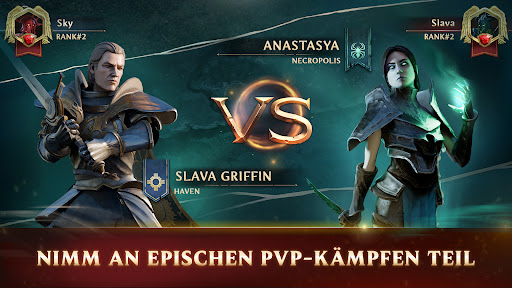
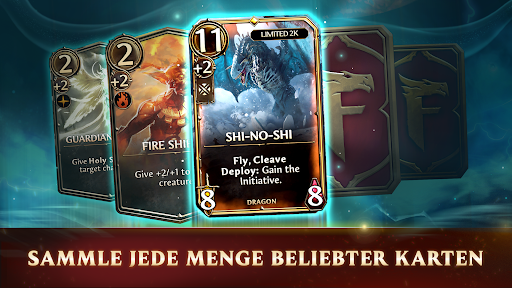
Might & Magic Fates TCG is an original strategy card game rooted in the legendary Might & Magic universe. Build your deck, summon mythical creatures, cast devastating spells, and lead iconic heroes into battle. Each card is part of a living legacy shaped by decades of fantasy lore and player imagination.
Enter the Sea of Fates, a fractured multiverse where timelines collide and destinies unravel. Lead the charge with powerful heroes, command diverse armies, and outwit your opponents in tactical duels that reward creativity and skill. Whether you're a longtime fan or new to card games, Fates offers a fresh take on a legendary world.
COMMAND MIGHT & MAGIC HEROES
Lead with iconic heroes drawn from the Might & Magic universe. Progress each hero like an RPG character, unlocking game-changing abilities and evolving your strategy over time.
COLLECT HUNDRED OF CARDS
Build your arsenal with powerful spells, creatures, and artifacts — as well as unique hero cards and strategic building cards that shape the battlefield in your favor.
MASTER ICONIC FACTIONS
Fight for the glory of Haven, raise the dead in Necropolis, unleash Inferno’s fury, or command the arcane power of Academy.
PLAY WITH STRATEGY AND FREEDOM
Craft your own tactics with a flexible deckbuilding system, then test your skill in battles where synergy, positioning, and timing matter more than luck.
PLAY SOLO OR PVP
Climb the ranks in competitive multiplayer or enjoy seasonal solo events and faction-based challenges.
FREE TO PLAY, FAIR FOR ALL
Play and progress without paywalls. In-game purchases are optional and never required to compete.
Your cards are more than tools. They are echoes of fallen worlds, bound to fate.
Are you truly prepared to discover your fate?
Show more

1. Download MEmu installer and finish the setup

2. Start MEmu then open Google Play on the desktop

3. Search Might & Magic Fates TCG in Google Play
Install
4. Download and Install Might & Magic Fates TCG
5. On install completion click the icon to start

6. Enjoy playing Might & Magic Fates TCG on PC with MEmu
MEmu Play is the best Android emulator and 100 million people already enjoy its superb Android gaming experience. The MEmu virtualization technology empowers you to play thousands of Android games smoothly on your PC, even the most graphic-intensive ones.
Bigger screen with better graphics; Long duration, without limitation of battery or mobile data.
Full Keymapping support for precise control of keyboard and mouse or gamepad.
Multiple game accounts or tasks on single PC at one time with Multi-Instance manager.
Play Might & Magic Fates TCG on PC by following steps: