LEGO® Star Wars™: TCS
Updated
Current Version
2.0.2.02
Offered By

With your passion for LEGO® Star Wars™: TCS, you shouldn’t have to limit yourself to the small screen of a phone. Play like a pro and take full control of the game using a keyboard and mouse. MEmu gives you everything you’re looking for. Download and play LEGO® Star Wars™: TCS on PC. Play as long as you want — no more worries about battery life, mobile data, or unexpected calls. The all-new MEmu 9 is the best way to play LEGO® Star Wars™: TCS on PC. With our expertly designed keymapping system, LEGO® Star Wars™: TCS feels just like a real PC game. The MEmu multi-instance manager lets you run two or more accounts on the same device at the same time. Most importantly, our exclusive emulation engine unlocks your PC’s full potential, delivering smooth and seamless performance.
Show more
Download LEGO® Star Wars™: TCS on PC with MEmu Android Emulator. Enjoy playing on big screen. Experience the entire collection that combines the original LEGO Star Wars: The Video Game and the sequel LEGO Star Wars II: The Original Trilogy for hours of epic Star Wars content and fun gameplay all from your Android device!
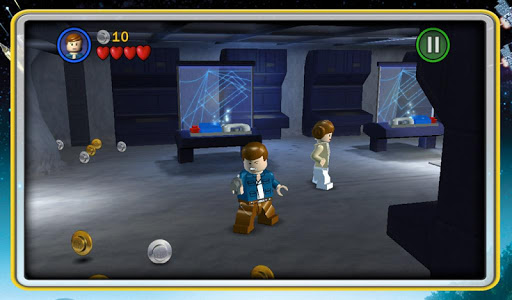
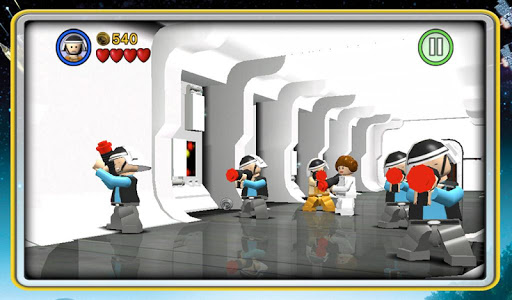
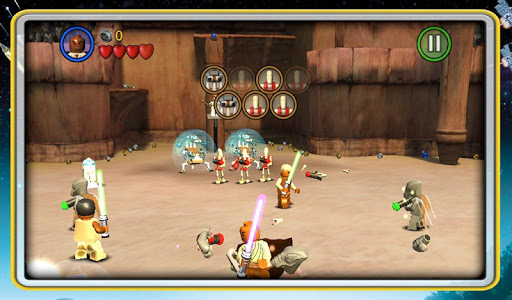
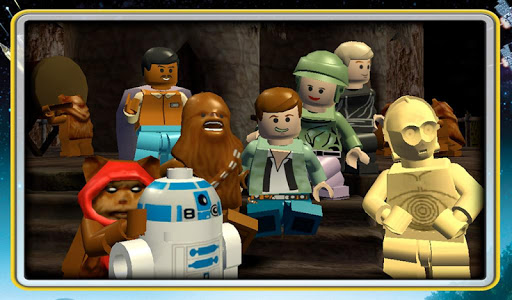
Experience the entire collection that combines the original LEGO Star Wars: The Video Game and the sequel LEGO Star Wars II: The Original Trilogy for hours of epic Star Wars content and fun gameplay all from your Android device! Begin your adventure in Star Wars: Episode I The Phantom Menace and journey through all six episodes in the whimsical style and humor of LEGO. May the bricks be with you!
This game is filled with content! You’ll need 1.44gb of available space on your device if you install over wifi, but only 735mb of space if you download on your computer and then sync.
As with many large app installations, we advise that you restart your device after installing as this will resolve some stability issues. Also make sure you have installed the most recent firmware.
This is a high memory usage app. If you have performance issues, try closing down background apps or restarting the device.
LEGO® Star Wars™: The Complete Saga is optimized for the following devices: Galaxy S3, Galaxy S4, Galaxy S5, Galaxy Note 2, Galaxy Note 10.1, Nexus 4, Nexus 7, Nexus 10, HTC One, LG G Pad 8.3, Xperia Z, and Xperia Tablet Z.
FEATURES:
36 STORY MODE LEVELS + BONUS CONTENT
From the Trade Federation’s “negotiations” with Obi-Wan Kenobi and Qui-Gon Jinn in The Phantom Menace to the space battle above Endor in Return of the Jedi, play the most memorable and exhilarating scenes from your favorite episodes. Also unlock special bonus content featuring Bounty Hunter missions, a special Challenge Mode, Arcade Levels, and more!
OVER 120 CHARACTERS
Play as your favorite Jedi Knight or Sith Lord! There are over 120 playable characters to unlock, including Luke Skywalker, Darth Vader, Han Solo, and Boba Fett.
FORCE POWERS
Which side of the Force will you use? Both dark and light side characters have their own unique Force abilities. Will you use a Force Throw to defeat the Jedi or choose your Lightsaber and Force Push to take down the evil Empire?
LEGO STYLE GAMEPLAY
Smash objects into LEGO bricks and switch characters on the fly as you play through different story levels. Create your own Star Wars character mash-ups like Han Windu and Lando Amidala!
DYNAMIC CONTROL STYLES
Switch between “Classic” and “Touch Screen” controls to find the play-style that suits you best.
Show more

1. Download MEmu installer and finish the setup

2. Start MEmu then open Google Play on the desktop

3. Search LEGO® Star Wars™: TCS in Google Play
Install
4. Download and Install LEGO® Star Wars™: TCS
5. On install completion click the icon to start

6. Enjoy playing LEGO® Star Wars™: TCS on PC with MEmu
MEmu Play is the best Android emulator and 100 million people already enjoy its superb Android gaming experience. The MEmu virtualization technology empowers you to play thousands of Android games smoothly on your PC, even the most graphic-intensive ones.
Bigger screen with better graphics; Long duration, without limitation of battery or mobile data.
Full Keymapping support for precise control of keyboard and mouse or gamepad.
Multiple game accounts or tasks on single PC at one time with Multi-Instance manager.
Play LEGO® Star Wars™: TCS on PC by following steps: