
My little unicorn:Pets academy
Updated
Current Version
1.0.17
Offered By

With your passion for My little unicorn:Pets academy, you shouldn’t have to limit yourself to the small screen of a phone. Play like a pro and take full control of the game using a keyboard and mouse. MEmu gives you everything you’re looking for. Download and play My little unicorn:Pets academy on PC. Play as long as you want — no more worries about battery life, mobile data, or unexpected calls. The all-new MEmu 9 is the best way to play My little unicorn:Pets academy on PC. With our expertly designed keymapping system, My little unicorn:Pets academy feels just like a real PC game. The MEmu multi-instance manager lets you run two or more accounts on the same device at the same time. Most importantly, our exclusive emulation engine unlocks your PC’s full potential, delivering smooth and seamless performance.
Show more
Download My little unicorn:Pets academy on PC with MEmu Android Emulator. Enjoy playing on big screen. Volcanic Island: Lava Secret Realm, a Puzzle-Trekking Journey.
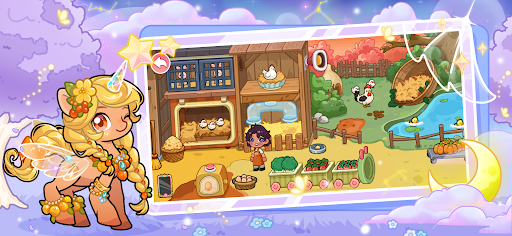
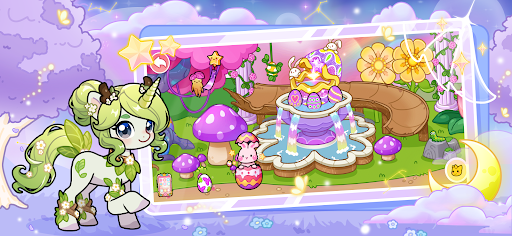
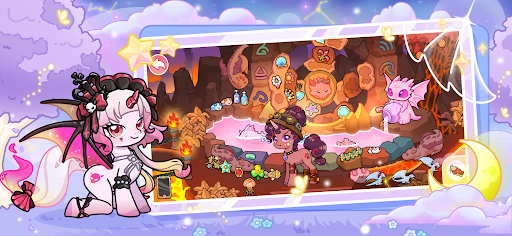
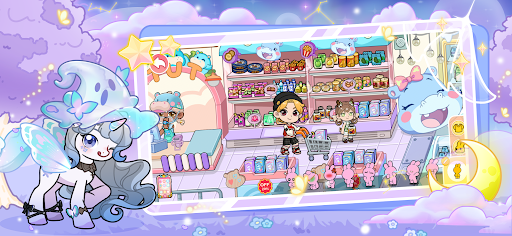
Volcanic Island: Lava Secret Realm, a Puzzle-Trekking Journey
Crimson lava surges and billows, while white mist shrouds the area as if a volcanic eruption is imminent. Standing in the safe zone, observe the symbols on the rock walls and the light reflections on the lava—within them lie the key clues to rescue the princess and reunite with the prince. Embark on a puzzle-solving adventure amid the stunning natural scenery.
Garden: A Blossom-Filled, Cozy Leisure Space
Colorful flowers bloom in full splendor, vines twist around the flower racks, and the path is lined with lush green grass. Butterflies flit among the blooms; feel the gentle breeze brush your cheeks and savor this peaceful, cozy moment.
Dream Island: A Fantastical Realm Like a Dream
Life-sized mushrooms and a tea party scene are vividly recreated, with vibrant colors that make it feel like a magical world. Wander through it and start a wonderful, fantastical adventure.
Supermarket: A Convenient Space for Shopping a Wide Range of Goods
Shelves are stocked with everything from fresh produce and vegetables to daily necessities. Clearly priced items are neatly arranged; push a shopping cart to navigate through the aisles, and easily grab fresh ingredients and practical products. A fully packed shopping bag holds the warmth and vitality of daily life.
Villa: A Luxurious, Private Residence for Quality Living
This detached building is paired with a garden filled with greenery. The living room has a high ceiling and spacious layout, the bedrooms are warm and elegant, and there is an exclusive swimming pool and leisure area. Smart home systems control every detail of the house—perfect for gathering with family and friends, or enjoying the tranquility and dignity of alone time.
Clothing Store: A Space with Diverse Outfits for Stylish Choices
From casual hoodies to elegant dresses, and from office blazers to trendy jackets—all types of clothing are displayed by style. The fabrics are soft to the touch, and the cuts fit perfectly. Every outfit combination tried in the fitting room unlocks your unique fashion attitude.
Pet Shop: A Warm Interactive Space with Cute Companions
Kittens and puppies peek out from their cages, and the shelves are fully stocked with pet food and toys. Stroke these fluffy little creatures and listen to their soft sounds—every moment is filled with comfort and warmth.
Pet Café: A Cozy Coffee Time with Cute Pets
Aromatic coffee steams in the cup; cats nap on the sofas, and puppies nuzzle around the tables and chairs. Hold a cup of coffee and cuddle the pets—worries fade away with the coffee aroma. Enjoy a relaxed, comforting slow time here.
Amusement Park: An Exciting Entertainment Venue for Stress Relief
Roller coasters roar past, carousels spin slowly, and Ferris wheels rise high to offer a panoramic view. Screams of excitement mix with laughter—whether you’re seeking thrills or romance, you can release stress and gain joy here.
Farm: A Rural-Style Venue for Farming Experiences
Cattle and sheep graze leisurely in the enclosures, hens wander in the chicken coops, and vegetables grow thriving in the greenhouses. Feed the livestock and pick vegetables with your own hands, experience the joy of farming, and breathe in the fresh air filled with the scent of earth.
Haunted House: A Thrilling Immersive Horror Experience
Lights flicker on and off in the dim corridors, eerie sounds fill your ears, and sudden "ghosts" give you a scare. Hold your companion’s hand tightly as you move through—experience the thrill of adrenaline surging amid screams and tension.
Princess Castle: A Dreamy, Romantic Fairy-Tale Living Space
Pointed towers, pink exterior walls, and lace curtains are utterly dreamy. A crystal chandelier hangs in the living room, and the bedroom has a princess bed—it feels like stepping into a fairy tale. It fulfills everyone’s princess dream, radiating romance and warmth.
Show more

1. Download MEmu installer and finish the setup

2. Start MEmu then open Google Play on the desktop

3. Search My little unicorn:Pets academy in Google Play
Install
4. Download and Install My little unicorn:Pets academy
5. On install completion click the icon to start

6. Enjoy playing My little unicorn:Pets academy on PC with MEmu
MEmu Play is the best Android emulator and 100 million people already enjoy its superb Android gaming experience. The MEmu virtualization technology empowers you to play thousands of Android games smoothly on your PC, even the most graphic-intensive ones.
Bigger screen with better graphics; Long duration, without limitation of battery or mobile data.
Full Keymapping support for precise control of keyboard and mouse or gamepad.
Multiple game accounts or tasks on single PC at one time with Multi-Instance manager.
Play My little unicorn:Pets academy on PC by following steps: