武俠大明星
Updated
Current Version
1.17
Offered By

With your passion for 武俠大明星, you shouldn’t have to limit yourself to the small screen of a phone. Play like a pro and take full control of the game using a keyboard and mouse. MEmu gives you everything you’re looking for. Download and play 武俠大明星 on PC. Play as long as you want — no more worries about battery life, mobile data, or unexpected calls. The all-new MEmu 9 is the best way to play 武俠大明星 on PC. With our expertly designed keymapping system, 武俠大明星 feels just like a real PC game. The MEmu multi-instance manager lets you run two or more accounts on the same device at the same time. Most importantly, our exclusive emulation engine unlocks your PC’s full potential, delivering smooth and seamless performance.
Show more
Download 武俠大明星 on PC with MEmu Android Emulator. Enjoy playing on big screen. 武俠全明星放置RPG火爆開服中!
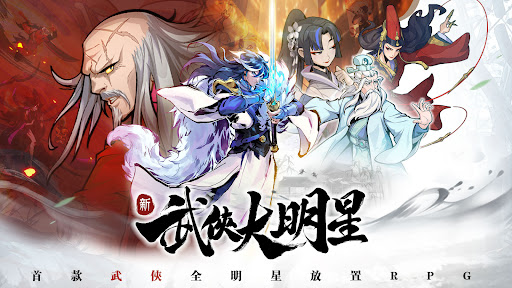
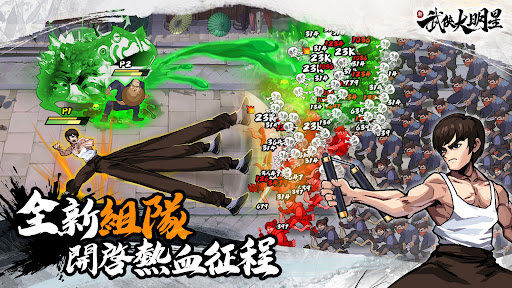
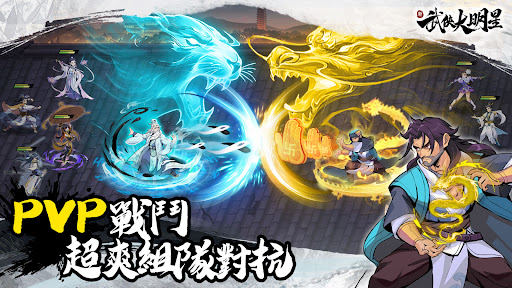
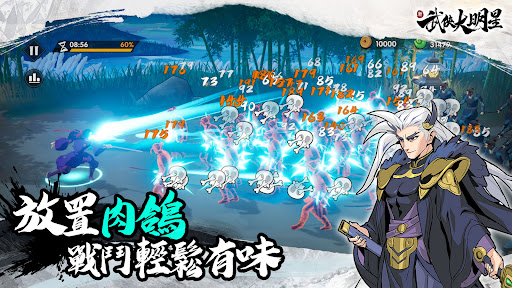
武俠全明星放置RPG火爆開服中!登入即送1717抽!,一起一起當歐皇,抽卡要爽一起爽!
集結200+武俠大明星,隨時隨地爽快割草。對抗武林各大門派,輕鬆問鼎武林盟主!
【神功秘笈 無情收割】
神功秘笈,隨機掉落!放置戰鬥,無限肉鴿!輕鬆挑戰各種Boss。
【狂抽猛送 明星集結】
狂抽猛送,歐皇當道!明星齊聚,好康不斷!組建最強明星陣容。
【江湖禁術 任我搭配】
絕世神功,多重養成!通關超爽,PK更強!以下克上最佳捷徑。
【無腦養成 解放雙手】
養成簡單,無需動腦!通關升星,強化省心!非酋也能獨步武林。
【百變副本 戰略至上】
百種副本,久爽不膩!技能巧搭,策略碾壓!強強對抗有“腦”者勝。
※ 本軟體因涉及暴力,依遊戲軟體分級管理辦法分類為輔12級。
※ 本遊戲為免費使用,遊戲內另提供購買虛擬遊戲幣、物品等付費服務。
※ 長時間進行遊戲,請註意使用時間,避免沈迷於遊戲。
代理商資訊:喬葳數位行銷有限公司
如果您在遊戲中遇到任何問題,歡迎隨時與我們溝通:kungfustarservice@gmail.com
新武俠大明星-Facebook:https://www.facebook.com/KungfuStarTW
Show more

1. Download MEmu installer and finish the setup

2. Start MEmu then open Google Play on the desktop

3. Search 武俠大明星 in Google Play
Install
4. Download and Install 武俠大明星
5. On install completion click the icon to start

6. Enjoy playing 武俠大明星 on PC with MEmu
MEmu Play is the best Android emulator and 100 million people already enjoy its superb Android gaming experience. The MEmu virtualization technology empowers you to play thousands of Android games smoothly on your PC, even the most graphic-intensive ones.
Bigger screen with better graphics; Long duration, without limitation of battery or mobile data.
Full Keymapping support for precise control of keyboard and mouse or gamepad.
Multiple game accounts or tasks on single PC at one time with Multi-Instance manager.
Play 武俠大明星 on PC by following steps: