Connect Master - Match Puzzle
Updated
Current Version
2.0.2
Offered By

With your passion for Connect Master - Match Puzzle, you shouldn’t have to limit yourself to the small screen of a phone. Play like a pro and take full control of the game using a keyboard and mouse. MEmu gives you everything you’re looking for. Download and play Connect Master - Match Puzzle on PC. Play as long as you want — no more worries about battery life, mobile data, or unexpected calls. The all-new MEmu 9 is the best way to play Connect Master - Match Puzzle on PC. With our expertly designed keymapping system, Connect Master - Match Puzzle feels just like a real PC game. The MEmu multi-instance manager lets you run two or more accounts on the same device at the same time. Most importantly, our exclusive emulation engine unlocks your PC’s full potential, delivering smooth and seamless performance.
Show more
Download Connect Master - Match Puzzle on PC with MEmu Android Emulator. Enjoy playing on big screen. Welcome to Connect Master - Match Puzzle, a vibrant visual logic game where observation and strategy come together!
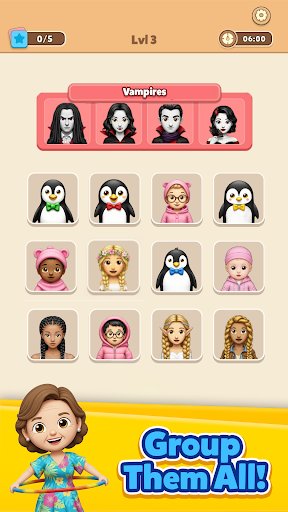
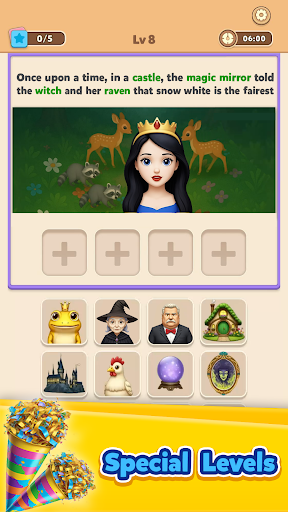
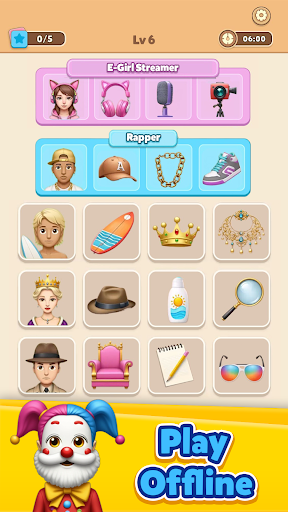
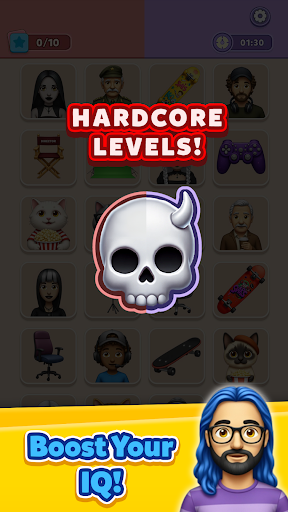
Welcome to Connect Master - Match Puzzle, a vibrant visual logic game where observation and strategy come together!
Your goal? Find the hidden links between expressive, cute faces and group them into rows of four by swapping their positions.
Look closely—each group shares a secret trait: it could be the color of their hair, their glasses, outfit, expression, or even their vibe. Rearrange the tiles until all four rows are perfectly grouped. It’s intuitive, relaxing, and deeply satisfying.
- How to Play:
Tap character cards and swap them to form complete rows of four.
Each row should contain 4 cards that share a common visual trait.
Use the Hint button to reveal 2 connected cards when you’re stuck.
Just you and your puzzle-solving skills.
- Features:
Addictive visual puzzle gameplay
Hundreds of unique characters with fun, expressive styles
500+ levels
Special story levels to explore
Compete in Leaderboards
Delightful animations and smooth swipe controls
Subtle, clever traits that reward sharp eyes and sharp minds
- New levels added regularly
Suitable for all ages—easy to learn, hard to master
- Perfect For:
Anyone who loves puzzles, aesthetic design, or just wants a calm, creative challenge.
Whether you play for a few minutes or a full hour, Connect Master is the ideal blend of relaxation and mental engagement.
Are you ready to master the art of visual matching?
Show more

1. Download MEmu installer and finish the setup

2. Start MEmu then open Google Play on the desktop

3. Search Connect Master - Match Puzzle in Google Play
Install
4. Download and Install Connect Master - Match Puzzle
5. On install completion click the icon to start

6. Enjoy playing Connect Master - Match Puzzle on PC with MEmu
MEmu Play is the best Android emulator and 100 million people already enjoy its superb Android gaming experience. The MEmu virtualization technology empowers you to play thousands of Android games smoothly on your PC, even the most graphic-intensive ones.
Bigger screen with better graphics; Long duration, without limitation of battery or mobile data.
Full Keymapping support for precise control of keyboard and mouse or gamepad.
Multiple game accounts or tasks on single PC at one time with Multi-Instance manager.
Play Connect Master - Match Puzzle on PC by following steps:


















































