COSMO PANIC
Updated
Current Version
1755835671
Offered By

With your passion for COSMO PANIC, you shouldn’t have to limit yourself to the small screen of a phone. Play like a pro and take full control of the game using a keyboard and mouse. MEmu gives you everything you’re looking for. Download and play COSMO PANIC on PC. Play as long as you want — no more worries about battery life, mobile data, or unexpected calls. The all-new MEmu 9 is the best way to play COSMO PANIC on PC. With our expertly designed keymapping system, COSMO PANIC feels just like a real PC game. The MEmu multi-instance manager lets you run two or more accounts on the same device at the same time. Most importantly, our exclusive emulation engine unlocks your PC’s full potential, delivering smooth and seamless performance.
Show more
Download COSMO PANIC on PC with MEmu Android Emulator. Enjoy playing on big screen. Extreme Difficulty Shooting Survivor: COSMO PANIC.
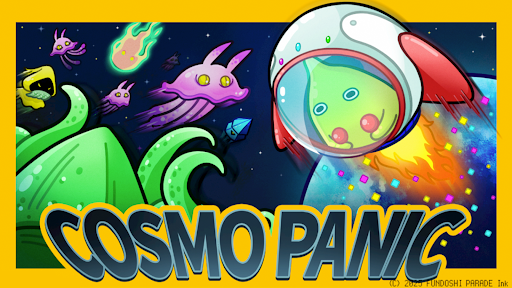
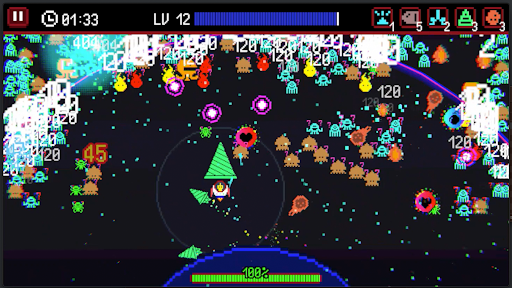
Extreme Difficulty Shooting Survivor: COSMO PANIC
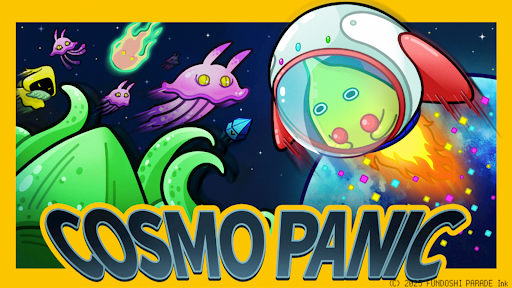
In a distant corner of the galaxy lies a forgotten planet, FUNPARE.
A peaceful world filled with smiles and joy, suddenly threatened by an invasion of ruthless aliens!
Silent and unstoppable, these unknown enemies bring only destruction, and the FUNPAREANS face despair.
But hope is not lost.
A nameless FUNPAREAN rises, piloting an ancient combat machine sealed deep within an underground sanctuary.
With courage in hand and hope in heart...
they fight back against the alien hordes and defend the fate of FUNPARE!
Game Features:
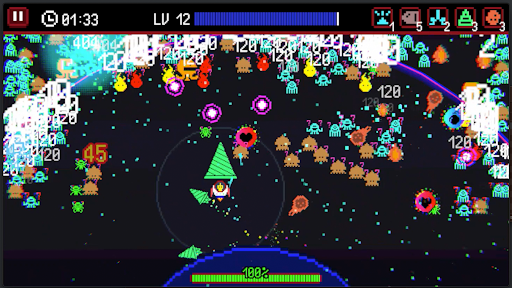
- Shooting Survivor × Roguelite: Engage in massive battles against over 1,000 alien enemies at once!
- Retro arcade-style graphics: Enjoy the nostalgic and thrilling dot-style visuals.
- One-handed controls: Easy to pick up and play anywhere, anytime.
- Unlimited upgrades and customization: Strengthen your ship and planet to build your ultimate combat force.
- Epic boss battles: Face giant alien bosses that test your strategy and reflexes.
- Roguelite elements: Tackle each stage with ever-changing weapon combinations for endless replayability.
- Challenging retro-style difficulty: Tough, satisfying stages designed for players who love a real challenge—think you can handle it?
On this peaceful, untroubled planet, a nameless hero rises—
Hop into the cockpit and join the fight to save Funpare from the alien menace!
Show more

1. Download MEmu installer and finish the setup

2. Start MEmu then open Google Play on the desktop

3. Search COSMO PANIC in Google Play
Install
4. Download and Install COSMO PANIC
5. On install completion click the icon to start

6. Enjoy playing COSMO PANIC on PC with MEmu
MEmu Play is the best Android emulator and 100 million people already enjoy its superb Android gaming experience. The MEmu virtualization technology empowers you to play thousands of Android games smoothly on your PC, even the most graphic-intensive ones.
Bigger screen with better graphics; Long duration, without limitation of battery or mobile data.
Full Keymapping support for precise control of keyboard and mouse or gamepad.
Multiple game accounts or tasks on single PC at one time with Multi-Instance manager.
Play COSMO PANIC on PC by following steps: