Crashlands
Updated
Current Version
1772049010
Offered By

With your passion for Crashlands, you shouldn’t have to limit yourself to the small screen of a phone. Play like a pro and take full control of the game using a keyboard and mouse. MEmu gives you everything you’re looking for. Download and play Crashlands on PC. Play as long as you want — no more worries about battery life, mobile data, or unexpected calls. The all-new MEmu 9 is the best way to play Crashlands on PC. With our expertly designed keymapping system, Crashlands feels just like a real PC game. The MEmu multi-instance manager lets you run two or more accounts on the same device at the same time. Most importantly, our exclusive emulation engine unlocks your PC’s full potential, delivering smooth and seamless performance.
Show more
Download Crashlands on PC with MEmu Android Emulator. Enjoy playing on big screen. ".
"...a design masterpiece." 5/5 - TouchArcade
2016 Game of the Year - TouchArcade, Gamezebo
2016 Action Game of the Year - Pocket Tactics
DICE 2016 Mobile Game of the Year Nominee
Time's Top 10 Games / Top 50 Apps of 2016
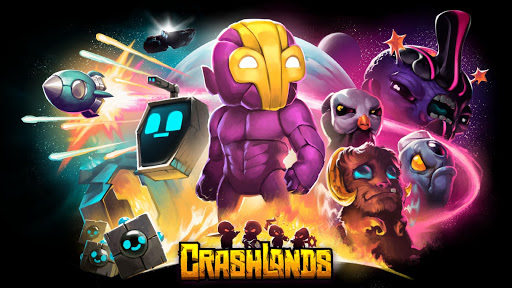
Craft, battle, and quest your way through Crashlands, an outlandish story overflowing with sass!
Become Flux Dabes, a galactic trucker whose latest shipment gets derailed by a chin-strapped alien menace named Hewgodooko, leaving you stranded on an alien planet. As you hustle to retrieve your packages you’ll become enmeshed in a nefarious plot of world domination, which will require all of your wits and both of your glutes to overcome. Learn recipes from the local sentient life, make new friends, uncover ancient secrets and deadly bosses, tame everything and build yourself a home-away-from-home as you learn to thrive on planet Woanope.
▼▼ Key Features ▼▼
● Expansive Crafting System ●
Unlock over 500 craftable items as you explore the world and learn its secrets!
● Self-managing, Infinite Inventory ●
In Crashlands, your inventory is infinite, manages itself, and retrieves your tools when you need them, so you can focus on adventuring, questing, and building. You'll never have dig through your bag or return to your base to free up inventory space!
● RPG-Style Character Progression ●
Become more powerful through creating ever-more-amazing items! As you grow in power, you can venture to new regions of the world, meet strange characters, discover new stories, and encounter new and interesting enemies.
● Skill-Based Combat ●
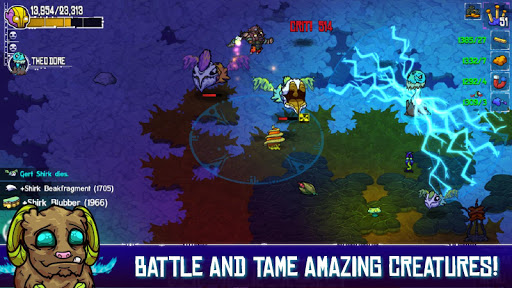
Learn the attacks of the enemies you encounter, and use your skill, agility, and wits to defeat them! You can even augment your fighting prowess with the power of the dozens of gadgets you can craft. Set your enemies on fire, stun them, slow down time, and more!
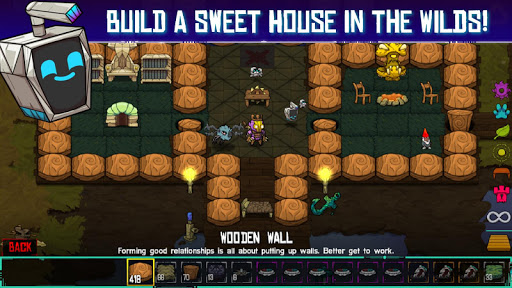
● Intuitive Base Building ●
Building a base in Crashlands is so simple it feels like fingerpainting. You can create beautiful, sprawling bases in minutes!
● Tameable Creatures ●
Every creature in Crashlands can become a trusty combat sidekick. Find an egg, incubate it, and hatch your very own adorable or hideous bundle of joy. You can even craft special items to grow and empower them!
● Huge World... with Huge Problems ●
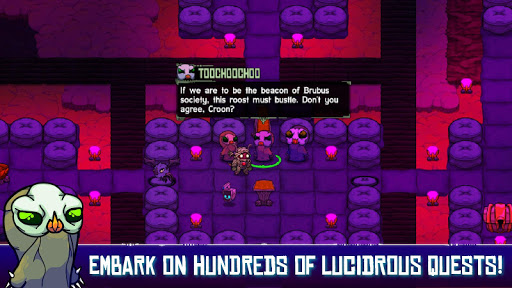
Four sentient races, three continents, an epic bid for the future of the planet, and you - trapped in the middle, trying to deliver your freakin' packages. Take your time to dive into the sidestories of the characters you meet or just rush headlong into making that special delivery. With hundreds upon hundreds of quests, there's a lot to do and discover on planet Woanope!
● Effortless Cloud Saving ●
Just because your battery died or you accidentally dropped your device into a bottomless chasm, doesn't mean your save has to die with it. With BscotchID, you can easily store and retrieve your save from the cloud, and move it between your devices!
● Controller Support ●
Tired of rubbing your sweaty hands all over your beautiful touchscreen? No problem! We've got support for most mobile-compatible controllers, so you can rub your sweaty hands on some joysticks instead!
----------------------------------------
Recommended Hardware & OS:
● Android 5.0 or newer
● At least 1GB RAM
● At least 960x540px screen resolution
Please note that BscotchID functions may not work for Android 4.4 or older devices due to the outdated TLS protocol.
Show more

1. Download MEmu installer and finish the setup

2. Start MEmu then open Google Play on the desktop

3. Search Crashlands in Google Play
Install
4. Download and Install Crashlands
5. On install completion click the icon to start

6. Enjoy playing Crashlands on PC with MEmu
MEmu Play is the best Android emulator and 100 million people already enjoy its superb Android gaming experience. The MEmu virtualization technology empowers you to play thousands of Android games smoothly on your PC, even the most graphic-intensive ones.
Bigger screen with better graphics; Long duration, without limitation of battery or mobile data.
Full Keymapping support for precise control of keyboard and mouse or gamepad.
Multiple game accounts or tasks on single PC at one time with Multi-Instance manager.
Play Crashlands on PC by following steps: