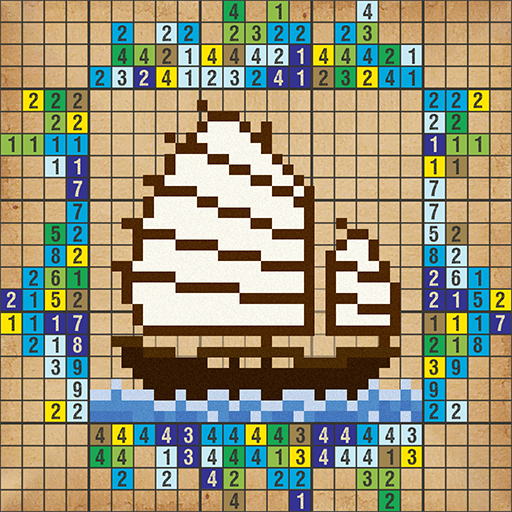
CrossMe Color Premium Nonogram
Updated
Current Version
2.10.32
Offered By

With your passion for CrossMe Color Premium Nonogram, you shouldn’t have to limit yourself to the small screen of a phone. Play like a pro and take full control of the game using a keyboard and mouse. MEmu gives you everything you’re looking for. Download and play CrossMe Color Premium Nonogram on PC. Play as long as you want — no more worries about battery life, mobile data, or unexpected calls. The all-new MEmu 9 is the best way to play CrossMe Color Premium Nonogram on PC. With our expertly designed keymapping system, CrossMe Color Premium Nonogram feels just like a real PC game. The MEmu multi-instance manager lets you run two or more accounts on the same device at the same time. Most importantly, our exclusive emulation engine unlocks your PC’s full potential, delivering smooth and seamless performance.
Show more
Download CrossMe Color Premium Nonogram on PC with MEmu Android Emulator. Enjoy playing on big screen. Nonograms are logic puzzles with simple rules and challenging solutions, keep you playing them!
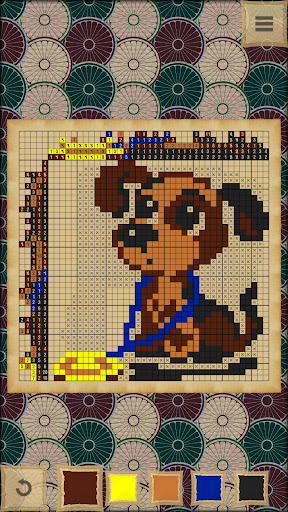
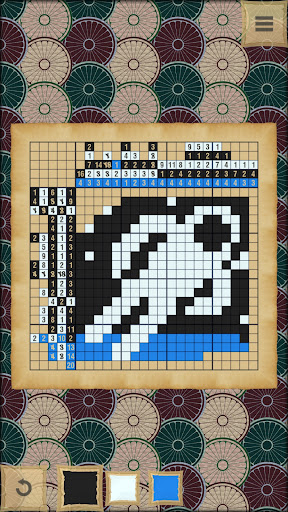
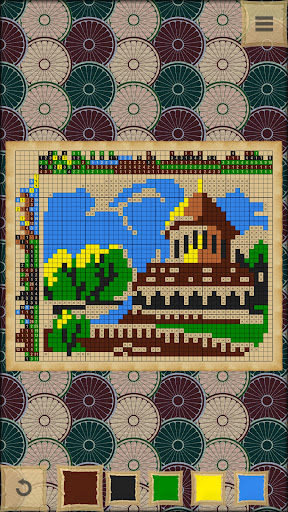
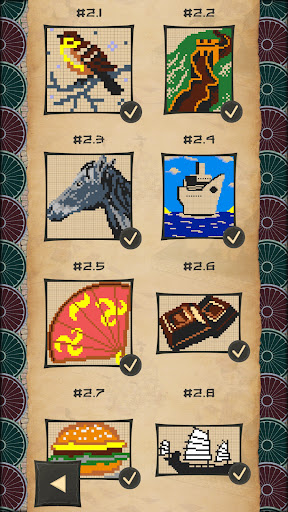
Nonograms are logic puzzles with simple rules and challenging solutions, keep you playing them!
Fill the cells according to numbers at the side of the grid to discover a hidden picture. It’s also known as Picross, Griddlers, Hanjie and Japanese crosswords.
TONS OF PUZZLES
- more than 3000 different nonograms: animals, plants, people, tools, buildings, foods, sports, transports, music, professions, cars and more!
DIFFERENT SIZES
- ranging from small 10x10 and normal 20x20 to large 90x90!
GREAT TIME KILLER
- will keep you entertained in waiting rooms!
LIKE SUDOKU
- but it’s with images and way more fun!
A MENTAL WORKOUT
- exercise your brain!
WELL DESIGNED
- it's intuitive and beautiful
ENDLESS PLAYING
- unlimited number of random nonograms! You will never get bored with this puzzles!
NO TIME LIMIT
- it’s so relaxing!
NO WIFI? NO PROBLEM!
- you can play picross offline!
Nonograms, also known as pic-a-pix, started appearing in Japanese puzzle magazines. Non Ishida published three picture grid puzzles in 1988 in Japan under the name of "Window Art Puzzles". Subsequently in 1990, James Dalgety in the UK invented the name Nonograms after Non Ishida, and The Sunday Telegraph started publishing them on a weekly basis.
In japanese nonograms the numbers are a form of discrete tomography that measures how many unbroken lines of filled-in squares there are in any given row or column. For example, a clue of "4 8 3" would mean there are sets of four, eight, and three filled squares, in that order, with at least one blank square between successive groups. To solve Japanese nonogram, one needs to determine which squares will be filled and which will be empty.
These nonograms are often black and white, describing a binary image, but they can also be colored. If colored, the number clues are also colored to indicate the color of the squares. In such crossword two differently colored numbers may have a space in between them. For example, a black four followed by a red two could mean four black boxes, some empty spaces, and two red boxes, or it could simply mean four black boxes followed immediately by two red ones.
Hanjie has no theoretical limit on size, and is not restricted to square layouts.
Griddlers were implemented by 1995 on hand held electronic toys in Japan. They were released with name Picross - Picture Crossword.
Show more

1. Download MEmu installer and finish the setup

2. Start MEmu then open Google Play on the desktop

3. Search CrossMe Color Premium Nonogram in Google Play
Install
4. Download and Install CrossMe Color Premium Nonogram
5. On install completion click the icon to start

6. Enjoy playing CrossMe Color Premium Nonogram on PC with MEmu
MEmu Play is the best Android emulator and 100 million people already enjoy its superb Android gaming experience. The MEmu virtualization technology empowers you to play thousands of Android games smoothly on your PC, even the most graphic-intensive ones.
Bigger screen with better graphics; Long duration, without limitation of battery or mobile data.
Full Keymapping support for precise control of keyboard and mouse or gamepad.
Multiple game accounts or tasks on single PC at one time with Multi-Instance manager.
Play CrossMe Color Premium Nonogram on PC by following steps: