Danganronpa V3:Killing Harmony
Updated
Current Version
1.0.4
Offered By

With your passion for Danganronpa V3:Killing Harmony, you shouldn’t have to limit yourself to the small screen of a phone. Play like a pro and take full control of the game using a keyboard and mouse. MEmu gives you everything you’re looking for. Download and play Danganronpa V3:Killing Harmony on PC. Play as long as you want — no more worries about battery life, mobile data, or unexpected calls. The all-new MEmu 9 is the best way to play Danganronpa V3:Killing Harmony on PC. With our expertly designed keymapping system, Danganronpa V3:Killing Harmony feels just like a real PC game. The MEmu multi-instance manager lets you run two or more accounts on the same device at the same time. Most importantly, our exclusive emulation engine unlocks your PC’s full potential, delivering smooth and seamless performance.
Show more
Download Danganronpa V3:Killing Harmony on PC with MEmu Android Emulator. Enjoy playing on big screen. Danganronpa 10-Year Anniversary Release: Part 3!
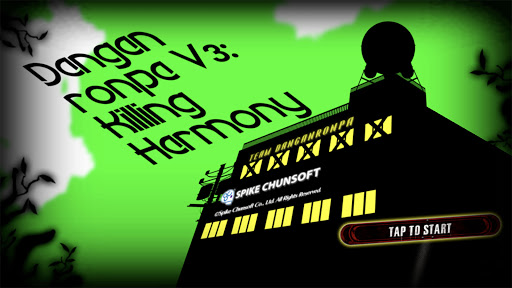
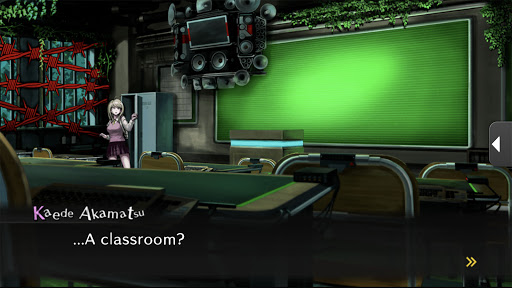
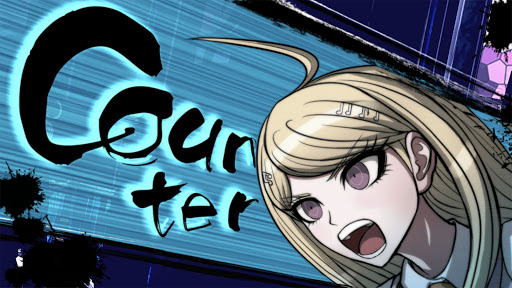
Danganronpa 10-Year Anniversary Release: Part 3!
"Danganronpa V3 is finally available on smartphones!"
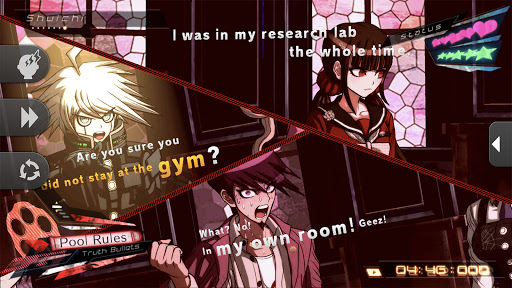
Welcome to a new world of Danganronpa, with an all-new "psycho-cool" environment and cast of characters! Survive through the revamped Class Trials with its myriad of new minigames!
■ Story
The Ultimate Pianist, Kaede Akamatsu, wakes up in an unfamiliar classroom... There, she meets other "Ultimate" students in the same situation. The headmaster Monokuma declares that the students are to participate in a Killing Game school life. Lie, bluff, deceive, and expose the blackened, and the truth. For Kaede and the other students, does the future hold hope, despair, or something else entirely...?
■ Game Features
・2.5D Motion Graphics
A distinctly crafted environment that's planar yet stereoscopic is born by combining 2D illustrations of characters and objects in a 3D environment.
These new, 2.5D motion graphics were developed by using unique motion techniques and camera work.
The unique setting exudes style and flair.
・High Speed Deductive Action
Determine the truth of each incident with testimony and proof gathered during your investigation. Use what you've learned in high-speed Class Trials to shoot down the opponent's statements.
Progress through fully voiced class trials, the key to the deductive action!
・A new Class Trials system
This time, you can now purposely lie to argue against non-contradictory statements.
See through lies, use them to your advantage, and make your way to the truth!
Class Trials are better than ever with even more new systems, like "Debate Scrums" that occur when the participants of the trial are split into two groups.
Use every word at your disposal and refute your opponents!
■ Additional Contents
・Character Gallery
Allows players to view character sprites and lines in a gallery.
If you ever get the urge to hear that one line, now you can!
・Ultimate Gallery
A gallery full of promotional illustrations and character sheets from the official art book.
[Supported OS]
Android 8.0 and above.
*Not supported on certain devices.
[Supported Languages]
Text: English, Japanese, Traditional Chinese
Audio: English, Japanese
[About]
・The typefaces included herein are solely developed by DynaComware.
Show more

1. Download MEmu installer and finish the setup

2. Start MEmu then open Google Play on the desktop

3. Search Danganronpa V3:Killing Harmony in Google Play
Install
4. Download and Install Danganronpa V3:Killing Harmony
5. On install completion click the icon to start

6. Enjoy playing Danganronpa V3:Killing Harmony on PC with MEmu
MEmu Play is the best Android emulator and 100 million people already enjoy its superb Android gaming experience. The MEmu virtualization technology empowers you to play thousands of Android games smoothly on your PC, even the most graphic-intensive ones.
Bigger screen with better graphics; Long duration, without limitation of battery or mobile data.
Full Keymapping support for precise control of keyboard and mouse or gamepad.
Multiple game accounts or tasks on single PC at one time with Multi-Instance manager.
Play Danganronpa V3:Killing Harmony on PC by following steps: