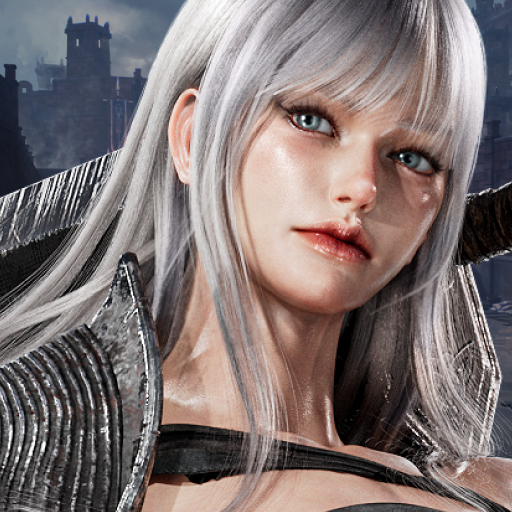
Dark December
Updated
Current Version
1.0.028
Offered By

With your passion for Dark December, you shouldn’t have to limit yourself to the small screen of a phone. Play like a pro and take full control of the game using a keyboard and mouse. MEmu gives you everything you’re looking for. Download and play Dark December on PC. Play as long as you want — no more worries about battery life, mobile data, or unexpected calls. The all-new MEmu 9 is the best way to play Dark December on PC. With our expertly designed keymapping system, Dark December feels just like a real PC game. The MEmu multi-instance manager lets you run two or more accounts on the same device at the same time. Most importantly, our exclusive emulation engine unlocks your PC’s full potential, delivering smooth and seamless performance.
Show more
Download Dark December on PC with MEmu Android Emulator. Enjoy playing on big screen. ■ Story & Worldview.
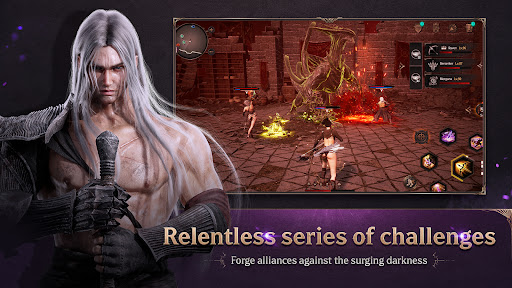
■ Story & Worldview
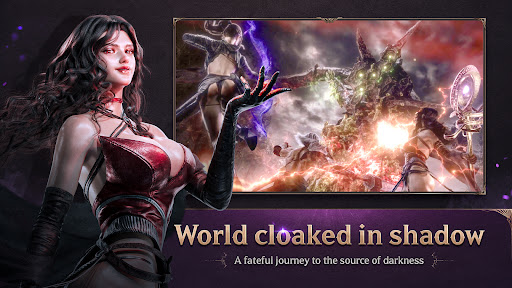
Dark December is set in a prequel world to UNDECEMBER.
Your journey is to uncover the truth about Serpens, known as the Evil God in UNDECEMBER, and the Twelve Gods who created the world.
■ Key Features
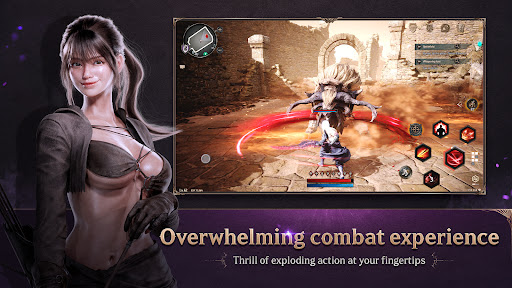
Dark December is an action RPG featuring diverse systems, intense action, and a free-camera combat experience.
It is designed to be easily accessible to all players and offers the fun of co-op content through party play.
■ Class Introduction
1. Berserker
A warrior who dominates the battlefield by wielding colossal two-handed weapon.
An overwhelming close-combat style that sweeps away multiple enemies at once with high HP and defense.
2. Raven
A ranged dealer who subdues enemies with a flashy and fast bow.
A strategic combat style based on agile movement, utilizing precise shots and various special arrows.
3. Morgana
A sorceress who commands fire and poison magic.
A stable yet threatening combat style, leveraging powerful debuffs and summoning magic.
■ Main Content
1. Ruler of chaos: Chaos Dungeon 'Abyss of Chaos'
Explore dungeons accessible only to those who have proven their prowess.
Choose your difficulty based on various regions and levels, and claim greater rewards.
2. Challenger of power: 'Realm of Chaos'
Challenge the Realm of Chaos that appears irregularly in the Abyss of Chaos.
Defeat powerful boss monsters like never before and acquire rare resources and materials.
3. One who fears no challenge: 'Hall of Oblivion'
Challenge the powerful boss monsters gathered from all regions.
Deploy a strategy tailored to each boss monster to defeat the enemy.
Select the difficulty level to achieve the satisfaction of defeating overwhelming enemies.
4. The Last Survivor: 'Dimensional Rift: Veles'
Defeat the endlessly advancing waves of enemies and survive.
Gather strength with up to 4 members and break through to the end.
Test your limits, cooperate, and strive for greater heights.
■ Exploration Guide
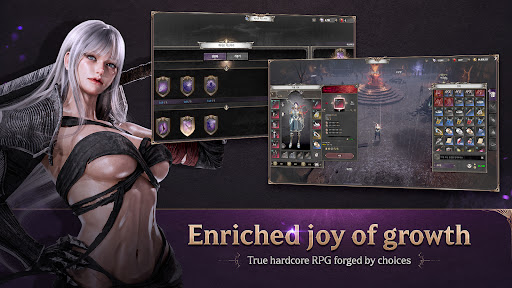
Follow the story and quests to explore various regions, and use the loot you acquire to craft and enhance your equipment.
Continue your battle according to your convictions within a deeply immersive dark fantasy world.
▣ Check the latest news of Dark December ▣
- Brand Page: https://www.darkdecember.net/
- Official Discord: https://discord.gg/YuQadWDGNK
- Official YouTube: https://www.youtube.com/@playdarkdecember
- Official Instagram: https://www.instagram.com/playdarkdecember
Show more

1. Download MEmu installer and finish the setup

2. Start MEmu then open Google Play on the desktop

3. Search Dark December in Google Play
Install
4. Download and Install Dark December
5. On install completion click the icon to start

6. Enjoy playing Dark December on PC with MEmu
MEmu Play is the best Android emulator and 100 million people already enjoy its superb Android gaming experience. The MEmu virtualization technology empowers you to play thousands of Android games smoothly on your PC, even the most graphic-intensive ones.
Bigger screen with better graphics; Long duration, without limitation of battery or mobile data.
Full Keymapping support for precise control of keyboard and mouse or gamepad.
Multiple game accounts or tasks on single PC at one time with Multi-Instance manager.
Play Dark December on PC by following steps:












































