
Dawncaster: Deckbuilding RPG
Updated
Current Version
1.19.002
Offered By

With your passion for Dawncaster: Deckbuilding RPG, you shouldn’t have to limit yourself to the small screen of a phone. Play like a pro and take full control of the game using a keyboard and mouse. MEmu gives you everything you’re looking for. Download and play Dawncaster: Deckbuilding RPG on PC. Play as long as you want — no more worries about battery life, mobile data, or unexpected calls. The all-new MEmu 9 is the best way to play Dawncaster: Deckbuilding RPG on PC. With our expertly designed keymapping system, Dawncaster: Deckbuilding RPG feels just like a real PC game. The MEmu multi-instance manager lets you run two or more accounts on the same device at the same time. Most importantly, our exclusive emulation engine unlocks your PC’s full potential, delivering smooth and seamless performance.
Show more
Download Dawncaster: Deckbuilding RPG on PC with MEmu Android Emulator. Enjoy playing on big screen. Sunforge rewards update is now live!
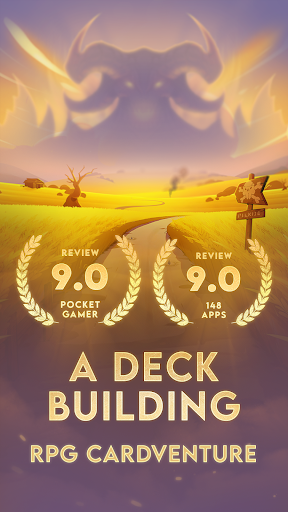
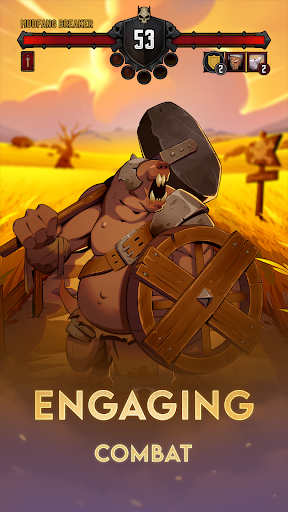

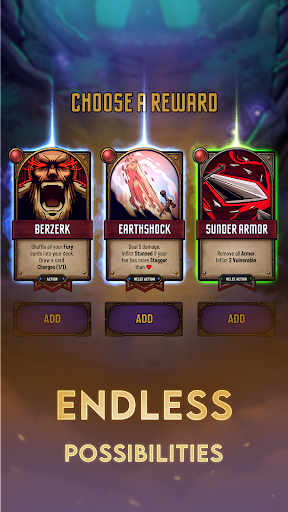
Sunforge rewards update is now live!
Dive into Dawncaster— discover over 900 handcrafted cards, pure strategy, endless variations, and no microtransactions. Start your epic journey today!
Embark on an epic quest in Dawncaster, a deck-building game with over 900 hand-illustrated cards. Choose your path as a stealthy rogue, a formidable warrior, an enigmatic Seeker, or any of the other classes. Unearth the dark secrets of Aethos and face a strategic challenge that reshapes the mobile card game experience.
STRATEGICALLY CHALLENGING
Every step of your heroic journey offers new tactical choices to improve your deck. Collect cards that match your playstyle, navigate challenging events and develop your strategy before the forces of evil overwhelm you.
UNIQUE TAKE ON CARD GAMES
Dawncaster redefines the card game genre with novel mechanics that will intrigue even the most seasoned players. Forge your unique blend of class-specific mechanics, wield powerful weapons, play permanent enchantments and harness a fresh energy system that lifts all restrictions found in traditional deckbuilders.
VENTURE INTO DARKNESS
Discover the mystery of the ‘Dawnbringer’, a hero of legend who has been lost in the corrupted realm of Umbris. Slay monsters and explore the darkest depths of a desperate world through handcrafted illustrations, dialogue and shape its future through your choices.
⭐ ACCESS TO ALL CARDS
Dawncaster is offered as a complete deck builder cardgame. You get access to all cards and classes with your purchase. No need to buy packs, tokens, or waste time on timers or ads. Additional levels and battles are available per expansion to add extra depth to your game.
ROGUELITE GAMEPLAY
Prepare for an ever-changing adventure. With randomised encounters, unique classes, choices and battles, no run is the same. Unlock new starting cards, portraits and more and increase the difficulty to push the limits of your strategic insight.
JOIN OUR COMMUNITY
Connect with fellow adventurers and the creators on our Discord server. Share your insights, receive updates, and be a part of Dawncaster's evolving story. We value your voice and invite you to help shape the future of the game.
Support: hello@wanderlost.games
Discord: https://discord.gg/vT3xc6CU
Website: https://dawncaster.wanderlost.games
Show more

1. Download MEmu installer and finish the setup

2. Start MEmu then open Google Play on the desktop

3. Search Dawncaster: Deckbuilding RPG in Google Play
Install
4. Download and Install Dawncaster: Deckbuilding RPG
5. On install completion click the icon to start

6. Enjoy playing Dawncaster: Deckbuilding RPG on PC with MEmu
MEmu Play is the best Android emulator and 100 million people already enjoy its superb Android gaming experience. The MEmu virtualization technology empowers you to play thousands of Android games smoothly on your PC, even the most graphic-intensive ones.
Bigger screen with better graphics; Long duration, without limitation of battery or mobile data.
Full Keymapping support for precise control of keyboard and mouse or gamepad.
Multiple game accounts or tasks on single PC at one time with Multi-Instance manager.
Play Dawncaster: Deckbuilding RPG on PC by following steps: