Delicious: Stolen Spotlight
Updated
Current Version
1.4
Offered By

With your passion for Delicious: Stolen Spotlight, you shouldn’t have to limit yourself to the small screen of a phone. Play like a pro and take full control of the game using a keyboard and mouse. MEmu gives you everything you’re looking for. Download and play Delicious: Stolen Spotlight on PC. Play as long as you want — no more worries about battery life, mobile data, or unexpected calls. The all-new MEmu 9 is the best way to play Delicious: Stolen Spotlight on PC. With our expertly designed keymapping system, Delicious: Stolen Spotlight feels just like a real PC game. The MEmu multi-instance manager lets you run two or more accounts on the same device at the same time. Most importantly, our exclusive emulation engine unlocks your PC’s full potential, delivering smooth and seamless performance.
Show more
Download Delicious: Stolen Spotlight on PC with MEmu Android Emulator. Enjoy playing on big screen. Play this game for FREE with ads – or get even more games with the gamehouse+ app!

Play this game for FREE with ads – or get even more games with the gamehouse+ app! Unlock 100+ games with ads as a GH+ Free member, or go GH+ VIP to enjoy them ALL ad-free, play offline, score exclusive in-game rewards, and more!
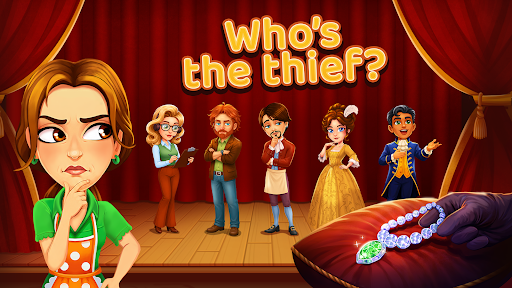
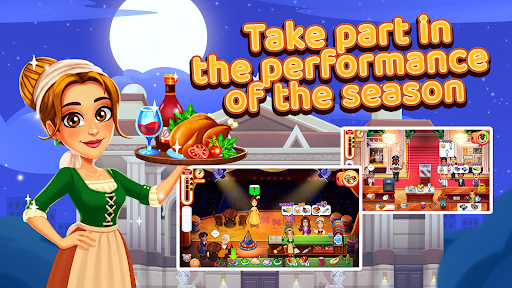
The grand reopening of the 200-year-old Dornbusch Theater is the event of the season, with chef Emily catering the celebration and her best friend, Francois, unveiling his spectacular redesign. But when a priceless necklace is stolen, and Francois becomes the prime suspect, the friends find themselves in a race against time to keep opening weekend on track while following a trail of clues to expose the real culprit.
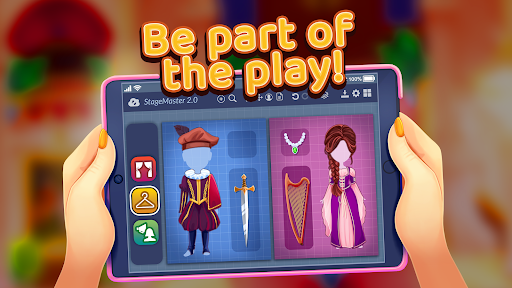
Master 60 fast-paced Time Management levels across six unique theater locations where you'll welcome guests in the lobby, cater VIP dinners, prepare props backstage, serve actors during live performances, organize costumes in the wardrobe department, and keep the cocktails flowing between performances.
Every level uncovers new evidence, reveals fresh suspects, and adds clues to your investigation board, bringing Emily and Francois closer to unveiling the truth. Along the way, upgrade products, hire helpful assistants, and tackle interactive mini-games, from preparing delicious dishes to chasing escaped pigs. Take on 30 extra-challenging bonus levels and unlock decorations to design your own theater production as opening weekend races toward its dramatic finale.
Can Emily and Francois uncover the truth before the culprit slips away with the final applause?
FEATURES:
⏰ 60 Time Management Levels
Master fast-paced theater challenges.
Six Theater Locations
Work across the lobby, main stage, wardrobe, and more.
Investigation Board
Collect clues and identify the thief.
Beyond the Kitchen
Cater VIP events, prepare props, organize costumes, and serve actors.
⭐ Upgrade & Hire
Improve products and recruit helpful assistants to boost your performance.
Interactive Mini-Games
Chase escaped pigs, prepare dishes, and more.
30 Bonus Levels
Take on extra-tough Time Management challenges.
Design Your Own Play
Unlock decorations and create a spectacular production.
NEW! Find your perfect way to play with the gamehouse+ app! Enjoy 100+ games for free with ads as a GH+ Free member or upgrade to GH+ VIP for ad-free play, offline access, exclusive in-game perks, and more. gamehouse+ isn't just another gaming app—it's your playtime destination for every mood and every 'me-time' moment. Subscribe today!
Show more

1. Download MEmu installer and finish the setup

2. Start MEmu then open Google Play on the desktop

3. Search Delicious: Stolen Spotlight in Google Play
Install
4. Download and Install Delicious: Stolen Spotlight
5. On install completion click the icon to start

6. Enjoy playing Delicious: Stolen Spotlight on PC with MEmu
MEmu Play is the best Android emulator and 100 million people already enjoy its superb Android gaming experience. The MEmu virtualization technology empowers you to play thousands of Android games smoothly on your PC, even the most graphic-intensive ones.
Bigger screen with better graphics; Long duration, without limitation of battery or mobile data.
Full Keymapping support for precise control of keyboard and mouse or gamepad.
Multiple game accounts or tasks on single PC at one time with Multi-Instance manager.
Play Delicious: Stolen Spotlight on PC by following steps: