Cooking Fame: Restaurant Star
Updated
Current Version
1.0
Offered By

With your passion for Cooking Fame: Restaurant Star, you shouldn’t have to limit yourself to the small screen of a phone. Play like a pro and take full control of the game using a keyboard and mouse. MEmu gives you everything you’re looking for. Download and play Cooking Fame: Restaurant Star on PC. Play as long as you want — no more worries about battery life, mobile data, or unexpected calls. The all-new MEmu 9 is the best way to play Cooking Fame: Restaurant Star on PC. With our expertly designed keymapping system, Cooking Fame: Restaurant Star feels just like a real PC game. The MEmu multi-instance manager lets you run two or more accounts on the same device at the same time. Most importantly, our exclusive emulation engine unlocks your PC’s full potential, delivering smooth and seamless performance.
Show more
Download Cooking Fame: Restaurant Star on PC with MEmu Android Emulator. Enjoy playing on big screen. Play this game for FREE with ads – or get even more games with the gamehouse+ app!


Play this game for FREE with ads – or get even more games with the gamehouse+ app! Unlock 100+ games with ads as a GH+ Free member, or go GH+ VIP to enjoy them ALL ad-free, play offline, score exclusive in-game rewards, and more!
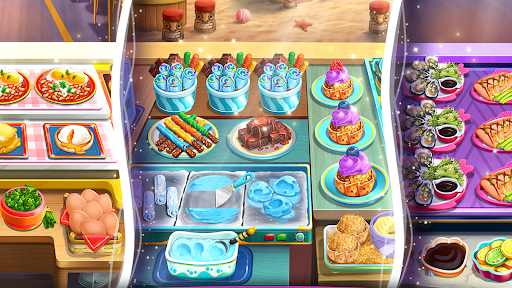
From burgers to brûlée, your road to stardom is paved with flavor! Step into the shoes of an apprentice chef whose kitchen blunder unexpectedly goes viral. Overnight, you and your best friend, Piper, become online food stars, and with the popular influencer Tristan by your side, restaurants across the globe are seeking your culinary expertise.
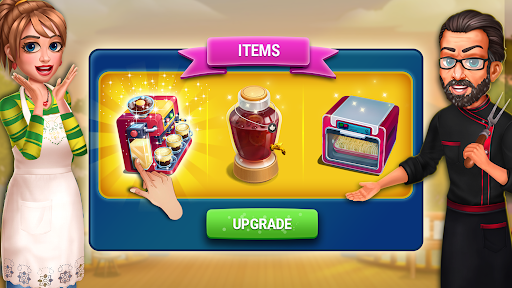
Master hundreds of fast-paced levels packed with tasty recipes, mouthwatering cooking challenges, and quirky characters. Upgrade restaurants with coins and gems, decorate your own kitchen with event rewards, and climb the Road to Fame leaderboard. Between levels, the story keeps unfolding with drama, rivalries, and friendships that shape your culinary journey.
There's always something sizzling with special events like the Food Truck Race, Clan competitions, and the Season Pass. Whether you're cooking up street eats or serving up fine dining, every dish brings you one step closer to the fame you've been craving. Balance bustling kitchens, hungry customers, and rival chefs as you claim your ticket to fame today!
FEATURES:
Cook, Serve & Travel
Run restaurants worldwide, from street food trucks to fine dining.
950 Levels of Gameplay
Tackle fast-paced challenges across hundreds of tasty stages.
Level Up Your Skills
Master new recipes, upgrade kitchens, and become a master chef.
Kitchen Rivalries & Fame
Go viral, gain followers, and prove who's at the top of the food chain.
Clubs & Cook-Offs
Team up with friends or compete with others for mouthwatering rewards.
Fun Story & Characters
Meet Piper, Tristan, quirky characters, and rivals on your road to fame.
Catchy Vibes
Serve fun personalities with soundtracks to match every restaurant.
Decorate & Upgrade
Design your dream kitchen and maximize every restaurant's potential.
NEW! Find your perfect way to play with the gamehouse+ app! Enjoy 100+ games for free with ads as a GH+ Free member or upgrade to GH+ VIP for ad-free play, offline access, exclusive in-game perks, and more. gamehouse+ isn't just another gaming app—it's your playtime destination for every mood and every 'me-time' moment. Subscribe today!
Show more

1. Download MEmu installer and finish the setup

2. Start MEmu then open Google Play on the desktop

3. Search Cooking Fame: Restaurant Star in Google Play
Install
4. Download and Install Cooking Fame: Restaurant Star
5. On install completion click the icon to start

6. Enjoy playing Cooking Fame: Restaurant Star on PC with MEmu
MEmu Play is the best Android emulator and 100 million people already enjoy its superb Android gaming experience. The MEmu virtualization technology empowers you to play thousands of Android games smoothly on your PC, even the most graphic-intensive ones.
Bigger screen with better graphics; Long duration, without limitation of battery or mobile data.
Full Keymapping support for precise control of keyboard and mouse or gamepad.
Multiple game accounts or tasks on single PC at one time with Multi-Instance manager.
Play Cooking Fame: Restaurant Star on PC by following steps: