Diplomacy is Not an Option: Fog of War
Updated
Current Version
Offered By

With your passion for Diplomacy is Not an Option: Fog of War, you shouldn’t have to limit yourself to the small screen of a phone. Play like a pro and take full control of the game using a keyboard and mouse. MEmu gives you everything you’re looking for. Download and play Diplomacy is Not an Option: Fog of War on PC. Play as long as you want — no more worries about battery life, mobile data, or unexpected calls. The all-new MEmu 9 is the best way to play Diplomacy is Not an Option: Fog of War on PC. With our expertly designed keymapping system, Diplomacy is Not an Option: Fog of War feels just like a real PC game. The MEmu multi-instance manager lets you run two or more accounts on the same device at the same time. Most importantly, our exclusive emulation engine unlocks your PC’s full potential, delivering smooth and seamless performance.
Show more
Download Diplomacy is Not an Option: Fog of War on PC with MEmu Android Emulator. Enjoy playing on big screen. NOW, WHERE DID IT ALL GO WRONG?
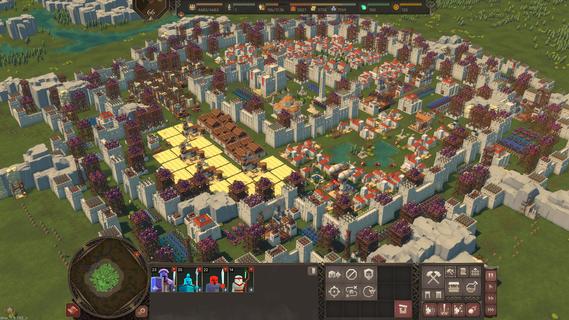
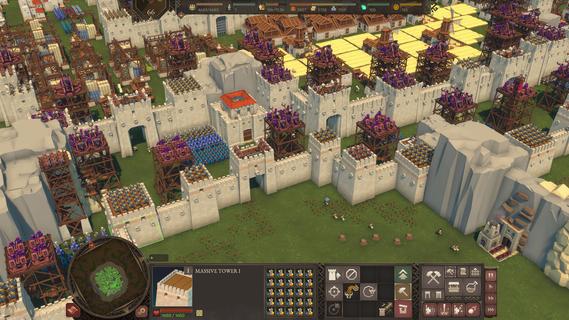
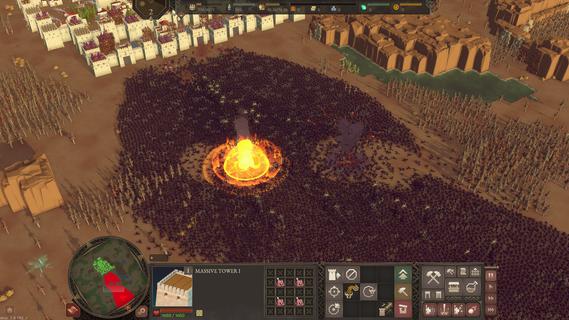
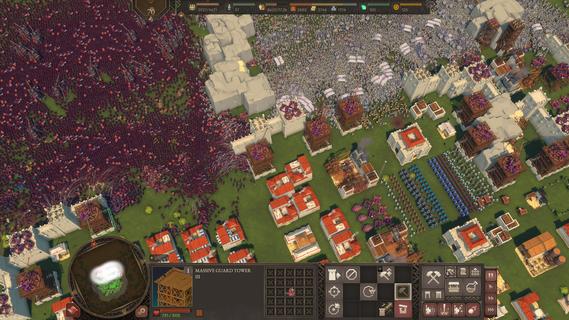
NOW, WHERE DID IT ALL GO WRONG? This was precisely the question the new King of Samreignia was asking himself when suddenly two states declared war on him. After all, upon coming to power, he worked to establish peaceful relations with his neighbours and to foster science and culture. He even looked after his people properly. But Samreignia is simply a tasty morsel for the rulers of Inverland and the Gorgoth Empire. They would be complete fools not to take advantage of a formal pretext for attacking the country that had not yet fully recovered from civil war. Willing to make territorial concessions (and who wouldn’t be in his position?), His Grace makes a final attempt to conclude peace with at least one of his adversaries. With this in mind, he sends his son, the temperamental yet principled and noble Connor Ironbrow, to the negotiations alongside his personal advisor, Snoot, to somehow counterbalance the Prince’s inexperience. Surely everything will work out now, won’t it? To answer this, check out the Fog of War DLC. Throughout 10 missions, you’ll storm castles and fight off hordes of enemies in epic battles, all while following the complicated relationship between Connor and the Gorgothian vice-princess, Nayana. Along the way, you’ll encounter new characters and environments, a new enemy faction – the Gorgoth Empire – and even a new boss with their own unique abilities.
Show more

1. Download MEmu installer and finish the setup

2. Start MEmu then open Google Play on the desktop

3. Search Diplomacy is Not an Option: Fog of War in Google Play
Install
4. Download and Install Diplomacy is Not an Option: Fog of War
5. On install completion click the icon to start

6. Enjoy playing Diplomacy is Not an Option: Fog of War on PC with MEmu
MEmu Play is the best Android emulator and 100 million people already enjoy its superb Android gaming experience. The MEmu virtualization technology empowers you to play thousands of Android games smoothly on your PC, even the most graphic-intensive ones.
Bigger screen with better graphics; Long duration, without limitation of battery or mobile data.
Full Keymapping support for precise control of keyboard and mouse or gamepad.
Multiple game accounts or tasks on single PC at one time with Multi-Instance manager.
Play Diplomacy is Not an Option: Fog of War on PC by following steps:

















































