Diplomacy is Not an Option: Fog of War
Atualizada
Versão atual
Oferecido por

Com toda a sua paixão por jogar Diplomacy is Not an Option: Fog of War, não deixe os polegares te atrapalharem em uma pequena tela do seu celular. Jogue como um profissional e tenha controle total do seu jogo com teclado e mouse. O MEmu oferece todas as coisas que você está esperando. Baixe e jogue Diplomacy is Not an Option: Fog of War no PC. Jogue o tempo que quiser, sem mais limitações de bateria, dados móveis e aquelas ligações enquanto estiver jogando. O novíssimo MEmu 9 é a melhor escolha de jogar Diplomacy is Not an Option: Fog of War no PC. Com grandes novidades no sistema de mapeamento que faz Diplomacy is Not an Option: Fog of War um jogo de PC real. Nossa equipe melhorou o gerenciamento de várias instâncias do Android, reduzindo tempo de reprodução de 2 ou mais contas no mesmo dispositivo. O mais importante, nosso mecanimos de emulação exclusivo pode liberar todo o potencial do seu PC sem travamentos, rodando tudo liso. Nós nos preocupamos não apenas com você joga, mas com todo o processo de desfrutar de 100% do seu jogo favorito.
Mostre mais
Download do Diplomacy is Not an Option: Fog of War no PC com MEmu Android Emulador: Divirta-se jogando na tela grande. NOW, WHERE DID IT ALL GO WRONG?
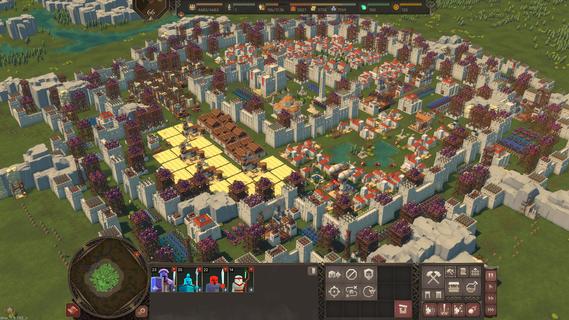
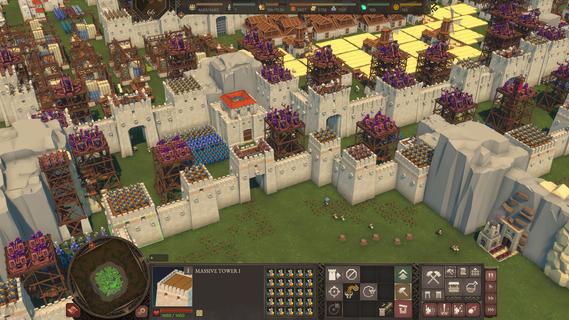
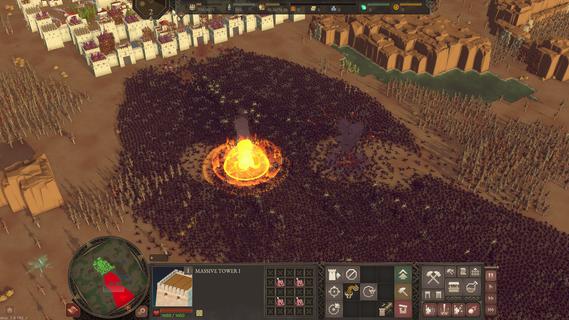
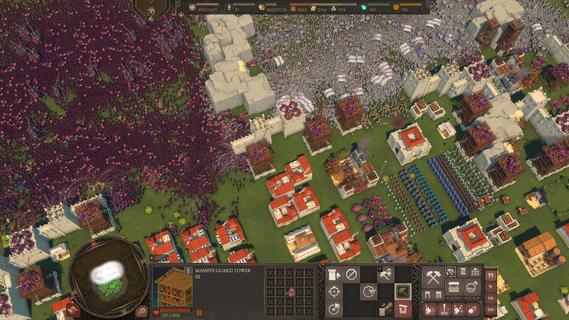
NOW, WHERE DID IT ALL GO WRONG?This was precisely the question the new King of Samreignia was asking himself when suddenly two states declared war on him. After all, upon coming to power, he worked to establish peaceful relations with his neighbours and to foster science and culture. He even looked after his people properly. But Samreignia is simply a tasty morsel for the rulers of Inverland and the Gorgoth Empire. They would be complete fools not to take advantage of a formal pretext for attacking the country that had not yet fully recovered from civil war.Willing to make territorial concessions (and who wouldnât be in his position?), His Grace makes a final attempt to conclude peace with at least one of his adversaries. With this in mind, he sends his son, the temperamental yet principled and noble Connor Ironbrow, to the negotiations alongside his personal advisor, Snoot, to somehow counterbalance the Princeâs inexperience. Surely everything will work out now, wonât it?To answer this, check out the Fog of War DLC. Throughout 10 missions, youâll storm castles and fight off hordes of enemies in epic battles, all while following the complicated relationship between Connor and the Gorgothian vice-princess, Nayana. Along the way, youâll encounter new characters and environments, a new enemy faction â the Gorgoth Empire â and even a new boss with their own unique abilities.
Mostre mais

1. Faça o download do instalador do MEmu e conclua a instalação

2. Inicie o MEmu e depois abra o Google Play na página inicial

3. Pesquise Diplomacy is Not an Option: Fog of War no Google Play
Install
4. Baixe e Instale Diplomacy is Not an Option: Fog of War
5. Na conclusão da instalação, clique no ícone para iniciar

6. Divirta-se jogando Diplomacy is Not an Option: Fog of War no PC com MEmu
O MEmu App Player é o melhor emulador de Android grátis e 50 milhões de pessoas já desfrutam de sua excelente experiência de jogos no Android. A tecnologia de virtualização do MEmu permite que você jogue milhares de jogos do Android sem problemas no seu PC, mesmo os com gráficos mais intensivos.
Tela maior com gráficos melhores; Longa duração e sem limitação de bateria ou dados móveis.
Suporte completo ao Mapaeamento de Teclas para controle preciso do teclado e mouse ou gamepad.
Várias contas de jogos ou tarefas em um único PC de uma só vez com o Gerenciador de várias instâncias.
Play Diplomacy is Not an Option: Fog of War on PC by following steps: