
Divine Edge : Idle RPG
Updated
Current Version
2.0.258
Offered By

With your passion for Divine Edge : Idle RPG, you shouldn’t have to limit yourself to the small screen of a phone. Play like a pro and take full control of the game using a keyboard and mouse. MEmu gives you everything you’re looking for. Download and play Divine Edge : Idle RPG on PC. Play as long as you want — no more worries about battery life, mobile data, or unexpected calls. The all-new MEmu 9 is the best way to play Divine Edge : Idle RPG on PC. With our expertly designed keymapping system, Divine Edge : Idle RPG feels just like a real PC game. The MEmu multi-instance manager lets you run two or more accounts on the same device at the same time. Most importantly, our exclusive emulation engine unlocks your PC’s full potential, delivering smooth and seamless performance.
Show more
Download Divine Edge : Idle RPG on PC with MEmu Android Emulator. Enjoy playing on big screen. A Bond Beyond Destiny—.


A Bond Beyond Destiny—
The Tale of a Maiden and a Dark Lord
“La la la~ La la la~”
Neither the silence of the deep forest nor the creeping cold could frighten the girl.
She wasn't lost, but as if it had been her intention all along,
she stepped fearlessly into the dark cave that emerged before her.
“Cave exploring~ Cave exploring~ La la la~”
Her voice gradually faded into the distance.
And our story began that day in the forest, shrouded in silence.
◈ One-of-a-kind story with mates brought together by destiny!
Form a party with unique heroes and embark on an unforgettable journey through various stages.
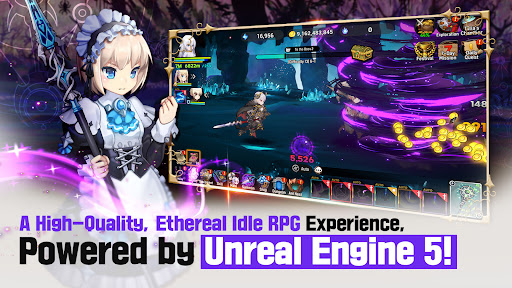
◈ A next-generation, high-quality idle RPG has arrived!
Experience stunning visuals powered by Unreal Engine 5 with captivating, immersive combat scenes.
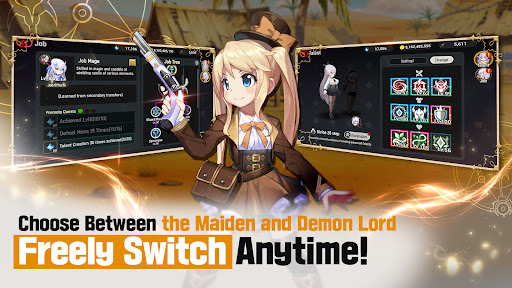
◈ Strategic fun that alternates between a Maiden and a Demon Lord!
Switch freely between the 'Maiden' and the 'Demon Lord' in battle and engage in fresh strategic gameplay.
◈ Complete your growth journey using your own unique methods.
From Job selections and skill trees to weapon specialization, each choice creates your unique style.
◈ Endless adventures and limitless content await.
Experience the excitement of new adventures in a world filled with unique content and intriguing stories.
※ Important Notice ※
1. This game includes partially paid (in-app purchase) items.
2. Please be aware that purchasing these items will incur real charges.
3. Digital goods purchased within this game may be subject to cancellation or restrictions on cancellation by the Consumer Protection Act in Electronic Commerce, etc.
Show more

1. Download MEmu installer and finish the setup

2. Start MEmu then open Google Play on the desktop

3. Search Divine Edge : Idle RPG in Google Play
Install
4. Download and Install Divine Edge : Idle RPG
5. On install completion click the icon to start

6. Enjoy playing Divine Edge : Idle RPG on PC with MEmu
MEmu Play is the best Android emulator and 100 million people already enjoy its superb Android gaming experience. The MEmu virtualization technology empowers you to play thousands of Android games smoothly on your PC, even the most graphic-intensive ones.
Bigger screen with better graphics; Long duration, without limitation of battery or mobile data.
Full Keymapping support for precise control of keyboard and mouse or gamepad.
Multiple game accounts or tasks on single PC at one time with Multi-Instance manager.
Play Divine Edge : Idle RPG on PC by following steps:
















































