DRAGON BALL GEKISHIN SQUADRA
Updated
Current Version
1.1.1
Offered By

With your passion for DRAGON BALL GEKISHIN SQUADRA, you shouldn’t have to limit yourself to the small screen of a phone. Play like a pro and take full control of the game using a keyboard and mouse. MEmu gives you everything you’re looking for. Download and play DRAGON BALL GEKISHIN SQUADRA on PC. Play as long as you want — no more worries about battery life, mobile data, or unexpected calls. The all-new MEmu 9 is the best way to play DRAGON BALL GEKISHIN SQUADRA on PC. With our expertly designed keymapping system, DRAGON BALL GEKISHIN SQUADRA feels just like a real PC game. The MEmu multi-instance manager lets you run two or more accounts on the same device at the same time. Most importantly, our exclusive emulation engine unlocks your PC’s full potential, delivering smooth and seamless performance.
Show more
Download DRAGON BALL GEKISHIN SQUADRA on PC with MEmu Android Emulator. Enjoy playing on big screen. The Dragon Ball franchise's team-oriented battle begins!
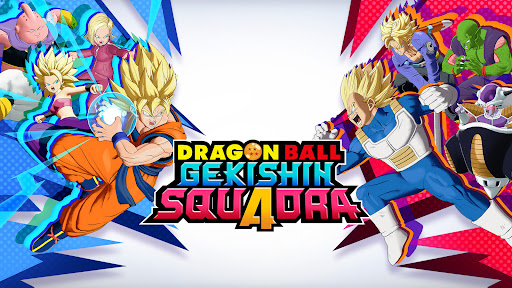
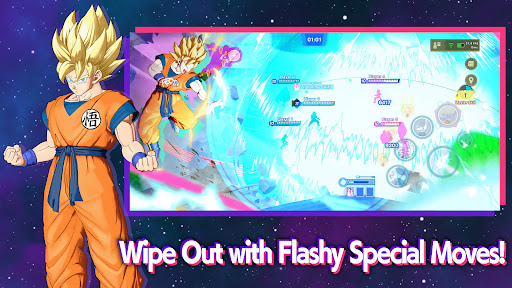
The Dragon Ball franchise's team-oriented battle begins!
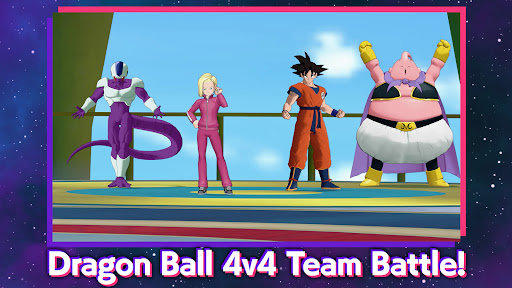
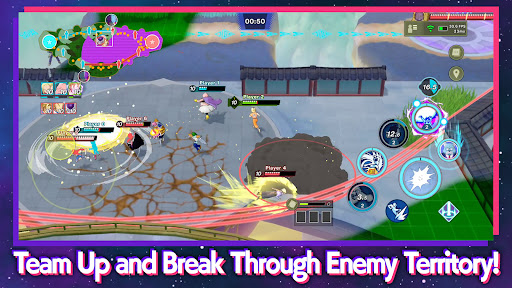
◆ Intense 4 VS 4 Team Battle
Enter the world of Dragon Ball by bringing your favorite characters' earth-shaking strength to the battlefield, and join up with your friends and allies to defeat your opponents and dominate the objectives.
Grow your strength throughout the battle, unlock game-changing skills, and obliterate enemy players and bosses alike.
◆ Heroes With Roles
Pick heroes with unique abilities and skills to fulfill strategic roles for your team:
- DAMAGE: Simple but effective, super aggressive play style with a focus to take down the enemy
- TANK: Persistent and hard to K.O., help your team hold the field and soak up the enemy's attacks
- TECHNICAL: Versatile support, maximize your team's chances by boosting your allies and disrupting the enemy
◆ Customization
Personalize your favorite heroes in your own style with character skins, entrance animations, and special finisher animations.
Find an aesthetic combination that shows off your love for the characters in your own way.
◆ Cross-Platform Play
Team up with your friends on PC, console, and mobile and play together with people from across the globe.
Connect your accounts to carry over your progress and collections seamlessly between your own devices.
*Internet connection required.
*This product is a multiplayer game that is played mainly through online matches between players.
*Online matches allow you to play against players from all over the world. You will match with people whose network conditions are optimal for the region you play in.
SUPPORT:
https://bnfaq.channel.or.jp/title/3169
Bandai Namco Entertainment Inc. Website:
https://bandainamcoent.co.jp/english/
By downloading or installing this app, you agree to the Bandai Namco Entertainment Terms of Service.
Terms of Service:
https://legal.bandainamcoent.co.jp/terms/
Privacy Policy:
https://legal.bandainamcoent.co.jp/privacy/
©BIRD STUDIO/SHUEISHA, TOEI ANIMATION
©Bandai Namco Entertainment Inc.
This application is distributed under the official rights from the license holder.
Show more

1. Download MEmu installer and finish the setup

2. Start MEmu then open Google Play on the desktop

3. Search DRAGON BALL GEKISHIN SQUADRA in Google Play
Install
4. Download and Install DRAGON BALL GEKISHIN SQUADRA
5. On install completion click the icon to start

6. Enjoy playing DRAGON BALL GEKISHIN SQUADRA on PC with MEmu
MEmu Play is the best Android emulator and 100 million people already enjoy its superb Android gaming experience. The MEmu virtualization technology empowers you to play thousands of Android games smoothly on your PC, even the most graphic-intensive ones.
Bigger screen with better graphics; Long duration, without limitation of battery or mobile data.
Full Keymapping support for precise control of keyboard and mouse or gamepad.
Multiple game accounts or tasks on single PC at one time with Multi-Instance manager.
Play DRAGON BALL GEKISHIN SQUADRA on PC by following steps:




![TOKYO GHOUL [:re birth] PC](https://dl.memuplay.com/new_market/img/com.bandainamcoent.TKGRB.icon.2022-12-01-14-28-20.png)





































