DRAGON QUEST III
Updated
Current Version
1.1.1
Offered By

With your passion for DRAGON QUEST III, you shouldn’t have to limit yourself to the small screen of a phone. Play like a pro and take full control of the game using a keyboard and mouse. MEmu gives you everything you’re looking for. Download and play DRAGON QUEST III on PC. Play as long as you want — no more worries about battery life, mobile data, or unexpected calls. The all-new MEmu 9 is the best way to play DRAGON QUEST III on PC. With our expertly designed keymapping system, DRAGON QUEST III feels just like a real PC game. The MEmu multi-instance manager lets you run two or more accounts on the same device at the same time. Most importantly, our exclusive emulation engine unlocks your PC’s full potential, delivering smooth and seamless performance.
Show more
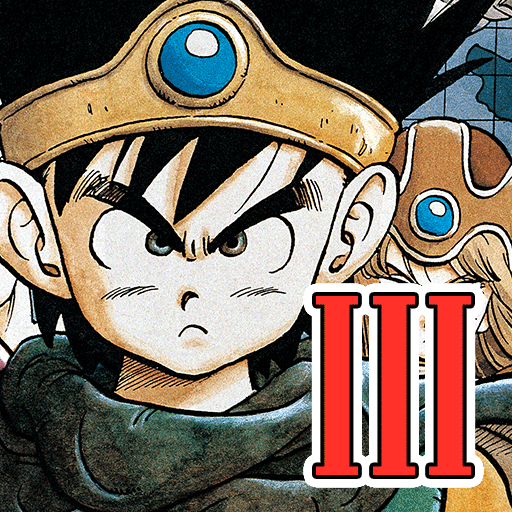
Download DRAGON QUEST III on PC with MEmu Android Emulator. Enjoy playing on big screen. DRAGON QUEST III: The Seeds of Salvation—one of the most highly acclaimed and best-selling games in the franchise is finally here for mobile!
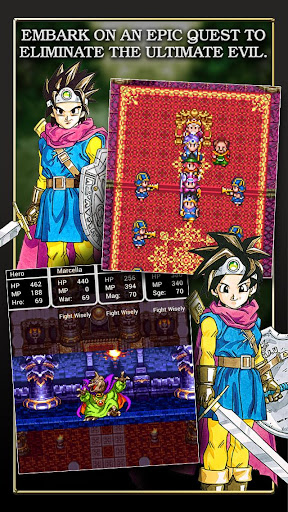
DRAGON QUEST III: The Seeds of Salvation—one of the most highly acclaimed and best-selling games in the franchise is finally here for mobile! Now all three instalments of the Erdrick Trilogy can be played in the palm of your hand!
Every wondrous weapon, spectacular spell and awesome adversary in this rich fantasy world is yours to discover in a single standalone package. Download it once, and there’s nothing else to buy, and nothing else to download!
DRAGON QUEST III: The Seeds of Salvation has an independent storyline and can be enjoyed without playing DRAGON QUEST I or DRAGON QUEST II.
※In-game text is available in English only.
◆ Prologue
On the morning of their sixteenth birthday, the child of Ortega, hero of the land of Aliahan, is charged with a seemingly impossible task by the King himself: to slay the Archfiend Baramos, master of darkness!
What trials await our intrepid hero as they set out to take on a quest not even their legendary father was strong enough to complete?
◆Game Features
・Freely Customisable Party System.
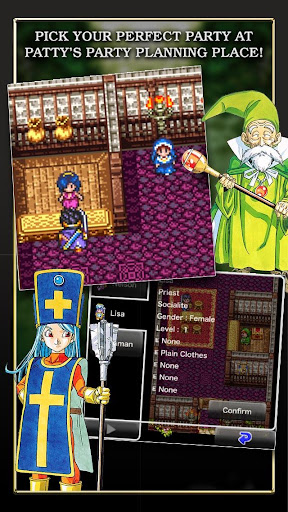
Set out on an unforgettable adventure with a party of up to four characters who can be customised to your exact specifications at Patty’s Party Planning Place! Choose names, genders and jobs, and put together the team of your dreams!
・Freely Changeable Vocations
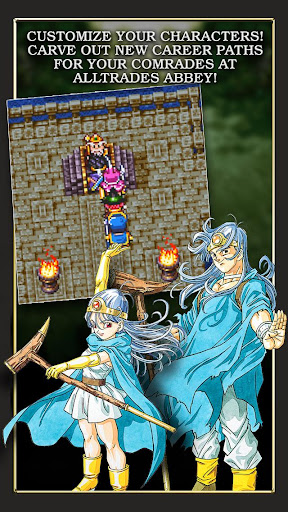
Your party members can be assigned any one of up to 9 vocations, a choice which will dictate their stats, equipment, spells and abilities.
Though the hero’s role has been decided by fate, the jobs of all the other characters are yours to change as you see fit.
Characters who change jobs will be returned to Level 1 and have their attributes halved, but they will retain all the spells and abilities they’ve learned, allowing you to tailor your team to perfectly suit your needs.
Turn a priest into a warrior to add healing abilities to your swordsman’s arsenal, or mix it up any other way you like! The possibilities are endless!
・Experience an epic RPG experience with over 30 hours of gameplay with added features to the original release!
Travel across multiple continents and dungeons as you level up your characters and unlock new spells and abilities. The personality system changes how your character grows making your party always unique. Mini-games like medal collecting to unlock powerful new items that were not available in the original release. Discover and explore bonus dungeons and location after completing the main plot.
・Simple, Intuitive Controls
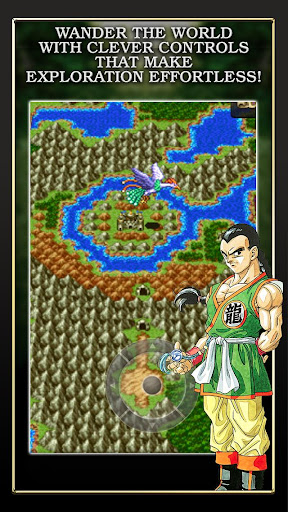
The game’s controls are designed to work perfectly with the vertical layout of any modern mobile device, and the position of the movement button can be changed to facilitate both one- and two-handed play.
・Experience the multi-million selling series, beloved both in Japan and beyond, and see how the masterful talents of series creator Yuji Horii first combined with the revolutionary synthesizer sounds of Koichi Sugiyama and the wildly popular manga illustrations of Akira Toriyama (Dragon Ball) to create a gaming sensation.
◆ Supported Android Devices/Operating Systems ◆
・Devices running AndroidOS version 8.0 or above.
―――――
Show more

1. Download MEmu installer and finish the setup

2. Start MEmu then open Google Play on the desktop

3. Search DRAGON QUEST III in Google Play
Install
4. Download and Install DRAGON QUEST III
5. On install completion click the icon to start

6. Enjoy playing DRAGON QUEST III on PC with MEmu
MEmu Play is the best Android emulator and 100 million people already enjoy its superb Android gaming experience. The MEmu virtualization technology empowers you to play thousands of Android games smoothly on your PC, even the most graphic-intensive ones.
Bigger screen with better graphics; Long duration, without limitation of battery or mobile data.
Full Keymapping support for precise control of keyboard and mouse or gamepad.
Multiple game accounts or tasks on single PC at one time with Multi-Instance manager.
Play DRAGON QUEST III on PC by following steps: