DRAGON QUEST V
Updated
Current Version
1.1.6
Offered By

With your passion for DRAGON QUEST V, you shouldn’t have to limit yourself to the small screen of a phone. Play like a pro and take full control of the game using a keyboard and mouse. MEmu gives you everything you’re looking for. Download and play DRAGON QUEST V on PC. Play as long as you want — no more worries about battery life, mobile data, or unexpected calls. The all-new MEmu 9 is the best way to play DRAGON QUEST V on PC. With our expertly designed keymapping system, DRAGON QUEST V feels just like a real PC game. The MEmu multi-instance manager lets you run two or more accounts on the same device at the same time. Most importantly, our exclusive emulation engine unlocks your PC’s full potential, delivering smooth and seamless performance.
Show more
Download DRAGON QUEST V on PC with MEmu Android Emulator. Enjoy playing on big screen. ********************.
********************
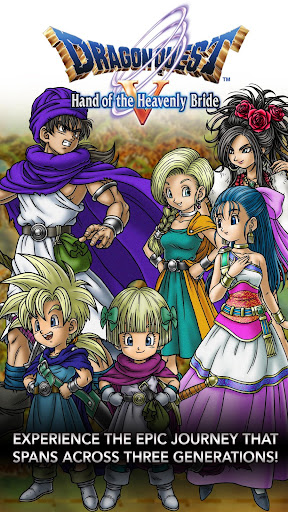
This grand adventure, unfolding over three generations, is now available to play in the palm of your hand!
Take your place among a family of heroes, sharing in all the triumphs and tragedies of their storied lives!
Enjoy three generations’ worth of adventure in one standalone package!
There will be a fee to download the game but download it once, and there’s nothing else to buy, and nothing else to download!
*In-game text is available in English only.
********************
◆Prologue
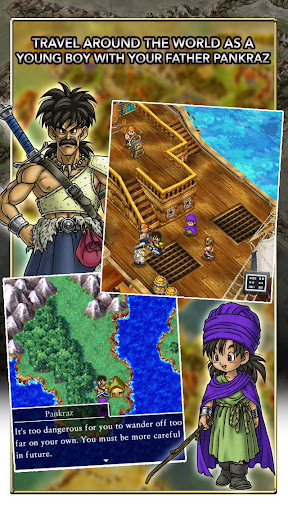
Our hero begins the story as a small boy, travelling the world with his father, Pankraz.
Over the course of his many adventures, this lovable lad learns and grows.
And when he finally becomes a man, he resolves to continue his father’s unfinished quest—to find the Legendary Hero...
This thrilling tale on a stunning scale can now be enjoyed on pocket-sized devices!
◆Game Feature
・Make Friends with Mighty Monsters!
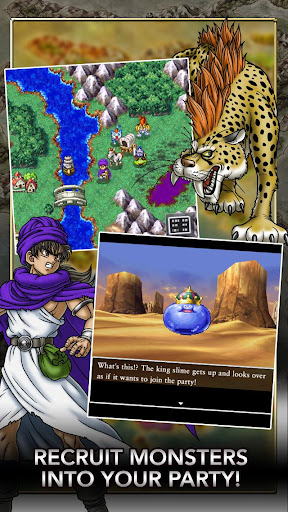
The fearsome monsters you face in battle can now become your friends, giving you access to unique spells and abilities—and a whole host of strategic possibilities!
・Converse Freely with your Fellow Party Members!
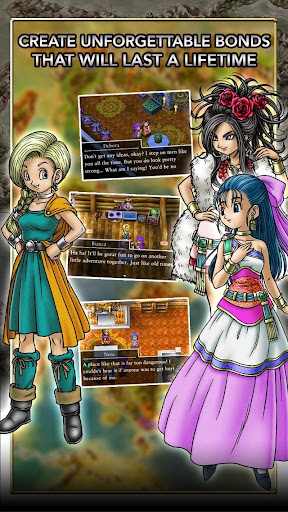
The party chat function allows you to converse freely with the cast of colourful characters who will accompany you on your adventure. So don’t hesitate to turn to them for advice and idle chit-chat whenever the urge assails you!
・360-Degree Views
Rotate your viewpoint in towns and villages through a full 360 degrees to make sure you don’t miss a thing!
・AI Battles
Tired of giving orders? Your faithful companions can be instructed to fight automatically!
Use the various tactics at your disposal to see off even the toughest enemies with ease!
・Treasures ‘n’ Trapdoors
Take dice in hand and roll your way around specially designed game boards, enjoying a whole range of exciting events as you go!
Some of the things you’ll see won’t be available anywhere else, and if you manage to make it to the end, you can win some really great rewards!
・Bruise the Ooze is Back!
Bruise the Ooze, the slime-smashing minigame introduced in the Nintendo DS version, is back with a bang! Tap the slimes within the time limit to earn points in this super-simple yet fiendishly addictive goo-splatting extravaganza!
・Simple, Intuitive Controls
The game’s controls are designed to work perfectly with the vertical layout of any modern mobile device, and the position of the movement button can be changed to facilitate both one- and two-handed play.
・Experience the legendary RPG loved by millions in Japan and worldwide! Created by a legendary trio with the master creator Yuji Horii, the revolutionary synthesizer score and orchestration by Koichi Sugiyama, and art by master manga artist Akira Toriyama (Dragon Ball).
--------------------
[Supported Devices]
Devices running Android 6.0 or above.
* This game is not guaranteed to run on all devices.
Show more

1. Download MEmu installer and finish the setup

2. Start MEmu then open Google Play on the desktop

3. Search DRAGON QUEST V in Google Play
Install
4. Download and Install DRAGON QUEST V
5. On install completion click the icon to start

6. Enjoy playing DRAGON QUEST V on PC with MEmu
MEmu Play is the best Android emulator and 100 million people already enjoy its superb Android gaming experience. The MEmu virtualization technology empowers you to play thousands of Android games smoothly on your PC, even the most graphic-intensive ones.
Bigger screen with better graphics; Long duration, without limitation of battery or mobile data.
Full Keymapping support for precise control of keyboard and mouse or gamepad.
Multiple game accounts or tasks on single PC at one time with Multi-Instance manager.
Play DRAGON QUEST V on PC by following steps: