Duck Survival: Zombie Battle
Updated
Current Version
Offered By

With your passion for Duck Survival: Zombie Battle, you shouldn’t have to limit yourself to the small screen of a phone. Play like a pro and take full control of the game using a keyboard and mouse. MEmu gives you everything you’re looking for. Download and play Duck Survival: Zombie Battle on PC. Play as long as you want — no more worries about battery life, mobile data, or unexpected calls. The all-new MEmu 9 is the best way to play Duck Survival: Zombie Battle on PC. With our expertly designed keymapping system, Duck Survival: Zombie Battle feels just like a real PC game. The MEmu multi-instance manager lets you run two or more accounts on the same device at the same time. Most importantly, our exclusive emulation engine unlocks your PC’s full potential, delivering smooth and seamless performance.
Show more
Download Duck Survival: Zombie Battle on PC with MEmu Android Emulator. Enjoy playing on big screen. [Login Rewards] Log in to claim 777 draws, a Southeast Asia-exclusive duck outfit, the Epic Weapon Gatling Gun, 100,000 cash, and 300 diamonds!
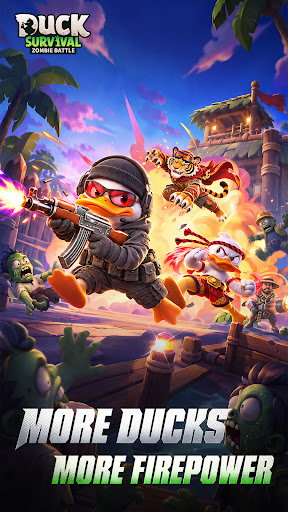
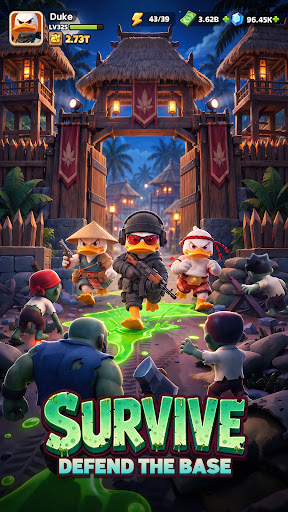
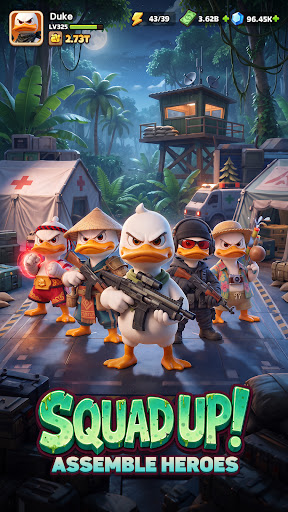
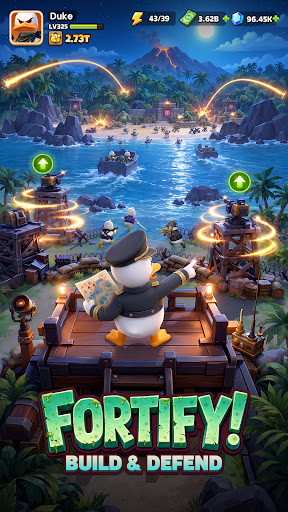
[Login Rewards] Log in to claim 777 draws, a Southeast Asia-exclusive duck outfit, the Epic Weapon Gatling Gun, 100,000 cash, and 300 diamonds!
A crisis erupts across the Duck Continent as a ferocious zombie horde closes in!
You will become the commander of a Survivor Base, rally duck Heroes with unique skills, Build a solid defensive line, combine Weapons and skills, and defend the last home through one perilous nighttime In Battle after another.
Develop your Base by day and face the zombie horde by night. Every choice will determine the fate of your duck Squad!
[Day and Night Cycle: Building and Battle Are Both Essential]
- Daytime: Gather resources, expand your Base, and deploy defensive facilities such as the Machine Gun Turret to prepare for the coming battle.
- Nighttime: The zombie horde will surge endlessly from the darkness. Reinforce your defenses, Enhance your Firepower, and hold out with duck Heroes until dawn!
[Rally Duck Heroes and Form Your Own Survival Squad]
- Say goodbye to the plain Survivor look and Unlock a wide variety of distinctive duck styles!
- Every Hero Owns a unique combat style and growth path. Flexibly adjust your lineup to let different Heroes play to their strengths against rapid assaults, long-range suppression, Elite Monsters, and other threats.
[Rally a Hero Squad and Build the Strongest Lineup]
- Level up continuously In Battle and choose from random skills:
Freely combine duck Heroes, combat skills, and Buildings. Mix and match Burning, lightning, Frost, Energy, Physical, and other attributes to Activate exclusive Bond effects and forge your ultimate duck army!
- Adapt your build flexibly to your current lineup and battlefield situation, making every survival Challenge full of the unknown and possibility.
[Random Skill Builds, New Changes Every Run]
- This is not only a contest of Firepower, but also a test of strategy.
- Every level brings new choices: summon Meteorites to bombard the zombie horde, condense a Frost Shield to block damage, or unleash a charged laser to sweep the battlefield!
- Flexibly combine skills based on your enemies and the situation to create your own combat Genre, with a different Roguelike survival experience every run!
[Multiple Challenge Modes, Explore the Apocalypse]
- Alongside Thrilling Base defense battles, Dungeon Explore, Guild Bosses, and Arena modes await your Challenge.
- Venture deep into dangerous areas to seek precious resources, face powerful enemies alongside your allies, and test the true strength of your lineup and build.
Night is falling, and the zombie horde is coming.
Join Duck Survival: Zombie Battle now—Rally your duck Squad, Build a Base, deploy your defenses, carve out a path to survival through the darkness, and become the true survival commander of the Duck Continent!
[Join Us]
Join the official community for the latest game news and exclusive rewards:
Discord: https://discord.gg/yaErGyezwX
Facebook: https://www.facebook.com/seaducksurvivalofficial
Show more

1. Download MEmu installer and finish the setup

2. Start MEmu then open Google Play on the desktop

3. Search Duck Survival: Zombie Battle in Google Play
Install
4. Download and Install Duck Survival: Zombie Battle
5. On install completion click the icon to start

6. Enjoy playing Duck Survival: Zombie Battle on PC with MEmu
MEmu Play is the best Android emulator and 100 million people already enjoy its superb Android gaming experience. The MEmu virtualization technology empowers you to play thousands of Android games smoothly on your PC, even the most graphic-intensive ones.
Bigger screen with better graphics; Long duration, without limitation of battery or mobile data.
Full Keymapping support for precise control of keyboard and mouse or gamepad.
Multiple game accounts or tasks on single PC at one time with Multi-Instance manager.
Play Duck Survival: Zombie Battle on PC by following steps: