Dungeon Warfare 3
Updated
Current Version
1.0.26
Offered By

With your passion for Dungeon Warfare 3, you shouldn’t have to limit yourself to the small screen of a phone. Play like a pro and take full control of the game using a keyboard and mouse. MEmu gives you everything you’re looking for. Download and play Dungeon Warfare 3 on PC. Play as long as you want — no more worries about battery life, mobile data, or unexpected calls. The all-new MEmu 9 is the best way to play Dungeon Warfare 3 on PC. With our expertly designed keymapping system, Dungeon Warfare 3 feels just like a real PC game. The MEmu multi-instance manager lets you run two or more accounts on the same device at the same time. Most importantly, our exclusive emulation engine unlocks your PC’s full potential, delivering smooth and seamless performance.
Show more
Download Dungeon Warfare 3 on PC with MEmu Android Emulator. Enjoy playing on big screen. Dungeon Warfare 3 is the next evolution of the acclaimed tower defense series.
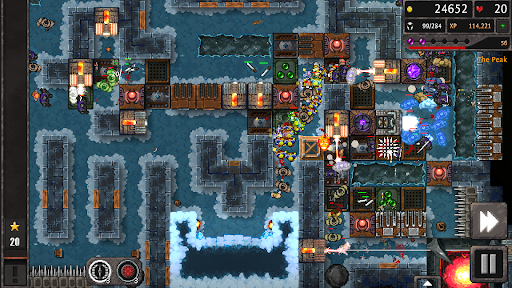
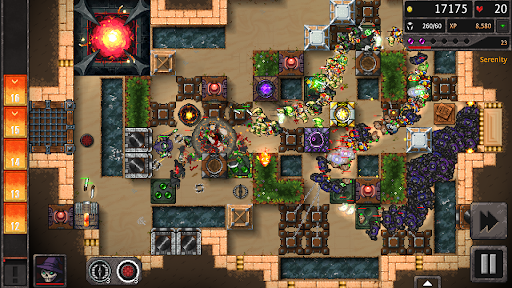
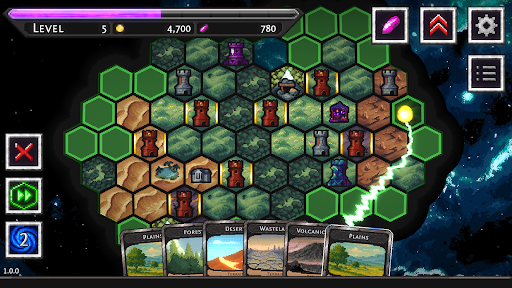
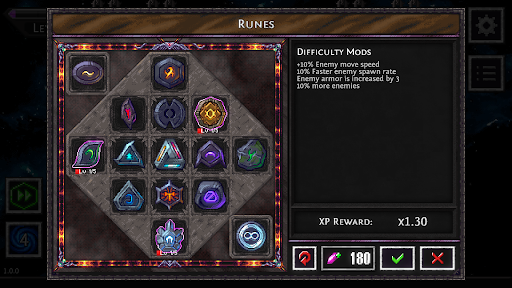
Dungeon Warfare 3 is the next evolution of the acclaimed tower defense series. Lay out terrain tiles, carve perilous pathways, and customize your domain to create a perfectly tuned gauntlet of mayhem and misery.
Your arsenal of traps and contraptions is deadlier than ever, featuring more methods of maiming, mangling, and misdirecting your foes. Every successful defense grants you valuable experience to permanently strengthen your tools of torment. Experiment with newfound synergy between traps and terrain, adapt on the fly to relentless waves of adventurers, and tailor the difficulty to your liking with a refined rune system.
With an expanded variety of enemies, handcrafted levels, and infinite procedural challenges, Dungeon Warfare 3 promises an endlessly replayable tower defense experience that rewards cunning, creativity, and cruelty in equal measure.
[Game Features]
- Realm Shaping: Forge your battlefield tile by tile. Raise walls, carve chasms, and channel enemy forces into your most insidious defenses.
- Deadly Arsenal: Deploy an even greater variety of traps and contraptions, each upgradeable and modifiable to suit your playstyle.
- Deep Progression: Earn experience with every victory to permanently enhance your traps, unlock powerful new abilities, and strengthen your stronghold.
- Diverse Foes: Face off against an expanded cast of adventurers, each presenting unique challenges that demand dynamic strategies.
- Handcrafted & Infinite Levels: Conquer a curated selection of handcrafted scenarios, then test your mastery in procedurally generated dungeons that never play the same way twice.
- Adjustable Difficulty: Mix and match runes to scale challenge and rewards, allowing you to perfectly tune each encounter to your preference.
- Endless Mode & Beyond: Push your defenses to their limits against relentless waves of enemies, compete for high scores, and become a legend of the Realm Shapers.
- Polished Presentation: Enjoy refined pixel art, atmospheric sound design, and responsive controls that bring your dastardly dungeon—and the agony of your foes—to life.
Show more

1. Download MEmu installer and finish the setup

2. Start MEmu then open Google Play on the desktop

3. Search Dungeon Warfare 3 in Google Play
Install
4. Download and Install Dungeon Warfare 3
5. On install completion click the icon to start

6. Enjoy playing Dungeon Warfare 3 on PC with MEmu
MEmu Play is the best Android emulator and 100 million people already enjoy its superb Android gaming experience. The MEmu virtualization technology empowers you to play thousands of Android games smoothly on your PC, even the most graphic-intensive ones.
Bigger screen with better graphics; Long duration, without limitation of battery or mobile data.
Full Keymapping support for precise control of keyboard and mouse or gamepad.
Multiple game accounts or tasks on single PC at one time with Multi-Instance manager.
Play Dungeon Warfare 3 on PC by following steps: