Etheria: Restart
Updated
Current Version
0.10.0
Offered By

With your passion for Etheria: Restart, you shouldn’t have to limit yourself to the small screen of a phone. Play like a pro and take full control of the game using a keyboard and mouse. MEmu gives you everything you’re looking for. Download and play Etheria: Restart on PC. Play as long as you want — no more worries about battery life, mobile data, or unexpected calls. The all-new MEmu 9 is the best way to play Etheria: Restart on PC. With our expertly designed keymapping system, Etheria: Restart feels just like a real PC game. The MEmu multi-instance manager lets you run two or more accounts on the same device at the same time. Most importantly, our exclusive emulation engine unlocks your PC’s full potential, delivering smooth and seamless performance.
Show more
Download Etheria: Restart on PC with MEmu Android Emulator. Enjoy playing on big screen. Etheria is an Ethereal Hero RPG.
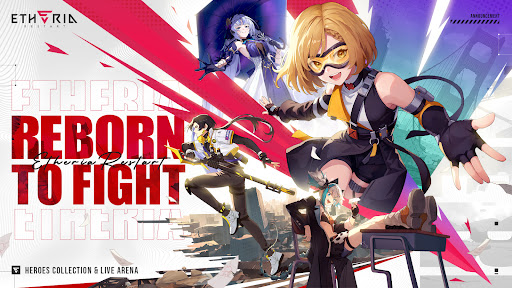
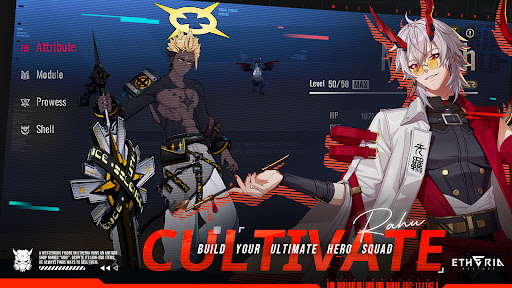
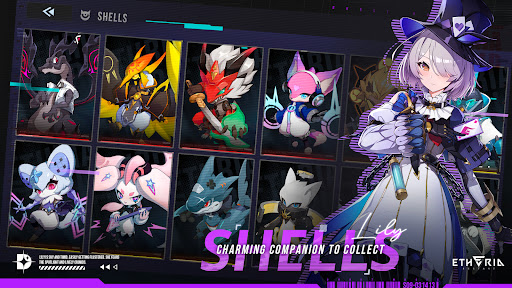
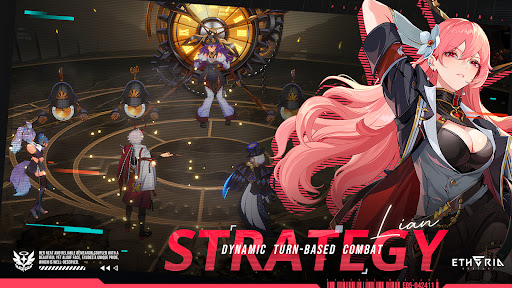
Etheria is an Ethereal Hero RPG
When a devastating global freeze threatens to extinguish human civilization, humanity transfers their consciousness into "Etheria," a virtual world, to preserve their legacy.
Within Etheria, humans coexist with beings known as the Animus, who wield mysterious Anima Powers. Their peaceful coexistence shatters when the "Genesis Virus" emerges, corrupting the Animus and driving them berserk, endangering humanity's survival. In response, the Hyperlinker Union forms to combat this threat.
Take on the role of a Hyperlinker and begin your adventure in Etheria.
[Strategic Combat & Limitless Team Compositions] Etheria evolves classic turn-based combat by incorporating diverse strategic mechanics and sandbox exploration, delivering a next-generation Team RPG experience! Create countless team combinations by synergizing Animus abilities, issue real-time combat commands, and freely control each Animus in battle. Master skill combinations and tactical setups to experience the thrill of overcoming powerful foes through superior strategy.
[Breathtaking 3D Visuals & Cinematic Spectacle] Built in Unreal Engine, Etheria delivers cinematic immersion through lifelike lighting, detailed shadows, and fully rendered real-time scenes. Each character features unique combat animations enhanced by dynamic camera work and dazzling effects, creating spectacular battles without visual clutter or overwhelming effects.
[Strategic PvP Arena Battles] Step into the Arena, where non-stop duels rage day and night! Engage in exhilarating PvP battles amid roaring crowds, showcase your unique strategies to fellow Hyperlinkers, and experience the pure thrill of tactical competition as you pursue your combat dreams!
[Venture into the Threshold] Explore Etheria's rich PvE content, where formidable foes from the Main Quest return in the Threshold, GP Outposts, and Investigations. Team up with your Animus squad to tackle powerful bosses! For those seeking greater challenges, venture into the Ember ruins, where even deadlier and more mysterious adversaries await...
[Forge Your Combat Style] Each Animus features a unique Prowess system with diverse progression paths. Customize their abilities through Shell equipment and nearly a hundred different Ether Module combinations to develop distinct fighting styles and combat approaches. Create specialized builds for your favorite Animus to tackle any battle scenario!
[Discover Extraordinary Allies] Your journey through this virtual metropolis of danger and opportunity won't be lonely! Meet hundreds of unique Animus characters: a dual-wielding Reaper carrying a mighty coffin, a punk genius Hacker, a metropolitan Empress who manipulates Soul Flames... Join forces to confront unknown threats and unveil the mysteries of this futuristic city.
Show more

1. Download MEmu installer and finish the setup

2. Start MEmu then open Google Play on the desktop

3. Search Etheria: Restart in Google Play
Install
4. Download and Install Etheria: Restart
5. On install completion click the icon to start

6. Enjoy playing Etheria: Restart on PC with MEmu
MEmu Play is the best Android emulator and 100 million people already enjoy its superb Android gaming experience. The MEmu virtualization technology empowers you to play thousands of Android games smoothly on your PC, even the most graphic-intensive ones.
Bigger screen with better graphics; Long duration, without limitation of battery or mobile data.
Full Keymapping support for precise control of keyboard and mouse or gamepad.
Multiple game accounts or tasks on single PC at one time with Multi-Instance manager.
Play Etheria: Restart on PC by following steps: