FINAL FANTASY IV: TAY
Updated
Current Version
1.0.13
Offered By

With your passion for FINAL FANTASY IV: TAY, you shouldn’t have to limit yourself to the small screen of a phone. Play like a pro and take full control of the game using a keyboard and mouse. MEmu gives you everything you’re looking for. Download and play FINAL FANTASY IV: TAY on PC. Play as long as you want — no more worries about battery life, mobile data, or unexpected calls. The all-new MEmu 9 is the best way to play FINAL FANTASY IV: TAY on PC. With our expertly designed keymapping system, FINAL FANTASY IV: TAY feels just like a real PC game. The MEmu multi-instance manager lets you run two or more accounts on the same device at the same time. Most importantly, our exclusive emulation engine unlocks your PC’s full potential, delivering smooth and seamless performance.
Show more
Download FINAL FANTASY IV: TAY on PC with MEmu Android Emulator. Enjoy playing on big screen. FINAL FANTASY IV: THE AFTER YEARS is available on Android devices!
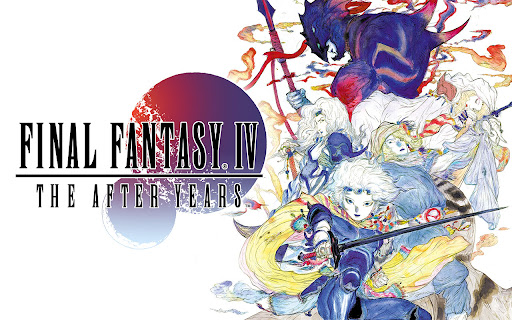
FINAL FANTASY IV: THE AFTER YEARS is available on Android devices!
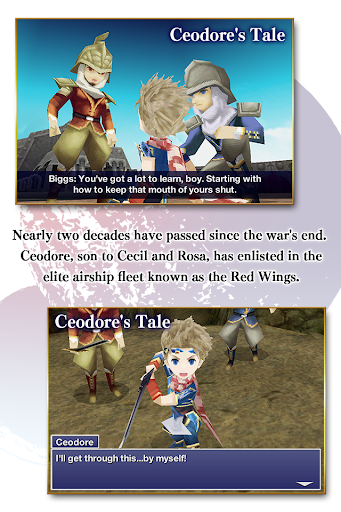
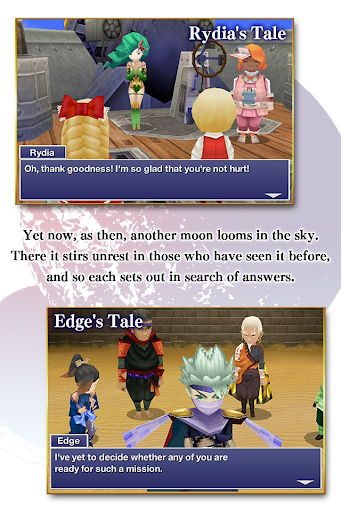
With a full 3-D remake, FINAL FANTASY IV: THE AFTER YEARS can now be played as never before. Take part in the epic sequel that unfolds nearly two decades after the events of FINAL FANTASY IV. Classic characters make their return alongside several new heroes, such as Ceodore, son of Cecil and Rosa.
- Ten Playable Tales
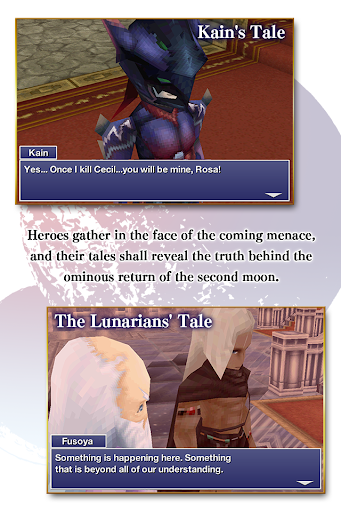
Begin your journey with "Ceodore's Tale." Complete it to unlock the tales of six additional characters, which can be played in any order, and then return to the core story with "Kain's Tale," "The Lunarian's Tale," and "The Crystals." A total of ten tales in all, and all contained in FINAL FANTASY IV: THE AFTER YEARS.
- Active Time Battle
Take control of exhilarating combat made possible by the non-stop action in Square Enix's iconic battle system.
- Lunar Phases
Feel the moon's presence in combat, as its waxing and waning influences the potency of attacks and abilities of all combatants. Lunar phases cycle naturally with the passage of in-game time, or when resting at an inn, tent, or cottage.
- Band Abilities
Combine the strength of your party members to awesome effect with Band abilities that can be unlocked through in-game events or by leveling your characters' Affinity.
- Minimap
Keep an eye on your current location and nearby surroundings, or tap for quick access to the world map.
- Google Play Game Support
Step up to meet all-new challenges offered by dozens of achievements.
Seventeen years have passed since the war's end, and the son born to King Cecil and Queen Rosa of Baron has grown into a young man. Prince Ceodore has enlisted in the airship fleet known as the Red Wings, eager to meet the expectations demanded of his blood and station. Yet once more another moon has appeared in the sky, and with it vast hordes of monsters intent on destruction. The brief peace enjoyed by the Blue Planet now stands threatened under the shadow of impending catastrophe.
--------------------------------------
FINAL FANTASY IV: THE AFTER YEARS cannot be launched on devices running Android 4.4 with Android RunTime (ART) enabled. Please ensure the default runtime is selected before launching the game.
--------------------------------------
Show more

1. Download MEmu installer and finish the setup

2. Start MEmu then open Google Play on the desktop

3. Search FINAL FANTASY IV: TAY in Google Play
Install
4. Download and Install FINAL FANTASY IV: TAY
5. On install completion click the icon to start

6. Enjoy playing FINAL FANTASY IV: TAY on PC with MEmu
MEmu Play is the best Android emulator and 100 million people already enjoy its superb Android gaming experience. The MEmu virtualization technology empowers you to play thousands of Android games smoothly on your PC, even the most graphic-intensive ones.
Bigger screen with better graphics; Long duration, without limitation of battery or mobile data.
Full Keymapping support for precise control of keyboard and mouse or gamepad.
Multiple game accounts or tasks on single PC at one time with Multi-Instance manager.
Play FINAL FANTASY IV: TAY on PC by following steps: