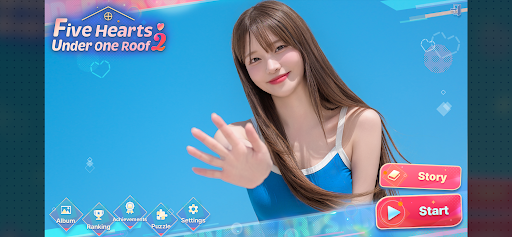
Five Hearts Under One Roof 2
Updated
Current Version
1.0.8
Offered By

With your passion for Five Hearts Under One Roof 2, you shouldn’t have to limit yourself to the small screen of a phone. Play like a pro and take full control of the game using a keyboard and mouse. MEmu gives you everything you’re looking for. Download and play Five Hearts Under One Roof 2 on PC. Play as long as you want — no more worries about battery life, mobile data, or unexpected calls. The all-new MEmu 9 is the best way to play Five Hearts Under One Roof 2 on PC. With our expertly designed keymapping system, Five Hearts Under One Roof 2 feels just like a real PC game. The MEmu multi-instance manager lets you run two or more accounts on the same device at the same time. Most importantly, our exclusive emulation engine unlocks your PC’s full potential, delivering smooth and seamless performance.
Show more
Download Five Hearts Under One Roof 2 on PC with MEmu Android Emulator. Enjoy playing on big screen. “I'm looking for someone to run the boarding house once again!
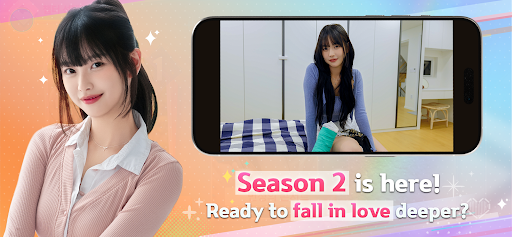
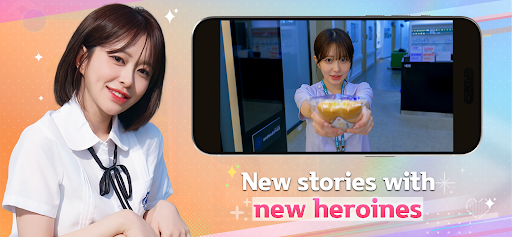
“I'm looking for someone to run the boarding house once again!”
In your everyday life, an unexpected love begins to unfold.
The FMV interactive romance simulation
[Five Hearts Under One Roof] returns with Season 2.
Step into the role of Yuman
and live together in a lively boarding house with six beautiful heroines,
each with their own charm and secrets.
In the same space, different emotions collide.
The closer you get, the more relationships begin to waver,
and feelings grow deeper.
One choice can change everything.
One word can alter the way she looks at you...
Here, you’ll feel your heart race, hesitate, and slowly fall.
In the end, who will remain by your side?
Or... could an unexpected love be waiting for you?
Character Introduction
Mal-sook Go / First Tenant / Childhood Friend of 20 Years
"From today on, he’s under my control!"
Now, Mal-sook has a secret she can’t bring herself to tell Yuman.
Gran Dong / Second Tenant / Workplace Supervisor
"When we’re not at work, don’t call me 'Manager.' Use my real name."
Yu-na Jeong / Third Tenant / Wealthy Heiress
"I came to take responsibility for you, Yuman. I always keep my word."
Min-jung Park / Fourth Tenant / First Love
"I had nowhere else to go but here."
Yu-jeong Yang / Last Tenant / Quiet Wallflower
"You're the first person who’s ever really seen me."
Gyu-ri Bang / Soon-to-Be Tenant (?) / Sweet Nurse
"Yuman, you’re a patient right now. A patient!"
Key Features
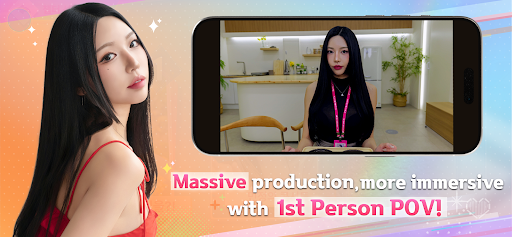
◆ Fully Immersive First-Person Romance
Experience the entire story through Yuman’s eyes.
Make choices, engage in conversations, and build relationships
as if you were truly living in the boarding house.
◆ A Relationship Shaped by Your Choices
A single choice
can completely change your relationship with her.
Sweet moments,
conflicting emotions,
and unexpected twists unfold along the way.
◆ Richer Storylines & Deeper Branching
Expanded story paths and newly added bonus videos reduce the barriers from Season 1.
Unlock hidden epilogues, bonus CGs, and explore multiple routes for a deeper experience.
◆ Deeper Story & Multiple Endings
Explore branching paths and hidden routes,
with dozens of different endings to discover.
Each playthrough brings
new emotions and new stories.
◆ Realism Brought by Live-Action Actors
Through live-action FMV and natural performances,
enjoy a more vivid and immersive romance experience.
◆ 6 Heroines with Unique Charm
From a childhood friend to a workplace superior, a wealthy heiress, and a first love.
Each relationship offers something different, and your choices will lead to a completely different story.
With a mix of older, younger, and same-age characters,
you’ll find yourself at the center of multiple unforgettable romances.
◆ Perfect For Players Like These:
Are looking for an immersive live-action FMV romance simulation
Want to experience realistic relationships while living with beautiful heroines
Enjoy romance sims where choices lead to different endings
Are searching for FMV romance games, visual novels, or dating sims
Love virtual dating with Korean beauties and heart-fluttering girlfriend stories
Prefer FMV games that combine video, chat, and interactive choices
Want mature, unique, and emotionally intense romance experiences
Are looking for a romance game filled with love, drama, and captivating heroines
Enjoy story-driven games like Road To Empress I and character voting features
Stay Connected
► Discord: BeautyGirls Story
► Instagram: @beautygirls_story
► YouTube: @beautygirls_story
► Customer Support: cs@storytaco.com
Show more

1. Download MEmu installer and finish the setup

2. Start MEmu then open Google Play on the desktop

3. Search Five Hearts Under One Roof 2 in Google Play
Install
4. Download and Install Five Hearts Under One Roof 2
5. On install completion click the icon to start

6. Enjoy playing Five Hearts Under One Roof 2 on PC with MEmu
MEmu Play is the best Android emulator and 100 million people already enjoy its superb Android gaming experience. The MEmu virtualization technology empowers you to play thousands of Android games smoothly on your PC, even the most graphic-intensive ones.
Bigger screen with better graphics; Long duration, without limitation of battery or mobile data.
Full Keymapping support for precise control of keyboard and mouse or gamepad.
Multiple game accounts or tasks on single PC at one time with Multi-Instance manager.
Play Five Hearts Under One Roof 2 on PC by following steps: