Funny voice zoo animal
Updated
Current Version
8
Offered By

With your passion for Funny voice zoo animal, you shouldn’t have to limit yourself to the small screen of a phone. Play like a pro and take full control of the game using a keyboard and mouse. MEmu gives you everything you’re looking for. Download and play Funny voice zoo animal on PC. Play as long as you want — no more worries about battery life, mobile data, or unexpected calls. The all-new MEmu 9 is the best way to play Funny voice zoo animal on PC. With our expertly designed keymapping system, Funny voice zoo animal feels just like a real PC game. The MEmu multi-instance manager lets you run two or more accounts on the same device at the same time. Most importantly, our exclusive emulation engine unlocks your PC’s full potential, delivering smooth and seamless performance.
Show more
Download Funny voice zoo animal on PC with MEmu Android Emulator. Enjoy playing on big screen. Welcome to My Voice Zoo, the fun AI animal voice changer and zoo soundboard made to create hilarious, shareable moments.

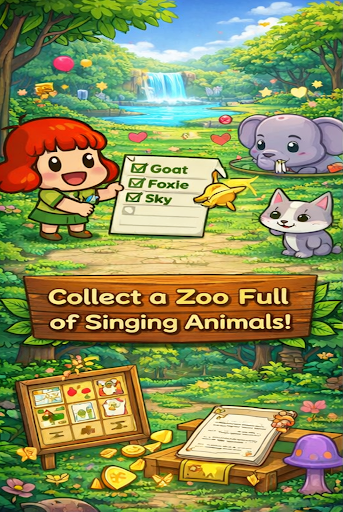
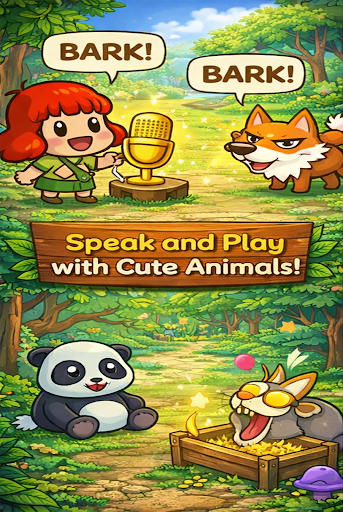

Welcome to My Voice Zoo, the fun AI animal voice changer and zoo soundboard made to create hilarious, shareable moments.
Our advanced AI voice generator doesn't just change your pitch—it transforms your speech into the funniest, most cursed zoo sounds on the internet. Whether you're building an idle zoo of talking creatures or pranking your friends with scary zoo animal voices, this is your secret weapon.
Why My Voice Zoo is the #1 Cursed AI Voice App of 2026:
The Signature "Cursed" Filter: Our exclusive algorithm creates that specific uncanny, brainrot soundboard aesthetic that dominates TikTok and Reels. It’s not just an animal sound; it’s a Cursed Zoo Voice.
Realistic AI Animal Voice Transformation: Record yourself and instantly hear your words spoken by a cursed monkey, a glitchy elephant, or a hauntingly funny animal voice.
Build Your Own My Voice Zoo: In this unique idle zoo game, your animals come to life using your own sounds. Collect coins, unlock new species, and grow your collection of weird wonders.
Viral TikTok Voice Changer: Designed for creators! Use our cursed animal voice filter to create "uncanny" videos that grab attention in the first 2 seconds.
Prank Soundboard & Modulator: Access a massive library of pre-set AI animal prank sounds and glitchy zoo voice effects. Perfect for Discord, gaming, or quick messaging pranks.
Features That Make the Zoo Go Wild:
Real-Time AI Magic: No waiting. Record and play your cursed sounds instantly.
Huge Animal Library: From farm favorites to exotic beasts, every animal voice has a unique, "cursed" twist.
Idle Income System: Watch your My Voice Zoo grow! Earn rewards every time your animals "talk" back to you.
High-Quality Export: Save your funny voice effects in HD and share them directly to social media with one tap.
HD Pictures with Smooth Animations: Beautiful zoo visuals that bring every creature to life.
Realistic Animal Sounds: Best-quality zoo animal voices with a weird and funny edge.
Animal Voice Library: Explore wild animal voice and zoo animal voice effects in one place.
Animal Sound Quiz: Identify animals by sound and challenge yourself.
Animal Picture Quiz: Identify animals by viewing their picture.
Simple, Easy UI: Smooth and easy navigation for a fun experience.
Safe and Easy to Use: Clean design with no complicated navigation.
Free to Explore: Start creating and sharing today.
Perfect for Creators, Pranksters, and Meme-Lords
Join the thousands of Myzoo voice users turning The Cursed Zoo Voice into a social media phenomenon.
Level Up Your myzoovoice Content: Add a unique, weird edge to your storytelling with cursed AI voices.
Ultimate Prank Tool: Send a voice note of a "talking" penguin that sounds hilariously wrong.
Myzoovoice Simple & Addictive: Move your character, record your voice, and watch the cursed animal magic happen.
Stop making normal sounds. Start making Cursed ones. Download My Voice Zoo today and unleash the most refreshing (and weirdest) animal voice changer of 2026!
Show more

1. Download MEmu installer and finish the setup

2. Start MEmu then open Google Play on the desktop

3. Search Funny voice zoo animal in Google Play
Install
4. Download and Install Funny voice zoo animal
5. On install completion click the icon to start

6. Enjoy playing Funny voice zoo animal on PC with MEmu
MEmu Play is the best Android emulator and 100 million people already enjoy its superb Android gaming experience. The MEmu virtualization technology empowers you to play thousands of Android games smoothly on your PC, even the most graphic-intensive ones.
Bigger screen with better graphics; Long duration, without limitation of battery or mobile data.
Full Keymapping support for precise control of keyboard and mouse or gamepad.
Multiple game accounts or tasks on single PC at one time with Multi-Instance manager.
Play Funny voice zoo animal on PC by following steps: