Game Killer
Updated
Current Version
2.1.2
Offered By

With your passion for Game Killer, you shouldn’t have to limit yourself to the small screen of a phone. Play like a pro and take full control of the game using a keyboard and mouse. MEmu gives you everything you’re looking for. Download and play Game Killer on PC. Play as long as you want — no more worries about battery life, mobile data, or unexpected calls. The all-new MEmu 9 is the best way to play Game Killer on PC. With our expertly designed keymapping system, Game Killer feels just like a real PC game. The MEmu multi-instance manager lets you run two or more accounts on the same device at the same time. Most importantly, our exclusive emulation engine unlocks your PC’s full potential, delivering smooth and seamless performance.
Show more
Download Game Killer on PC with MEmu Android Emulator. Enjoy playing on big screen. Can you recognize your favorite apps when they've been completely distorted?
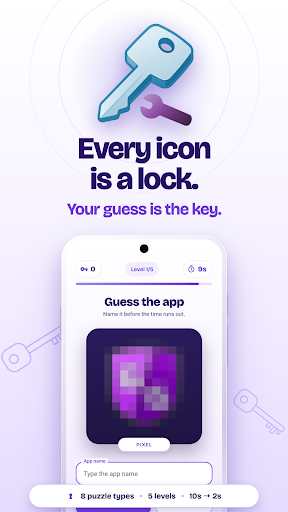
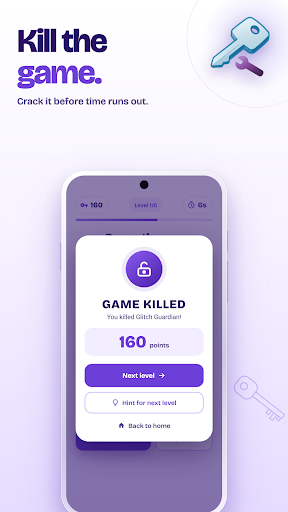
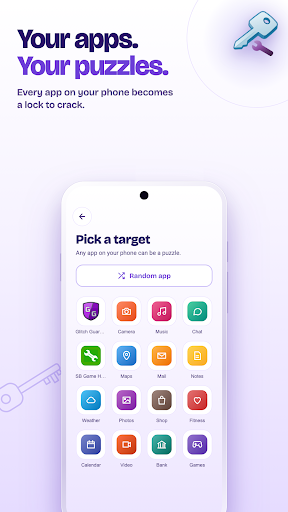
Can you recognize your favorite apps when they've been completely distorted? Game Killer transforms your installed applications into thrilling, mind-bending puzzles that push your recognition skills to their limits!
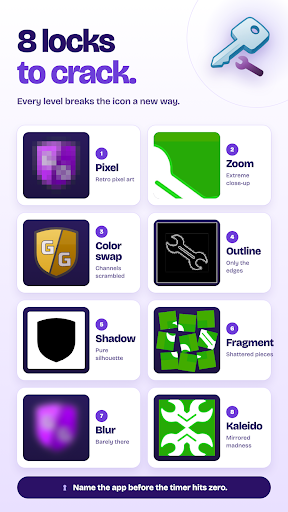
8 Innovative Puzzle Types:
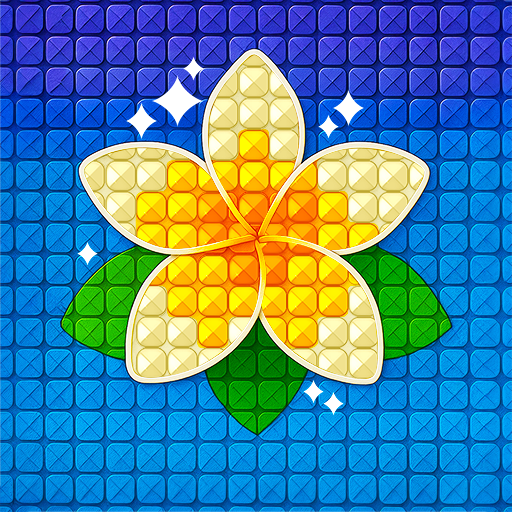
• Pixel Puzzle - Apps morph into retro pixel art.
• Zoomed Puzzle - Extreme close-ups challenge your perception.
• Color Swap - RGB channels are scrambled beyond recognition.
• Outline Puzzle - Only edges and boundaries remain visible.
• Shadow Puzzle - Black silhouettes on stark white backgrounds.
• Fragmented Puzzle - Icons shattered into scattered pieces.
• Blur Puzzle - Heavy distortion leaves everything barely recognizable.
• Kaleidoscope - Mirrored segments create psychedelic visuals.
Progressive Challenge Levels:
Face off through 5 increasingly intense difficulty levels:
Level 1: 10 seconds, moderate distortion (100+ points)
Level 2: 8 seconds, increased challenge (250+ points)
Level 3: 6 seconds, serious difficulty spike (400+ points)
Level 4: 4 seconds, extreme distortion (550+ points)
Level 5: 2 seconds, nightmare mode (700+ points)
Key Features:
Personalized gameplay using YOUR installed apps.
All-or-nothing style – one mistake ends the game.
Time pressure creates intense, exciting gameplay.
Progressive scoring system exponentially rewards skill.
Dark gaming aesthetic with Matrix-inspired animations.
Comprehensive stats tracking to monitor your progress.
No pay-to-win, purely skill-based progression.
Why Game Killer APK Is a Must-Download:
Personal Connection: Puzzle challenges based on apps you use daily.
Fair Challenge: Difficulty scales smoothly from easy to impossible.
Rewarding Progression: High-level puzzles offer huge point bonuses.
Optional Hints: Available if you're stuck, without ruining gameplay.
Clean Monetization: Non-intrusive ads offer genuine value.
Premium User Experience: Professional interface with smooth animations.
Game Killer No-Root & Root Versions Available:
Enjoy Game Killer no root required; easily accessible to everyone.
For advanced users, the Game Killer root version with root access provides extra capabilities.
Latest Updates in Game Killer 2025:
Regular updates ensure you always have the game killer latest version.
Optimized performance and exciting new puzzle variations.
Easy gamekiller APK download and installation.
Game Killer MOD APK:
Explore even more possibilities with Game Killer MOD APK—gemodificeerde versies offer enhanced gameplay options for an intensified gaming experience.
Ready to test your app-recognition skills to the extreme? Game Killer free download is available now. Master all 8 puzzle types through 5 brutally challenging levels!
Game Killer download available now. Get the latest Game Killer update and prove you're the ultimate puzzle champion!
Show more

1. Download MEmu installer and finish the setup

2. Start MEmu then open Google Play on the desktop

3. Search Game Killer in Google Play
Install
4. Download and Install Game Killer
5. On install completion click the icon to start

6. Enjoy playing Game Killer on PC with MEmu
MEmu Play is the best Android emulator and 100 million people already enjoy its superb Android gaming experience. The MEmu virtualization technology empowers you to play thousands of Android games smoothly on your PC, even the most graphic-intensive ones.
Bigger screen with better graphics; Long duration, without limitation of battery or mobile data.
Full Keymapping support for precise control of keyboard and mouse or gamepad.
Multiple game accounts or tasks on single PC at one time with Multi-Instance manager.
Play Game Killer on PC by following steps: