Brilliant Sort: Diamond Puzzle
Updated
Current Version
0.7.5
Offered By

With your passion for Brilliant Sort: Diamond Puzzle, you shouldn’t have to limit yourself to the small screen of a phone. Play like a pro and take full control of the game using a keyboard and mouse. MEmu gives you everything you’re looking for. Download and play Brilliant Sort: Diamond Puzzle on PC. Play as long as you want — no more worries about battery life, mobile data, or unexpected calls. The all-new MEmu 9 is the best way to play Brilliant Sort: Diamond Puzzle on PC. With our expertly designed keymapping system, Brilliant Sort: Diamond Puzzle feels just like a real PC game. The MEmu multi-instance manager lets you run two or more accounts on the same device at the same time. Most importantly, our exclusive emulation engine unlocks your PC’s full potential, delivering smooth and seamless performance.
Show more
Download Brilliant Sort: Diamond Puzzle on PC with MEmu Android Emulator. Enjoy playing on big screen. Experience the joy of diamond art painting in a whole new way!
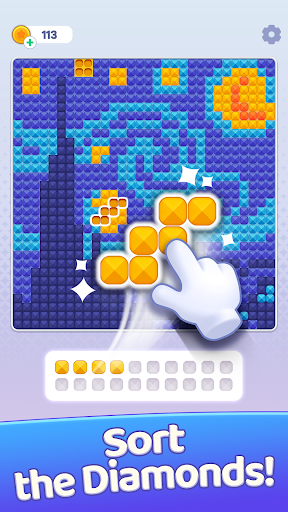
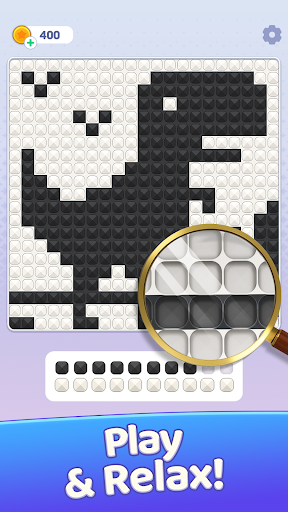
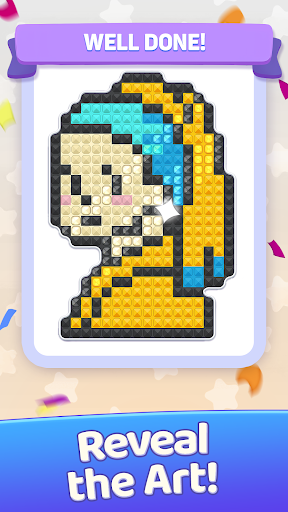
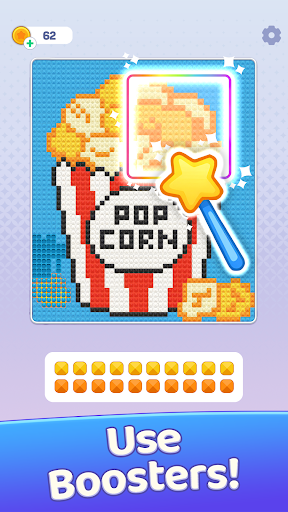
Experience the joy of diamond art painting in a whole new way! Make a fresh discovery in the world of coloring games—this isn't a paint-by-numbers game but rather a tactile puzzle where sorting gems reveals art. In Brilliant Sort, you'll sort sparkling diamonds by color, clear space on the shelf, and place each gem in the perfect spot. Fans of gem-sorting gameplay will adore watching dazzling pixel art images appear piece by piece as the clock ticks down.
A GROWING COLLECTION OF GEM ART
Discover hundreds of stunning pixel art pictures to complete in Brilliant Sort, from beautiful landscapes to cute characters. New artwork is added regularly to keep your diamond sorting journey fresh.
RELAXING YET CHALLENGING
Looking for a diamond art game that's both calming and engaging? Brilliant Sort is a relaxing brainteaser for those who enjoy peaceful yet captivating challenges. The early levels are easy to pick up, while later ones test your strategy and speed. It's rewarding without ever feeling stressful.
NEW WAYS TO PLAY
Themed Galleries: Tackle a curated group of levels tied together by one beautiful theme. Finish the gallery to earn a special reward!
Big Picture: Assemble one breathtaking diamond art picture made of tons of tiny segments. Each segment is its own level; complete them all to reveal the final image and claim your prize.
Event Locations: Explore limited-time event maps made of unique gem levels that require special event energy to play. Complete the whole location before the timer runs out to earn exclusive rewards.
Season Albums: Collect themed cards into seasonal albums by opening special packs from events, offers, and the event shop. Fill collections and complete the whole album to claim extra prizes.
FUN POWER-UPS TO HELP YOU WIN
Extra Shelf: Gain more space to plan your moves.
Time Freeze: Stop the clock to strategize without pressure.
Auto Sort: Instantly place diamonds in their correct spots.
PLAY ANYWHERE, ANYTIME
Enjoy diamond painting in Brilliant Sort anywhere—it's perfect for a quick break, a relaxing evening, or as you unwind before bed.
LOVED BY PLAYERS WORLDWIDE
⭐⭐⭐⭐⭐
""I truly love this game. It's beyond relaxing. A 10 out of 10 in my book—I highly recommend it!""
⭐⭐⭐⭐⭐
""I really enjoy this diamond game. Never played anything quite like it.""
⭐⭐⭐⭐⭐
""I love this game so much. It's super easy but still takes some thought and is super fun.""
Brilliant Sort: Puzzle Game isn't just about sorting gems; it's diamond painting brought to life, one move at a time. Whether you're a casual player or a puzzle pro, you'll find joy in every sparkling diamond you place.
Download now and start revealing dazzling art!
Show more

1. Download MEmu installer and finish the setup

2. Start MEmu then open Google Play on the desktop

3. Search Brilliant Sort: Diamond Puzzle in Google Play
Install
4. Download and Install Brilliant Sort: Diamond Puzzle
5. On install completion click the icon to start

6. Enjoy playing Brilliant Sort: Diamond Puzzle on PC with MEmu
MEmu Play is the best Android emulator and 100 million people already enjoy its superb Android gaming experience. The MEmu virtualization technology empowers you to play thousands of Android games smoothly on your PC, even the most graphic-intensive ones.
Bigger screen with better graphics; Long duration, without limitation of battery or mobile data.
Full Keymapping support for precise control of keyboard and mouse or gamepad.
Multiple game accounts or tasks on single PC at one time with Multi-Instance manager.
Play Brilliant Sort: Diamond Puzzle on PC by following steps: