Genesis War
Updated
Current Version
2.1.10
Offered By

With your passion for Genesis War, you shouldn’t have to limit yourself to the small screen of a phone. Play like a pro and take full control of the game using a keyboard and mouse. MEmu gives you everything you’re looking for. Download and play Genesis War on PC. Play as long as you want — no more worries about battery life, mobile data, or unexpected calls. The all-new MEmu 9 is the best way to play Genesis War on PC. With our expertly designed keymapping system, Genesis War feels just like a real PC game. The MEmu multi-instance manager lets you run two or more accounts on the same device at the same time. Most importantly, our exclusive emulation engine unlocks your PC’s full potential, delivering smooth and seamless performance.
Show more
Download Genesis War on PC with MEmu Android Emulator. Enjoy playing on big screen. The Ultimate Tactical Saga Reborn.
The Ultimate Tactical Saga Reborn
Command the Legend. Forge Your Destiny.
War engulfs the continent of Antaria,
where countless heroes clash, each driven by their own beliefs and destiny.
The Geysir Empire marches forward, conquering the continent with overwhelming might.
Princess Iyolin and her companions rise to reclaim the fallen kingdom of Pandragon.
And in the shadow of war, a vast and hidden truth begins to emerge.
Join a cast of unforgettable heroes in the strategic RPG "Genesis War."
The grand journey of the Genesis War unfolds now.
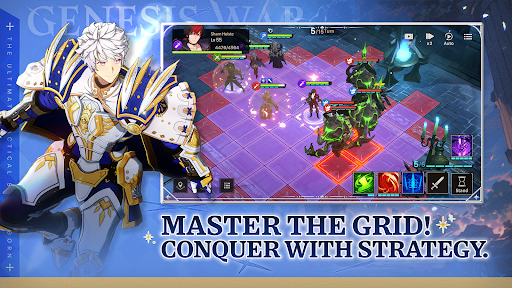
■ Strategic Turn-Based Combat with True Depth
Precision turn-based battles shaped by elemental advantages and terrain mechanics!
Outmaneuver your enemies with calculated tactics and savor the thrill of hard-earned victory.
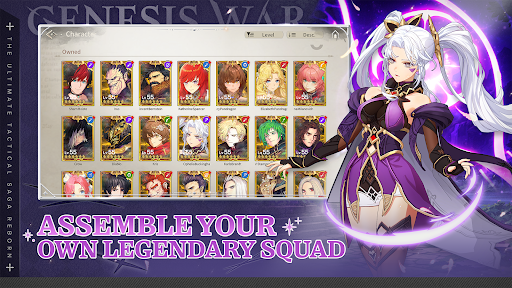
■ Build Your Ultimate Team
Charismatic heroes from the world of Genesis War!
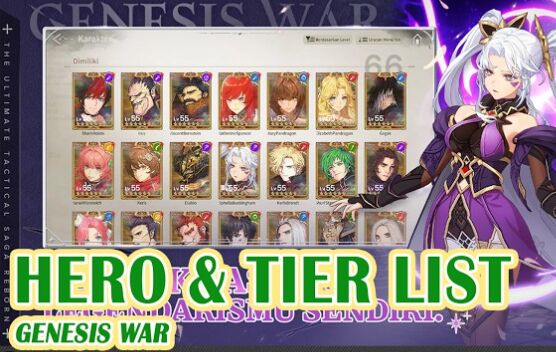
Design your own unstoppable line-up and unlock tremendous team synergy.
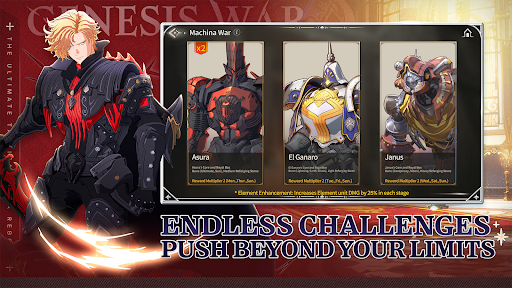
■ Ever-Expanding Content and Relentless Challenges
From Boss Raids and exploration to high-difficulty stages and intense PvP!
Prove your true skill and rise to the top.
■ Immersive, High-Quality Visuals
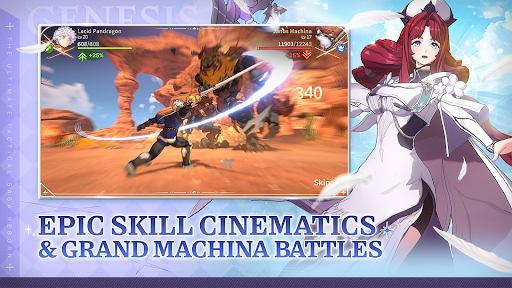
Witness your heroes unleash their skills in spectacular cinematics and dynamic 3D battle sequences!
Experience breathtaking scale in epic battles against colossal Machina.
■ A Grand Narrative of Factions and Heroes
Prepare yourself for an epic journey forged in the vortex of war.
Discover a deeply immersive story where emotion and destiny collide.
[Minimum Requirements]
- OS: Android 11 or newer
- RAM: 6GB
- Storage: at least 7GB
[Optional Access]
The following access is requested upon use.
You may still continue using the service without the specific feature even if access is declined.
- Camera: Capture and attach photos/videos
- Photos/Media/Files: Community attachment feature
- Notifications: Receive informational and promotional push notifications
[How to Remove Access]
- Android 6.0 or above: Settings > Apps > Select App > Permissions > Allow or Remove Access
- Lower than Android 6.0: Update the OS to Remove Access or Uninstall the App
[Information on Paid Contents and Usage]
※ Probabilistic items are included in the game.
※ Purchasing paid contents will incur additional charges.
- Provider: ⓒ LINE Games Corporation
- Terms of Service and Service Period: Refer to the information provided in-game
(If service period is not shown, the game service end date is to be regarded as the service period)
- Payment amount and method: Refer to the amounts and methods provided for each content in-game
(Billed amount may differ depending on exchange rate and fees when using foreign currency)
- Content provision method: Issued directly to the game account that carried out the purchase or issued to the in-game mailbox
- Refund policy: In accordance with Article 5 of the Terms of Service
- Compensation for damages and handling of complaints: Refer to Articles 11 and 15 of the Terms of Service
- Inquiries: Submit online through the in-game customer support center
[Developer Contact] E-mail: game_service@linegames.support
[Business Address]
LINE Games Corporation, 2F, AP Tower, Teheran-ro 218, Gangnam-gu, Seoul, 06221, South Korea
[Privacy Policy]
https://cs.line.games/policy/store/privacy?companyCd=LINE_GAMES&svcCd=STORE&langCd=en
[Terms of Service]
https://cs.line.games/policy/store/terms?companyCd=LINE_GAMES&svcCd=STORE&langCd=en
ⓒLINE Games Corporation & Meerkat Games Co., Ltd. All Rights Reserved.
Show more

1. Download MEmu installer and finish the setup

2. Start MEmu then open Google Play on the desktop

3. Search Genesis War in Google Play
Install
4. Download and Install Genesis War
5. On install completion click the icon to start

6. Enjoy playing Genesis War on PC with MEmu
MEmu Play is the best Android emulator and 100 million people already enjoy its superb Android gaming experience. The MEmu virtualization technology empowers you to play thousands of Android games smoothly on your PC, even the most graphic-intensive ones.
Bigger screen with better graphics; Long duration, without limitation of battery or mobile data.
Full Keymapping support for precise control of keyboard and mouse or gamepad.
Multiple game accounts or tasks on single PC at one time with Multi-Instance manager.
Play Genesis War on PC by following steps: