Great Little War Game
Updated
Current Version
2.4
Offered By

With your passion for Great Little War Game, you shouldn’t have to limit yourself to the small screen of a phone. Play like a pro and take full control of the game using a keyboard and mouse. MEmu gives you everything you’re looking for. Download and play Great Little War Game on PC. Play as long as you want — no more worries about battery life, mobile data, or unexpected calls. The all-new MEmu 9 is the best way to play Great Little War Game on PC. With our expertly designed keymapping system, Great Little War Game feels just like a real PC game. The MEmu multi-instance manager lets you run two or more accounts on the same device at the same time. Most importantly, our exclusive emulation engine unlocks your PC’s full potential, delivering smooth and seamless performance.
Show more
Download Great Little War Game on PC with MEmu Android Emulator. Enjoy playing on big screen. Officially one of the BEST strategy games ever made!
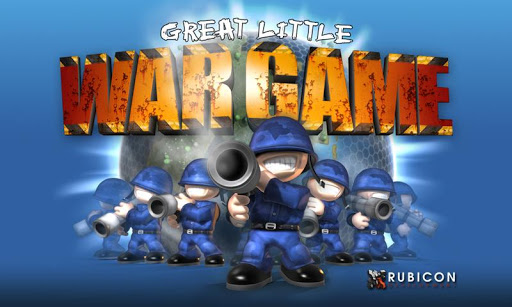
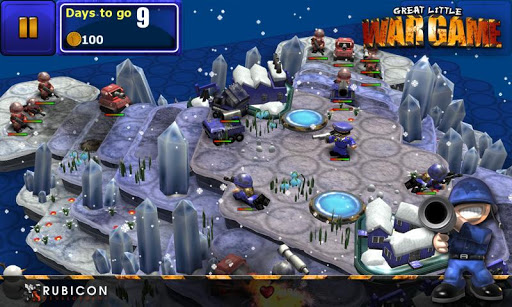
Officially one of the BEST strategy games ever made!
http://bestappever.com/awards/2011/winner/stgm
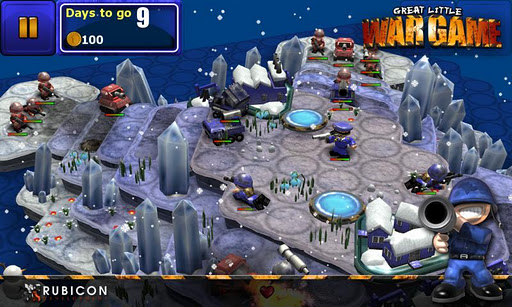
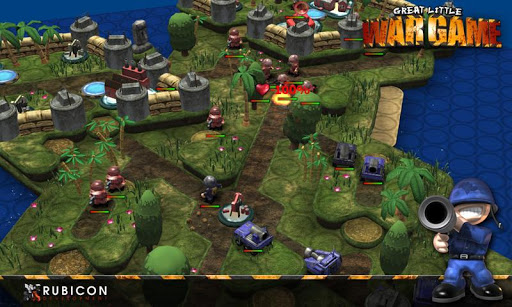
GLWG is the hit 3D turn-based strategy game that everyone's talking about. With a unique comical style and plenty of laughs and excitement, you'll keep coming back again and again for "just one more go."
Core Features:
Campaign mode
Multiplayer mode
Skirmish mode
Four difficulty settings
Lush visuals
Full 3D terrain affects gameplay
Simple control method
Lots of units
Lots of terrain types
High replayability
Tons of humour
Absolutely no birds or zombies
Take command of your army and battle the foe on land, sea and air but be sure to make wise decisions as you go. You want to deploy your soldiers to take full advantage of the higher terrain, natural choke points, ambush spots and defensive walls. Get it right and the bad guys will lose to your superior strategy skills.
See what other critics are saying:
TapScape review: 10/10
"Great Little War Game is just that: a well-designed and enjoyable tactical war game perfect for those who enjoy the lighter side of virtual warfare."
Touch Arcade review: 5/5
"I'll call Great Little War Game "great" without hesitation" ... "the kind of game you can really sink your teeth into, which is rare enough. So I'm delighted to discover that it's also rich in features, good looking and full of humor."
Top10.com: First place (march)
"The lavish production values of the game, incredible attention to detail and excellent animation gives you a sense of aerial, naval and land warfare that gets as good as you can expect on a small screen"
Varied missions are the order of the day here - capture the enemy HQ, escort the Generalissimo to safety, guide small squads behind enemy lines, defend your base...you get the picture. There are 30 missions included, so it's going to be one crazy ride if you decide you’re brave enough to give them a try.
What are you waiting for? Right now, as you sit reading this, there is a battalion of soldiers just waiting for your command. Download Great Little War Game now and take your place alongside your troops. Lead well, live long and have fun.
Show more

1. Download MEmu installer and finish the setup

2. Start MEmu then open Google Play on the desktop

3. Search Great Little War Game in Google Play
Install
4. Download and Install Great Little War Game
5. On install completion click the icon to start

6. Enjoy playing Great Little War Game on PC with MEmu
MEmu Play is the best Android emulator and 100 million people already enjoy its superb Android gaming experience. The MEmu virtualization technology empowers you to play thousands of Android games smoothly on your PC, even the most graphic-intensive ones.
Bigger screen with better graphics; Long duration, without limitation of battery or mobile data.
Full Keymapping support for precise control of keyboard and mouse or gamepad.
Multiple game accounts or tasks on single PC at one time with Multi-Instance manager.
Play Great Little War Game on PC by following steps: