Hellsquad Rrrush!
Updated
Current Version
0.9.2
Offered By

With your passion for Hellsquad Rrrush!, you shouldn’t have to limit yourself to the small screen of a phone. Play like a pro and take full control of the game using a keyboard and mouse. MEmu gives you everything you’re looking for. Download and play Hellsquad Rrrush! on PC. Play as long as you want — no more worries about battery life, mobile data, or unexpected calls. The all-new MEmu 9 is the best way to play Hellsquad Rrrush! on PC. With our expertly designed keymapping system, Hellsquad Rrrush! feels just like a real PC game. The MEmu multi-instance manager lets you run two or more accounts on the same device at the same time. Most importantly, our exclusive emulation engine unlocks your PC’s full potential, delivering smooth and seamless performance.
Show more
Download Hellsquad Rrrush! on PC with MEmu Android Emulator. Enjoy playing on big screen. The ultimate defense & strategy experience—in hell!
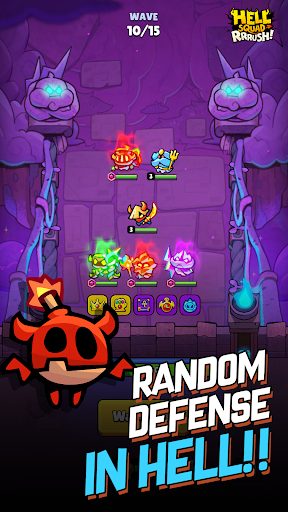
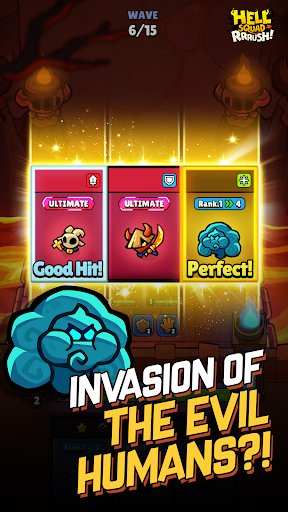
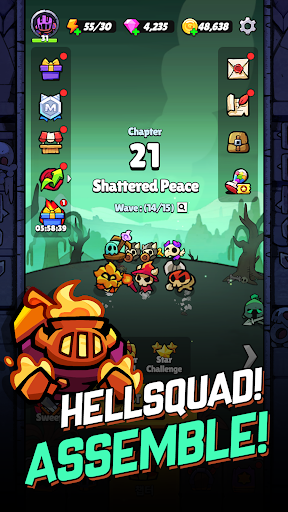
The ultimate defense & strategy experience—in hell!
Greedy humans are trying to take over the underworld.
Repel them and bring peace to the demon realm!
Join the forces of hell, and lend a helping hand to the poor little demons trying to defend their home in this casual roguelike defense game!
BEWARE OF ANGRY DEMONS
- Summon cute demon minions and fend off the intruders
- Keep your tower safe from incoming hordes of enemies
- Retake lost treasures from the humans, then use them to upgrade your infernal army
- Unlock ultimate skills as you grow in power
- Strategy, teamwork, and strokes of luck—a unique blend of the three will deliver fun like never before!
The only thing standing between your home and the invaders is hell's mighty fortress wall—you must guard it at all costs.
The fate of your homeworld rests on your shoulders.
Take up arms, rally the demons, and make a united stand against your mortal foes!
Are you ready?
It's time for Hellsquad Rrrush!
■ App Access Permissions
[Optional Access Permissions]
- Notifications: Permissions for sending informational alerts and advertising Push notifications from the app to your phone
※ You can still play the game without agreeing to receive Push notifications. Access permissions can be changed or withdrawn any time.
[Withdrawing Permissions]
- Operating System 6.0 or later: Settings > Applications > Select the app > Permissions > Withdraw permissions
- Operating System before 6.0: Due to the nature of the operating system, permissions cannot be withdrawn. Please delete the app to withdraw permissions
Show more

1. Download MEmu installer and finish the setup

2. Start MEmu then open Google Play on the desktop

3. Search Hellsquad Rrrush! in Google Play
Install
4. Download and Install Hellsquad Rrrush!
5. On install completion click the icon to start

6. Enjoy playing Hellsquad Rrrush! on PC with MEmu
MEmu Play is the best Android emulator and 100 million people already enjoy its superb Android gaming experience. The MEmu virtualization technology empowers you to play thousands of Android games smoothly on your PC, even the most graphic-intensive ones.
Bigger screen with better graphics; Long duration, without limitation of battery or mobile data.
Full Keymapping support for precise control of keyboard and mouse or gamepad.
Multiple game accounts or tasks on single PC at one time with Multi-Instance manager.
Play Hellsquad Rrrush! on PC by following steps: