High Frontier 4 All
Updated
Current Version
0.25.0308
Offered By

With your passion for High Frontier 4 All, you shouldn’t have to limit yourself to the small screen of a phone. Play like a pro and take full control of the game using a keyboard and mouse. MEmu gives you everything you’re looking for. Download and play High Frontier 4 All on PC. Play as long as you want — no more worries about battery life, mobile data, or unexpected calls. The all-new MEmu 9 is the best way to play High Frontier 4 All on PC. With our expertly designed keymapping system, High Frontier 4 All feels just like a real PC game. The MEmu multi-instance manager lets you run two or more accounts on the same device at the same time. Most importantly, our exclusive emulation engine unlocks your PC’s full potential, delivering smooth and seamless performance.
Show more
Download High Frontier 4 All on PC with MEmu Android Emulator. Enjoy playing on big screen. Welcome to High Frontier 4 All !
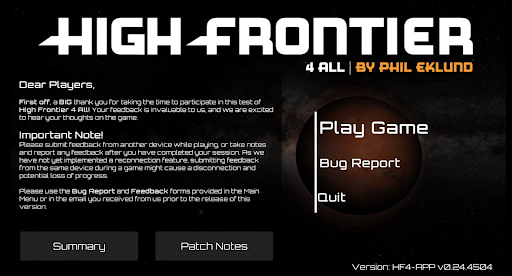
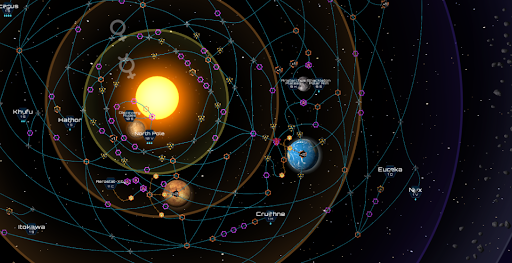
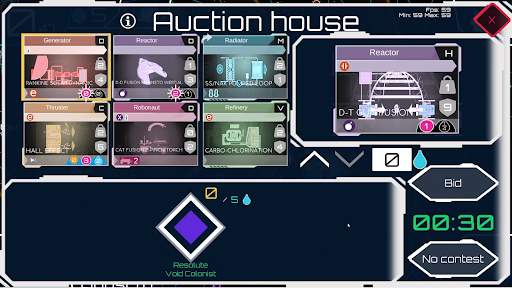
Welcome to High Frontier 4 All !
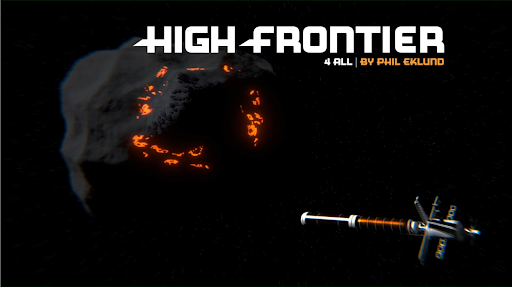
Embark on an exciting journey into space, where ambition and ingenuity fuel the race to explore our solar system! Initially designed by a rocket engineer, and with a rich array of knowledgable contributors over the years, High Frontier 4 All is one of the most complex and rewarding board games ever created, blending scientific realism with strategic depth like no other.
At ION Game Design, we’re proud to bring its experience to you as an app, crafted to celebrate the intricate beauty of this groundbreaking game and enhancing your experience as you chart new horizons and conquer the cosmos.
Thank you for joining us on this adventure — your universe awaits!
- Besime Uyanik, CEO Ion Game Design
** Differences & Missing Features from the board game **
Pathfinding:
• While paths may not always be perfect, we are actively working on further enhancements.
Unlimited Structures:
• There is no limit to the number of outposts, claims, colonies, factories, and rockets that a player can have.
Scientific Fuel Calculation:
• Fuel calculation now uses the scientific rocket equation instead of the abstracted board game version.
Multiple Components from the Same Patent:
• Players can create multiple components from the same patent.
• Only one instance can be constructed or boosted from the same patent per action, but players can make multiple of the same kind over multiple turns.
Player Interactions:
• No direct interactions between players are possible at this point.
• Trading of patents or favors and in-game negotiations are not yet available.
Air Eater and Pac-Man Abilities:
• These abilities are displayed on rockets but do not have functionality yet.
Faction and Patent Abilities:
• Abilities like the Photon Kite Sails immunity to Flare and Belt rolls are not implemented in this version.
Glitched Components:
• The flyby glitch trigger is not implemented in the app.
Factory Assisted Take-Off:
• Not implemented.
Heroism Chits:
• Not in this version.
Astrobiology, Atmospheric, and Submarine Site Features:
• Not implemented.
Powersat Rules:
• Anything related to powersats is not in the game at this time.
Synodic Comet Sites and Locations:
• Always present on the map regardless of season.
First Player Privilege:
• Not available.
Solar Oberth Flyby:
• Treated as a regular hazard.
Lander Hazards:
• Currently functions like regular lander.
Rotating Heavy Radiator Components:
• No way to rotate heavy radiator components to their light side.
• If they should rotate automatically, they will instead be decommissioned.
Auction Ties:
• Only the auction starter can tie in the auction house and will always win ties.
Discarding Claims and Factories:
• Currently no way to discard claims and factories.
Show more

1. Download MEmu installer and finish the setup

2. Start MEmu then open Google Play on the desktop

3. Search High Frontier 4 All in Google Play
Install
4. Download and Install High Frontier 4 All
5. On install completion click the icon to start

6. Enjoy playing High Frontier 4 All on PC with MEmu
MEmu Play is the best Android emulator and 100 million people already enjoy its superb Android gaming experience. The MEmu virtualization technology empowers you to play thousands of Android games smoothly on your PC, even the most graphic-intensive ones.
Bigger screen with better graphics; Long duration, without limitation of battery or mobile data.
Full Keymapping support for precise control of keyboard and mouse or gamepad.
Multiple game accounts or tasks on single PC at one time with Multi-Instance manager.
Play High Frontier 4 All on PC by following steps: