Hot Springs Story 2
Updated
Current Version
1.4.0
Offered By

With your passion for Hot Springs Story 2, you shouldn’t have to limit yourself to the small screen of a phone. Play like a pro and take full control of the game using a keyboard and mouse. MEmu gives you everything you’re looking for. Download and play Hot Springs Story 2 on PC. Play as long as you want — no more worries about battery life, mobile data, or unexpected calls. The all-new MEmu 9 is the best way to play Hot Springs Story 2 on PC. With our expertly designed keymapping system, Hot Springs Story 2 feels just like a real PC game. The MEmu multi-instance manager lets you run two or more accounts on the same device at the same time. Most importantly, our exclusive emulation engine unlocks your PC’s full potential, delivering smooth and seamless performance.
Show more
Download Hot Springs Story 2 on PC with MEmu Android Emulator. Enjoy playing on big screen. What lies beyond the bath curtain?
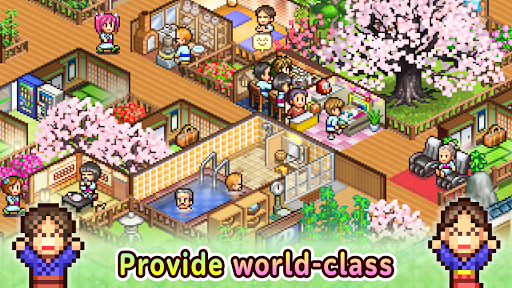

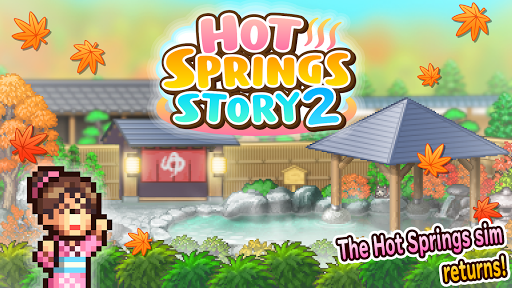
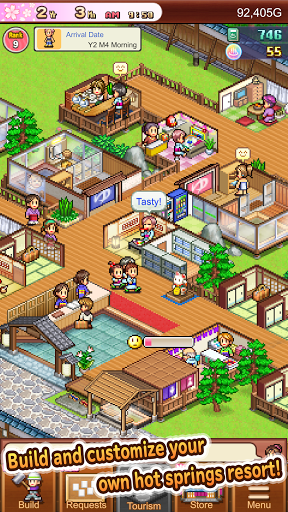
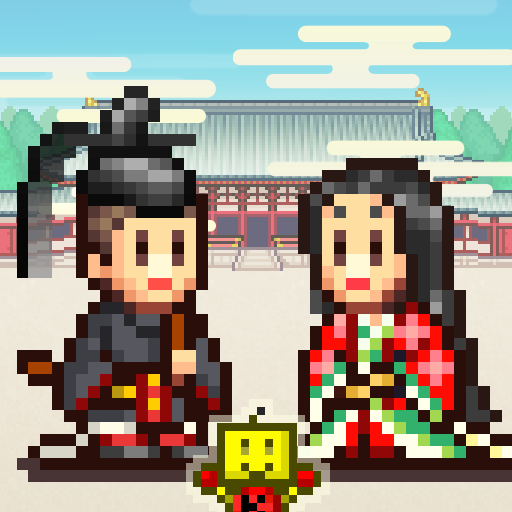
What lies beyond the bath curtain? A "hot" new entry into the hotel sim genre!
Features new baths exclusive to the sequel. Furnish your resort with Cauldron Baths, Footbaths, Open-Air Baths, and more. Create and customize your own world-famous hot springs resort.
Entertain visitors with tons of facilities, including Ping Pong Tables, Stores, and Oil Drum Baths. Don't forget to provide first-class local cuisine! Thrill foodie guests with everything from humble Ramen Stalls to fancy Sushi Restaurants.
Give your grounds a splash of color with decorative plants and watch the seasons change throughout the year.
Baths also have a variety of effects, like relieving fatigue or promoting smooth, glowing skin. Placing a Beautician and Chocolatier near one of these baths will help you reel in guests who want to feel pampered.
Help develop the local area by investing in different tourist attractions. Will you promote the Soothing Forest? A bustling Amusement Park? Maybe even an all-year round Ski Slope?
Before you know it, you'll be booking tours for all kinds of visitors, from couples and families to ninjas and supermodels! The more guests you welcome, the more popular your resort will become.
Hit the right targets, and travel guides will start featuring you in their rankings, too. Aim for the top and become the best 5-Star hot springs resort the world has ever seen!
--
Zoom in or adjust the screen size with touch controls.
Try searching for "Kairosoft" to see all of our games, or visit us at http://kairopark.jp
Be sure to check out both our free-to-play and our paid games!
Kairosoft's pixel art game series continues!
Follow us on Twitter for the latest Kairosoft news and information.
https://twitter.com/kairokun2010
Show more

1. Download MEmu installer and finish the setup

2. Start MEmu then open Google Play on the desktop

3. Search Hot Springs Story 2 in Google Play
Install
4. Download and Install Hot Springs Story 2
5. On install completion click the icon to start

6. Enjoy playing Hot Springs Story 2 on PC with MEmu
MEmu Play is the best Android emulator and 100 million people already enjoy its superb Android gaming experience. The MEmu virtualization technology empowers you to play thousands of Android games smoothly on your PC, even the most graphic-intensive ones.
Bigger screen with better graphics; Long duration, without limitation of battery or mobile data.
Full Keymapping support for precise control of keyboard and mouse or gamepad.
Multiple game accounts or tasks on single PC at one time with Multi-Instance manager.
Play Hot Springs Story 2 on PC by following steps: