Hotdog Tycoon
Updated
Current Version
1.0.3
Offered By

With your passion for Hotdog Tycoon, you shouldn’t have to limit yourself to the small screen of a phone. Play like a pro and take full control of the game using a keyboard and mouse. MEmu gives you everything you’re looking for. Download and play Hotdog Tycoon on PC. Play as long as you want — no more worries about battery life, mobile data, or unexpected calls. The all-new MEmu 9 is the best way to play Hotdog Tycoon on PC. With our expertly designed keymapping system, Hotdog Tycoon feels just like a real PC game. The MEmu multi-instance manager lets you run two or more accounts on the same device at the same time. Most importantly, our exclusive emulation engine unlocks your PC’s full potential, delivering smooth and seamless performance.
Show more
Download Hotdog Tycoon on PC with MEmu Android Emulator. Enjoy playing on big screen. Start with a single hotdog cart and a dream.
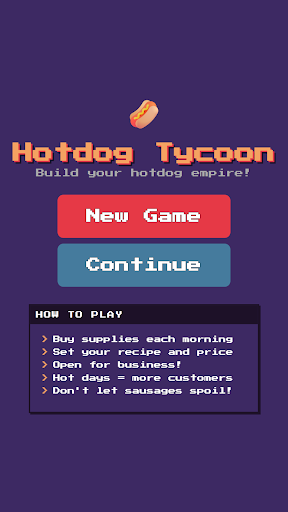
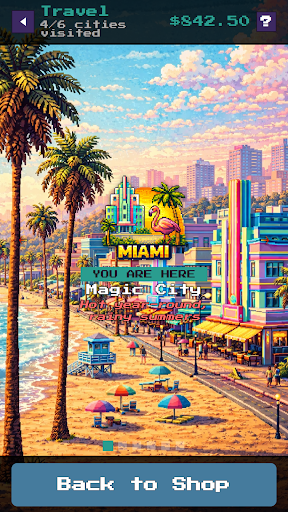
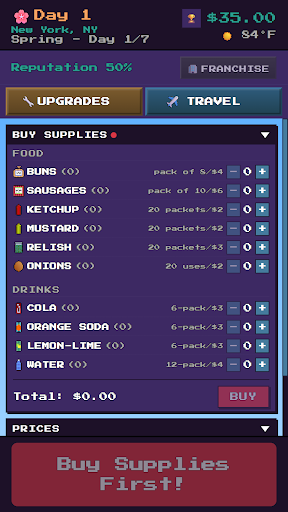
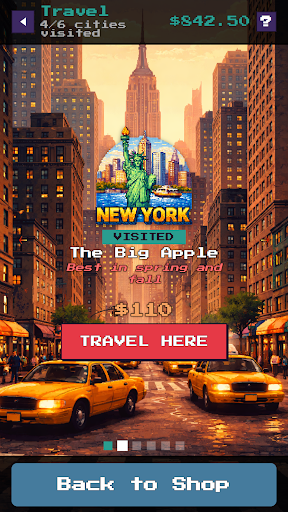
Start with a single hotdog cart and a dream. Buy your buns, sausages, and drinks, read the weather, set your prices, and sell your way from a street-corner stand to a coast-to-coast fast-food empire.
Hotdog Tycoon is a cozy, deep business sim wrapped in crunchy pixel art. Every day is a fresh puzzle: stock the right supplies, price for the crowd, and don't let your sausages spoil.
RUN YOUR STAND
• Buy supplies each morning and set your recipe and prices
• Watch the day play out as customers roll in
• Hot, sunny days bring crowds — rain keeps them home
• Keep quality high and your reputation climbing
MASTER THE WEATHER
• Every city has its own seasonal weather patterns
• Plan ahead as seasons shift and demand swings
• Sell more drinks when it's scorching, ride out the cold snaps
TRAVEL & EXPAND
• Take your cart to new cities, each with its own vibe and quirks
• Build reputation city by city
• Discover local tastes (Chicagoans have opinions about ketchup…)
⬆ UPGRADE EVERYTHING
• Dozens of upgrades: better equipment, smarter inventory, bigger reach
• Unlock achievements as you grow
BUILD YOUR EMPIRE
• Franchise your best cities and incorporate as HotdogCorp
• Hire managers and executives, research corporate perks, ride market swings
• Your empire runs in real time — level up locations and expand into endless new cities, and collect what you earned while you were away
No ads. No in-app purchases. No account required. Just you, your cart, and the grind to the top.
How big can your hotdog empire get?
Show more

1. Download MEmu installer and finish the setup

2. Start MEmu then open Google Play on the desktop

3. Search Hotdog Tycoon in Google Play
Install
4. Download and Install Hotdog Tycoon
5. On install completion click the icon to start

6. Enjoy playing Hotdog Tycoon on PC with MEmu
MEmu Play is the best Android emulator and 100 million people already enjoy its superb Android gaming experience. The MEmu virtualization technology empowers you to play thousands of Android games smoothly on your PC, even the most graphic-intensive ones.
Bigger screen with better graphics; Long duration, without limitation of battery or mobile data.
Full Keymapping support for precise control of keyboard and mouse or gamepad.
Multiple game accounts or tasks on single PC at one time with Multi-Instance manager.
Play Hotdog Tycoon on PC by following steps: