How You Died
Updated
Current Version
0.5.2
Offered By

With your passion for How You Died, you shouldn’t have to limit yourself to the small screen of a phone. Play like a pro and take full control of the game using a keyboard and mouse. MEmu gives you everything you’re looking for. Download and play How You Died on PC. Play as long as you want — no more worries about battery life, mobile data, or unexpected calls. The all-new MEmu 9 is the best way to play How You Died on PC. With our expertly designed keymapping system, How You Died feels just like a real PC game. The MEmu multi-instance manager lets you run two or more accounts on the same device at the same time. Most importantly, our exclusive emulation engine unlocks your PC’s full potential, delivering smooth and seamless performance.
Show more
Download How You Died on PC with MEmu Android Emulator. Enjoy playing on big screen. How You Died.
How You Died
Survive. Explore. Adapt.
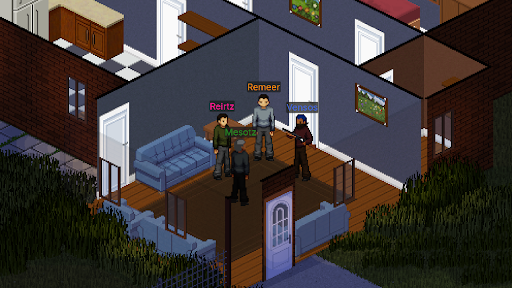
The world has fallen to a deadly zombie outbreak. Every abandoned building may hide valuable supplies—or your next encounter with the infected. Enter a dangerous open world where every decision matters and survival is never guaranteed.
Play alone or join friends online to explore, scavenge, and fight for survival in a world that constantly changes around you, with dynamic weather, unexpected events, and dangers that can emerge at any moment.
Features
Open-World Survival
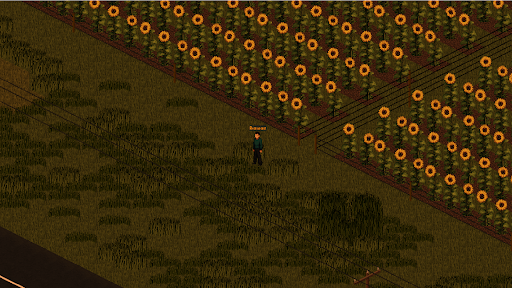
Explore cities, forests, roads, and abandoned locations filled with loot, danger, and secrets.
Online Multiplayer
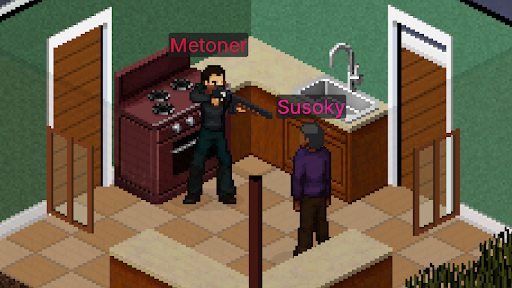
Team up with friends or survive on your own in dedicated multiplayer servers.
Loot Everything
Search houses, stores, and buildings for food, water, weapons, medical supplies, and other essential resources.
Deep Survival Mechanics
Manage your hunger, thirst, fatigue, injuries, and overall condition as you struggle to survive. Your physical and mental state can change the way you play, making every situation more dangerous.
Combat the Infected
Fight dangerous zombies using melee weapons and firearms. Every battle can be your last.
Dynamic Exploration
Travel across a large map and discover new places, valuable loot, and unexpected dangers. The world can change as you play, with weather and other events creating new challenges and situations.
Every Choice Matters
Noise attracts zombies. Resources are limited. Your actions can have consequences, and smart decisions can greatly increase your chances of survival.
Moodles & Character Status
Your character reacts to the world around them. Hunger, thirst, fatigue, injuries, fear, panic, and other conditions directly affect your performance. Learn to manage your physical and mental state to stay alive.
Show more

1. Download MEmu installer and finish the setup

2. Start MEmu then open Google Play on the desktop

3. Search How You Died in Google Play
Install
4. Download and Install How You Died
5. On install completion click the icon to start

6. Enjoy playing How You Died on PC with MEmu
MEmu Play is the best Android emulator and 100 million people already enjoy its superb Android gaming experience. The MEmu virtualization technology empowers you to play thousands of Android games smoothly on your PC, even the most graphic-intensive ones.
Bigger screen with better graphics; Long duration, without limitation of battery or mobile data.
Full Keymapping support for precise control of keyboard and mouse or gamepad.
Multiple game accounts or tasks on single PC at one time with Multi-Instance manager.
Play How You Died on PC by following steps: